SMART MATRIX WINDINGFEEDER Operation
SMART MATRIX WINDINGFEEDER - 8 -
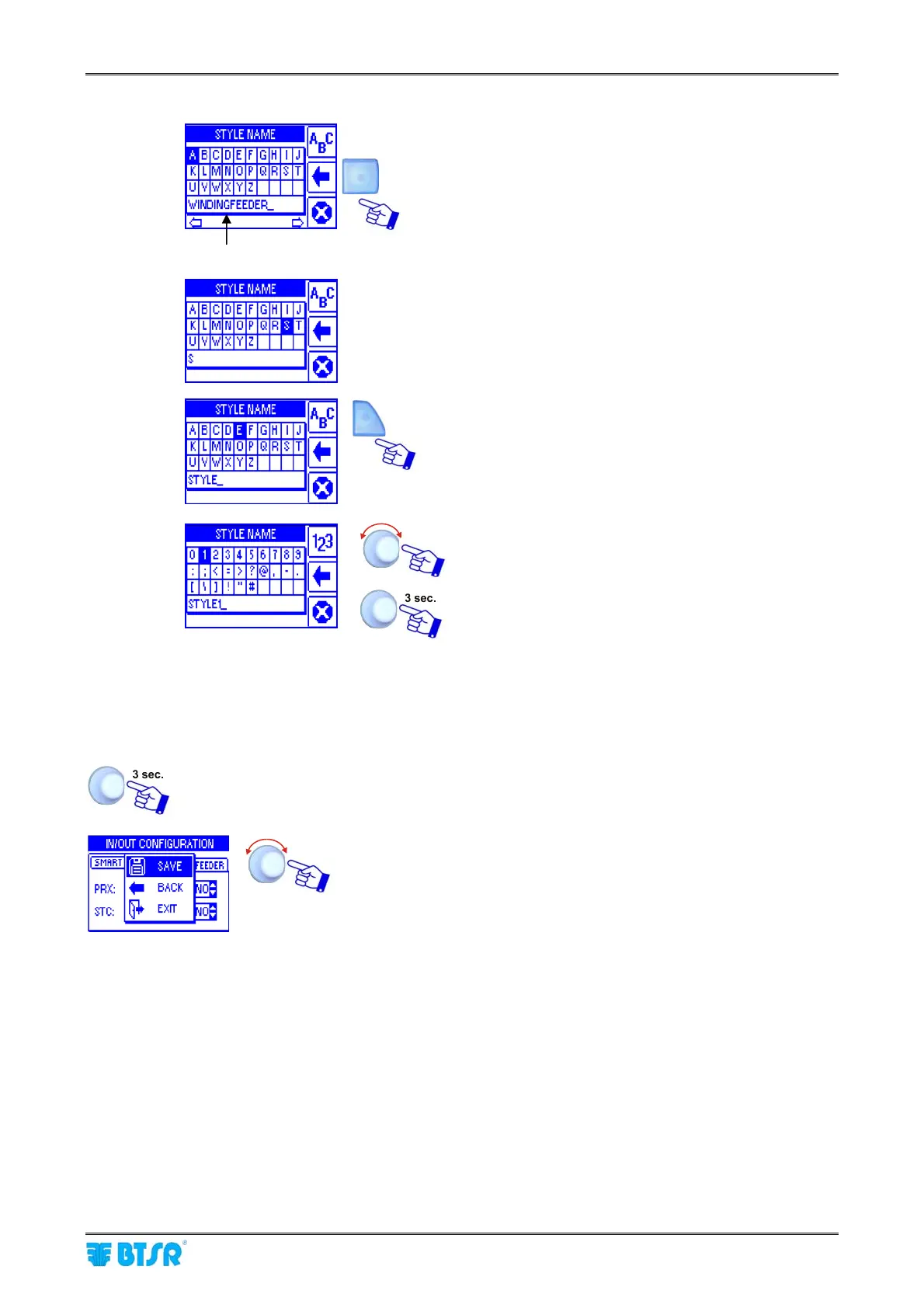
To enter the Style Name (e.g. STYLE1), operate as follows:
NOME ARTICOLO DI DEFAULT
Press repeatedly the indicated button to clear the
Default Style Name.
Select, in sequence, the S, T, Y, L, E keys.
Press twice indicated button to select the numeric
keypad.
Select 1.
Confirm the entered string (STYLE1).
4 – Parameters Saving
Once you have setup all the desired parameters, press and hold down for 3 seconds the
rotary selector.
SAVE to save the settings
BACK to return to previous screen without saving
EXIT to return to menu without saving











 To Next Page