Language Selection
SMART MATRIX WINDINGFEEDER - 21 -
Language Selection
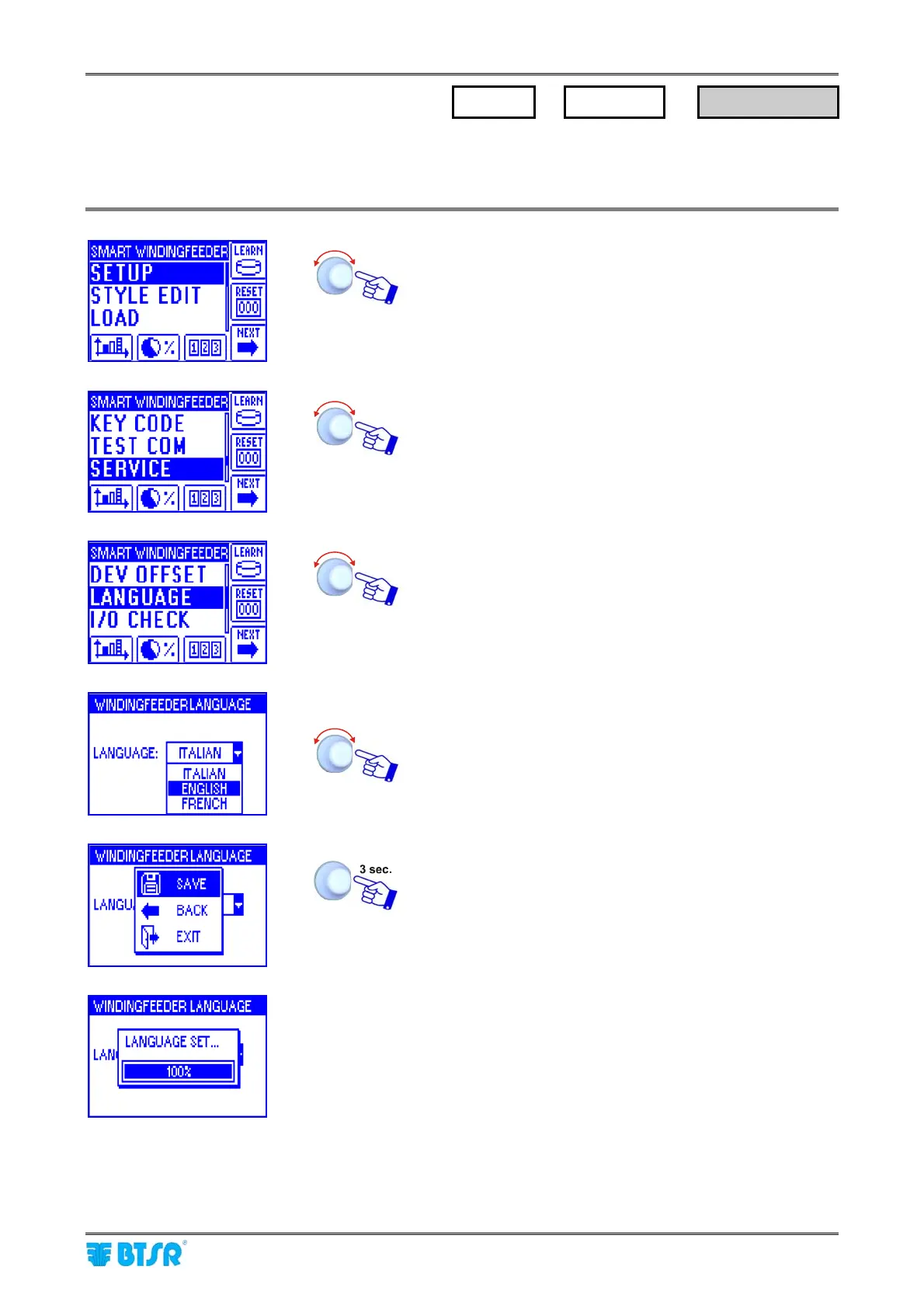
This function allows you to choose the language used to show the messages on the display of connected
WINDINGFEEDER device.
Enter the SETUP menu.
Select SERVICE.
Select LANGUAGE
Select the desider language (ITALIAN, ENGLISH,
FRENCH, SPANISH, GERMAN, JAPANESE)
SAVE to save the selection.
The LANGUAGE SET message indicated that the
visualization language on the display of connected
WINDINGFEEDER devices is going to change.
SETUP
→
SERVICE
→
LANGUAGE











 To Next Page