I/O Configuration on SMART MATRIX/WINDINGFEEDER
SMART MATRIX WINDINGFEEDER - 15 -
I/O Configuration on SMART MATRIX/WINDINGFEEDER
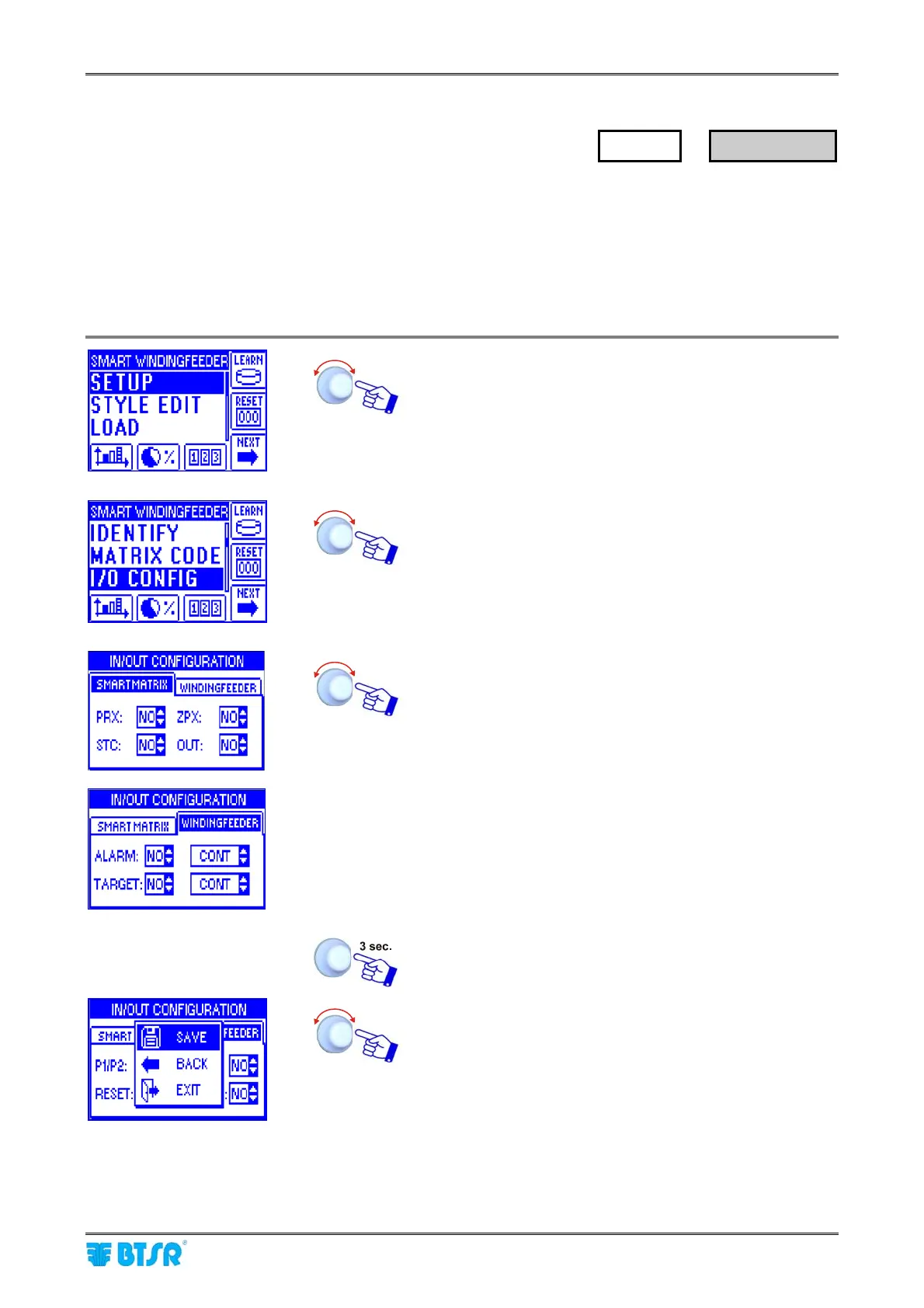
This function allows you to configure the input signals (PRX, ZPX, STC) and the relay output (OUT) of
SMART MATRIX terminal, as normally open (NO) or normally closed (NC) contacts.
It also allows you to configure the P1/P2, EXC, RESET and ALARM signals of all the WINDINGFEEDER
devices, as normally open (NO) or normally closed (NC) contacts.
For more details about the various I/O signals configurable with this function, please refer to the
WINDINGFEEDER manual.
Enter the SETUP menu.
Select I/O CONFIG.
Configure the input signals (PRX, ZPX and STC) and the
relay output (OUT) within the SMART MATRIX window, the
P1/P2, EXC, RESET input signals and ALARM, TARGET
output signals within the WINDINGFEEDER window, either
as NO or NC.
For ALARM and TARGET output signals, after defining the
signal polarity (NO, NC) you have to define even the signal
generation mode (ALARM MODE and TARGET MODE);
the available modes are:
CONT = continuous signal (0 to 1 or 1 to 0
switching according to the defined polarity
0.1 ÷ 5.0 (sec) = impulsive signal of duration
specified according to the defined polarity
To activate the saving function.
SAVE to save the choice, BACK to return to the previous
screen without saving, EXIT to return to menu.
SETUP
→
I/O CONFIG











 To Next Page