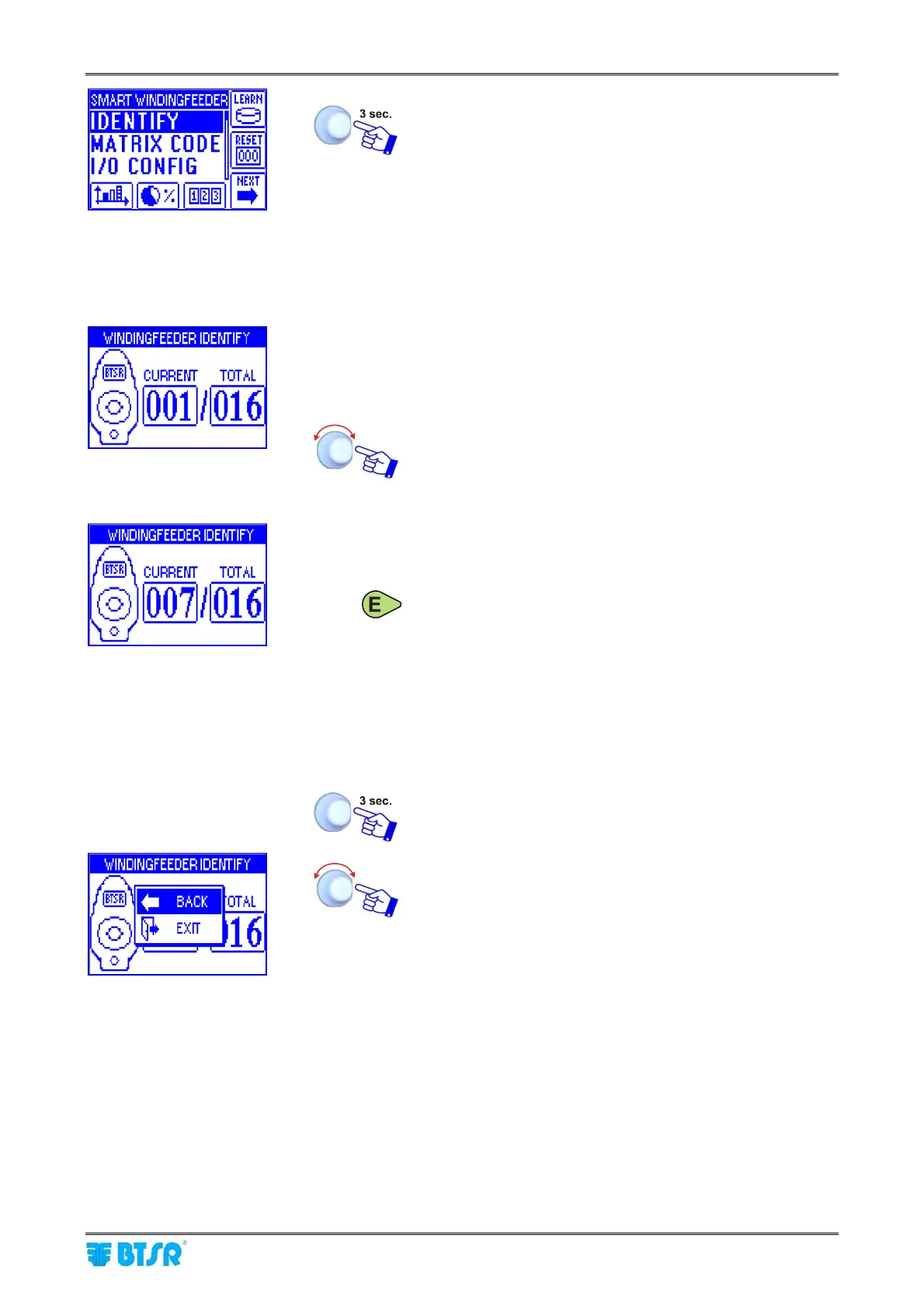
Device Configuration and Numbering
SMART MATRIX WINDINGFEEDER - 13 -
To return to CONTROL status.
Single Device Numbering
To number a single device (for instance in case of replacement) operate as follows:
• Carry out all the operations described on Device
Configuration and Numbering paragraph, until the
screen showing the Current and total device numbers
appears on the terminal display.
• Select on the CURRENT field, the number of device to
be re-numbered (e.g. 007).
• Press Enter on the device you want to assign the
number indicated on the CURRENT field (e.g. 007) of
SMART MATRIX terminal. Check that:
a) The red LED of TS44 tension sensor turns off and
the LEDs of Control, Enter and Reset buttons
remain steady green.
b) the display of numbered device shows the
assigned number (e.g. 007).
c) the CURRENT field on SMART MATRIX terminal
increases by 1.
To leave the identification procedure once you have re-
numbered the desired device.
EXIT to return to configuration menu.











 To Next Page