Style Loading
SMART MATRIX WINDINGFEEDER - 31 -
Style Unload
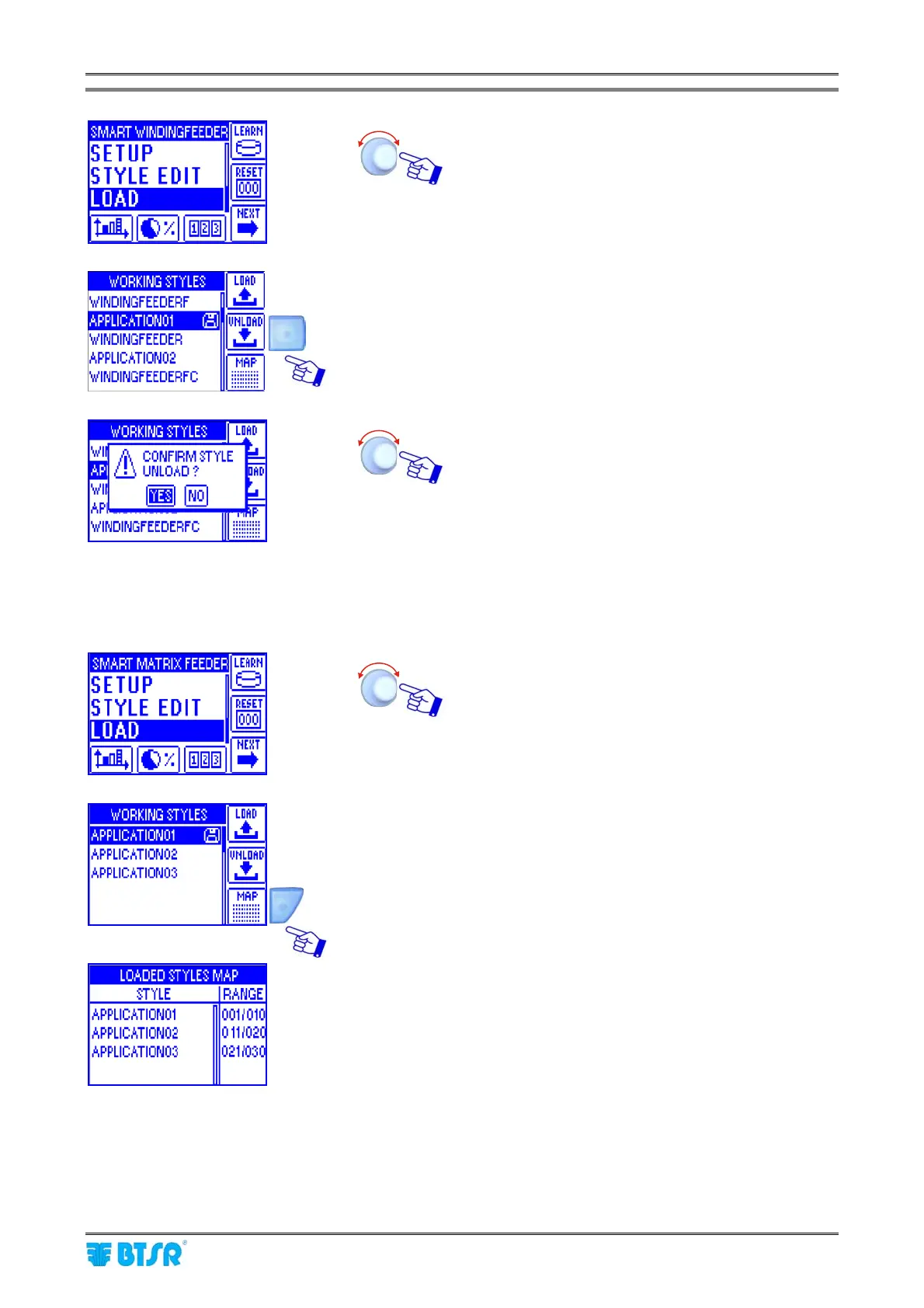
Select the LOAD menu item.
Choose the style you want to unload from devices
(e.g. APPLICATION01) and press UNLOAD.
The diskette symbol indicates that the style
APPLICATION01 is currently loaded on the devices.
Confirm the unload operation.
The style APPLICATION01 will be unloaded from the
WINDINGFEEDER devices.
The diskette symbol will disappear from the right side
of the style name.
Style Map
Select the LOAD menu item.
Press MAP.
The STYLE column lists the articles (styles) loaded on
the WINDINGFEEDER devices of the machine, while
the RANGE column lists the device intervals where
the various styles are loaded.











 To Next Page