Operation
WINDINGFEEDER - 3-19 -
P4.8
UNICO
This function allows you to set up the automatic detection feature of a possible
intelligent accessory connected to the WINDINGFEEDER device.
The detection condition is indicated by the lighting of label P4.
for 3 seconds to toggle between AUTO and OFF.
to confirm and return to P4 menu.
to return to CONTROL status.
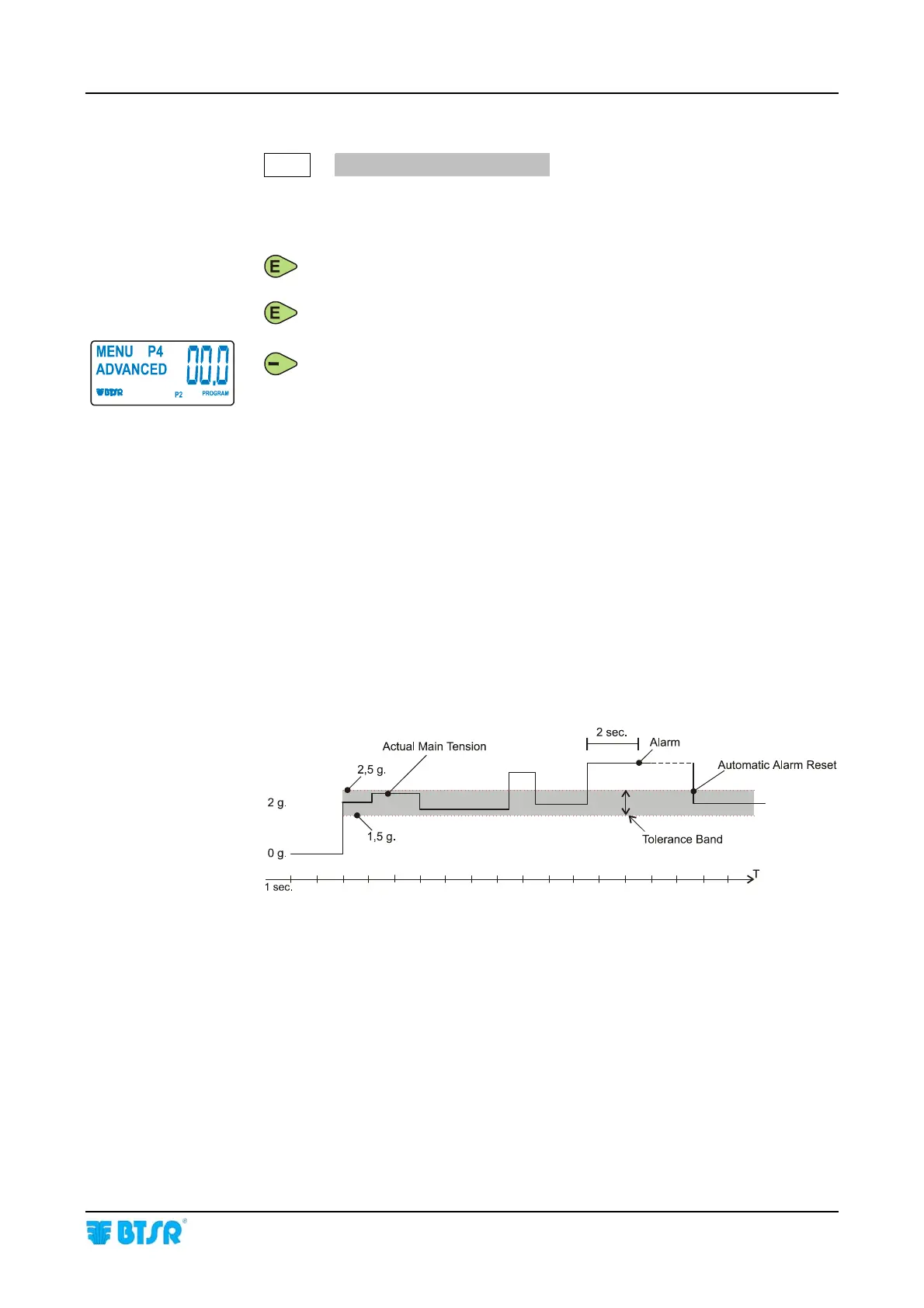
Management of “Tension Error” Alarm
EXAMPLE
The WINDINGFEEDER generates the “Error Tension” Alarm when the tension
goes out of the programmed tolerance band and automatically resets the alarm
as soon as the tension returns within the programmed tolerance band.
“Error Tension” Alarm active only when the WINDINGFEEDER device
operates with P1 tension (
MAIN TENSION)
Main Tension: 2.0 g.
Error Tension: ± 0.5 g.
Time Alarm: 2.0 sec.











 To Next Page