Gemini Series Electroporator User’s Manual
toll free 800.272.2775 • 508.893.8999 • www.btxonline.com
25
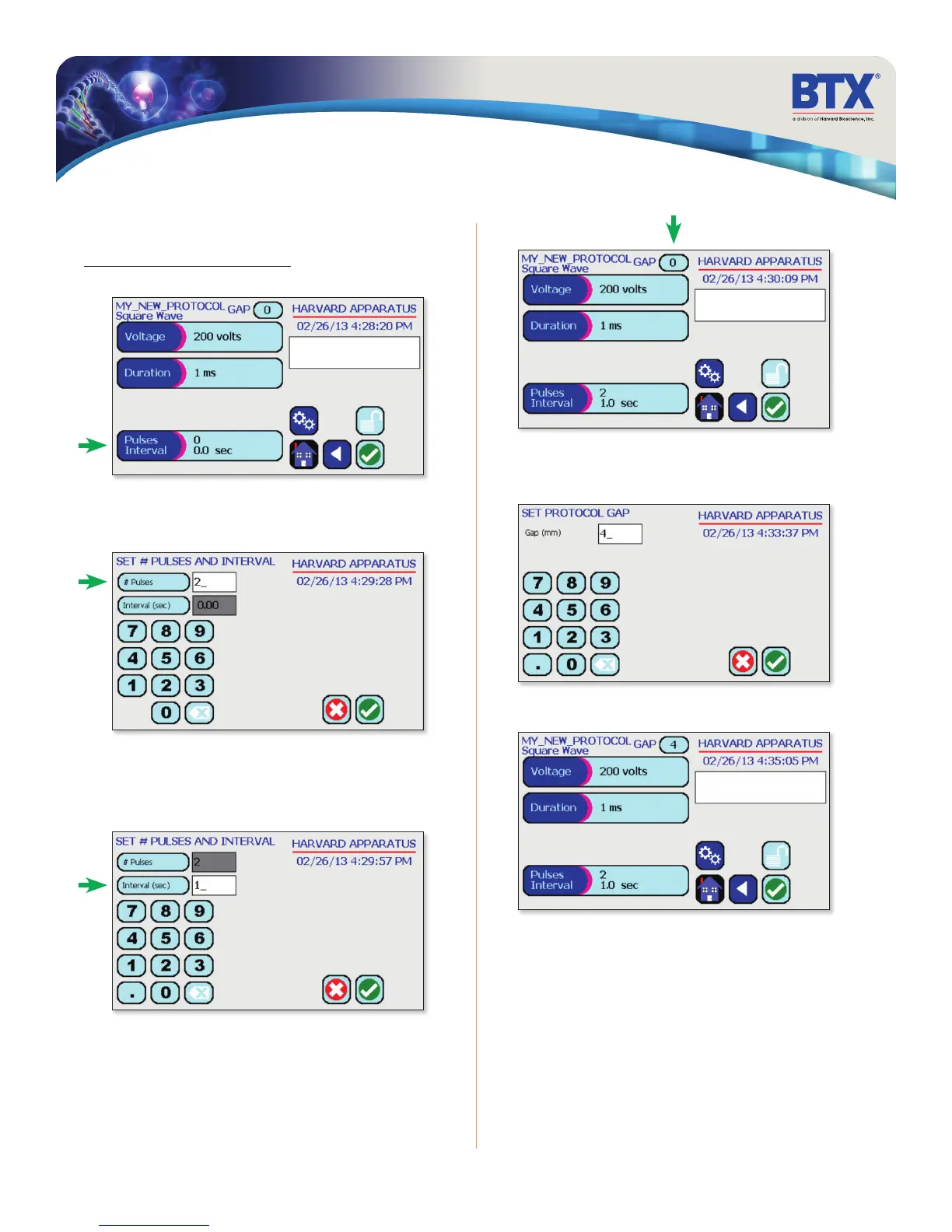
Tap the # Pulses icon.
Use the numeric keypad to set the # of pulses.
Performing Experiments
Creating New Protocols (continued)
Creating a Square Wave Protocol (continued)
Tap the Pulses Interval icon.
Tap the Interval (sec) icon.
Use the numeric keypad to set the pulse interval.
Tap the Green Check icon to save.
Tap the Gap icon
Use the numeric keypad to set the gap between electrodes.
Tap the Green Check icon to save.
Tap the Green Check icon to proceed to the run screen.
EDIT SCREEN
SET PROTO GAP


 To Next Page