WARNING
Only one button can be pressed at a time, otherwise all adjustments stop (emergency off
safety function).
Risk of injury
Failure to heed this warning may result in physical injury due to incorrect use of the hand-
set.
•
Only users are authorised to use this handset. Lock the handset’s functions if they are not
being used!
•
Setting the bed to a Trendelenburg position may pose a hazard for the resident.
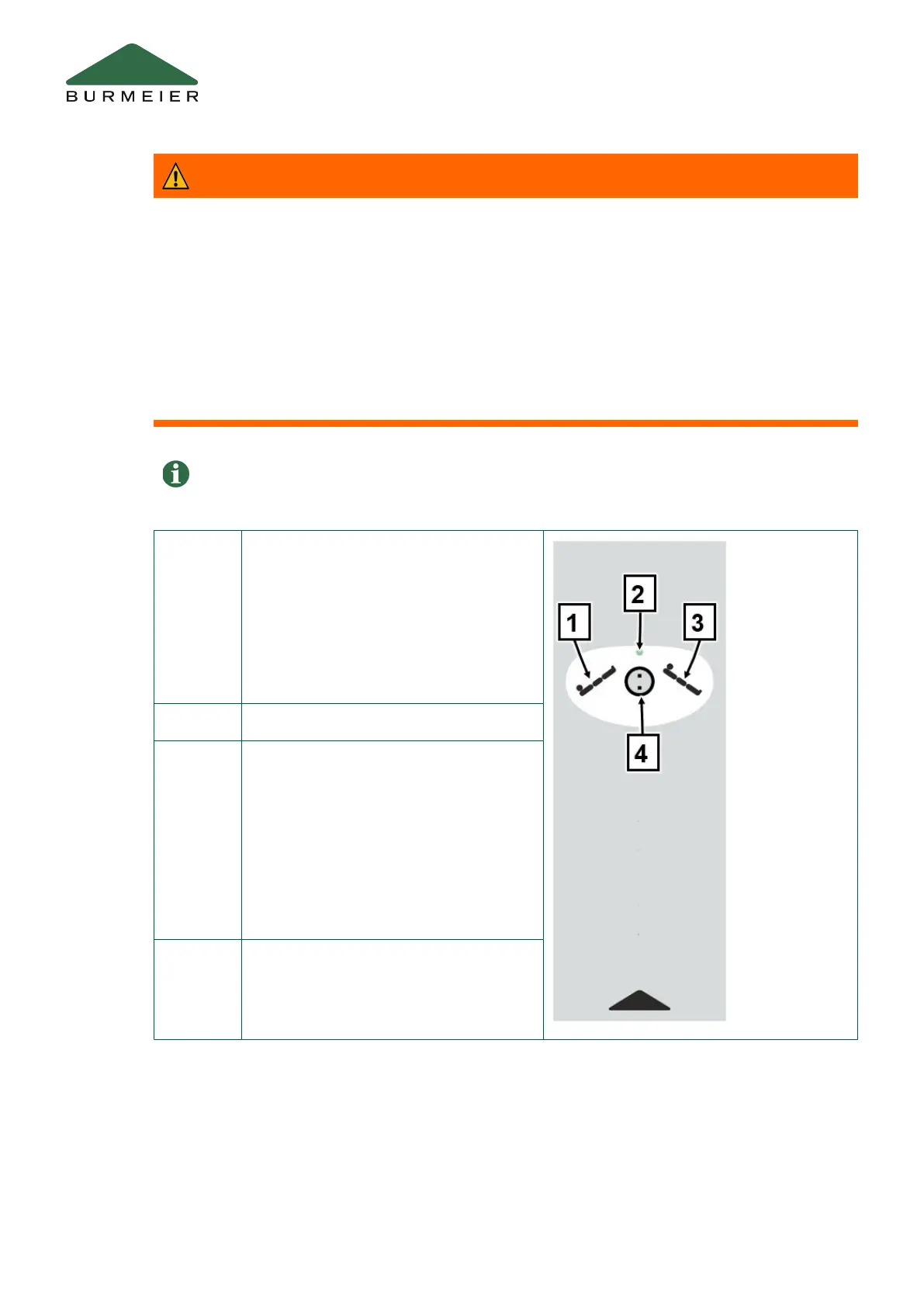
[1] Trendelenburg positionPressing this
button will move the mattress base into
the Trendelenburg position. If the bed is
in a Trendelenburg position, this function
will automatically cause the mattress
base to move into a horizontal position
when it is moved into its lowest or high-
est position.
[2] Indicator
[3] Reverse-Trendelenburg position
Pressing this button will move the mat-
tress base into the reverse-Trendelen-
burg position. If the bed is in a reverse-
Trendelenburg position, this function will
automatically cause the mattress base to
move into a horizontal position when it is
moved into its lowest or highest position.
[4] Lock
Operation
12 Part C: Care staff and residents


 To Next Page