EasyManua.ls Logo

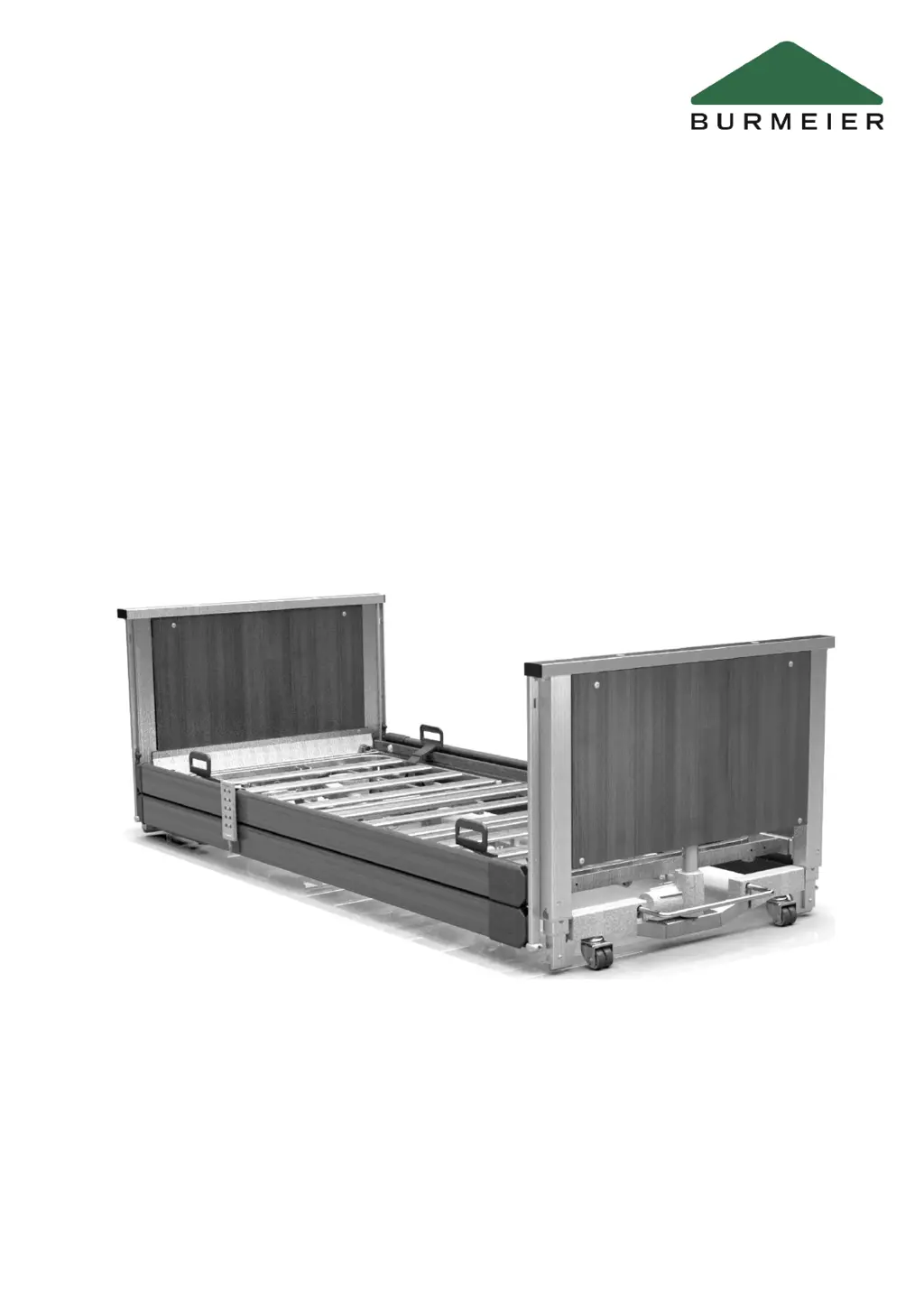
burmeier Lenus - User Manual

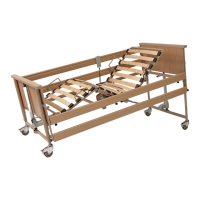
burmeier Lenus
100 pages
Print Icon
To Next Page IconTo Next Page
Loading...
Last updated: 20/01/2021 288242_V1
Instruction Manual
Lenus
Care Bed
Lenus Care Bed

Table of Contents

Questions and Answers

  • N
    Nancy ConnerAug 16, 2025
    How to troubleshoot a non-functioning handset/drive system in burmeier Lenus Medical Equipment?
    • E
      ecostaAug 16, 2025
      If the handset or drive system of your Burmeier Medical Equipment isn't working while connected to the mains, try these steps: First, ensure the power adapter is correctly plugged in and the green LED is lit. Check the mains socket and fuse box for power. If functions are locked on the handset, unlock them. If the issue persists, the handset, power adapter, or control unit may be defective, so inform your operator to arrange repairs. A serious error or motor fault may have occurred, try performing a RESET or replacing the motor.
  • B
    Brianna HuntAug 19, 2025
    What to do if Burmeier Medical Equipment drives stop suddenly after adjustment?
    • B
      Benjamin PerezAug 19, 2025
      If your Burmeier Medical Equipment's drive stops suddenly after a long adjustment period when using an external power adapter, the thermal switch in the power adapter may have been triggered by an overload. Avoid continuous bed adjustments for more than 2 minutes, and allow a break of at least 18 minutes after such operation. To reset the power adapter, disconnect it from the power supply and let it cool down for at least 30 minutes before reconnecting. If it still doesn't function, the device is faulty and should be replaced.
  • T
    Tamara DouglasAug 22, 2025
    Why is the green LED off and drive system not working on burmeier Lenus?
    • S
      Samantha VargasAug 22, 2025
      If the green LED on the external power adapter of your Burmeier Medical Equipment doesn't light up and the drive system isn't working, ensure the power adapter is properly plugged in and check the mains socket for power. If the issue continues, the power adapter may be faulty or not inserted properly; replace it with a new one, and inform your operator to arrange for repairs.
  • N
    Nancy LeeAug 26, 2025
    What to do if burmeier Lenus won't operate with power on?
    • W
      william14Aug 26, 2025
      If your Burmeier Medical Equipment is not working despite a functioning power supply, the control unit may have shut down due to overheating. Ensure you observe the maximum duty cycle of 2 minutes ON and 18 minutes OFF, or replace the control unit. Alternatively, the control unit may have detected a fault and locked the adjustment functions for safety reasons; perform a reset. If the problem persists, the control unit may be defective and require replacement. Inform your operator to arrange for the necessary repairs.
  • S
    Sarah JonesAug 28, 2025
    Why isn't the yellow LED working on my Burmeier Medical Equipment handset?
    • K
      Kristine HaydenAug 28, 2025
      If the yellow LED on your Burmeier Medical Equipment handset does not light up when pressing the button or lights up green constantly, the functions may be locked on the handset; unlock the adjustment functions. If the issue persists, the handset may be faulty and need replacement, or the cable from the power adapter may not be plugged in properly; check the plug connections.
  • S
    Scott TaylorAug 31, 2025
    What causes a non-functioning handset on burmeier Lenus Medical Equipment?
    • G
      Gary RogersAug 31, 2025
      If your Burmeier Medical Equipment handset is not functioning and adjustments are not locked, the handset may be faulty and need to be replaced. Alternatively, the control unit may have detected a fault and locked the adjustment functions for safety reasons; perform a RESET. If the issue occurs again, have the drive system checked and inform your operator to arrange for the necessary repairs.
  • K
    Kim RodriguezSep 3, 2025
    Why does my burmeier Lenus Medical Equipment drive stop after a short time?
    • C
      carmenkellySep 4, 2025
      If your Burmeier Medical Equipment drive runs briefly and then stops, the drive may be overloaded; remove the overload from the bed and retest. Alternatively, structural obstructions may be interfering with bed adjustment; remove any obstructions and move the bed away from windowsills or sloping roofs.
  • B
    brian70Sep 6, 2025
    What to do if Burmeier Medical Equipment control unit is partly not working?
    • N
      Nathan MurraySep 6, 2025
      If the control unit of your Burmeier Medical Equipment is partly not functioning, one or more motors may not be connected properly, or electrical plug connections may have come loose; check the electrical connections of all motors and plug connections. If the issue persists, there may be a serious problem with the control unit, causing all functions to lock for safety reasons; perform a RESET. If it occurs again, have the drive system checked and inform your operator to arrange for the necessary repairs.
  • V
    Vanessa PalmerSep 9, 2025
    Why are height adjustments limited on burmeier Lenus?
    • E
      Erica WashingtonSep 9, 2025
      If height adjustments and tilting are not possible or only work in one direction, and a signal tone sounds during adjustment on your Burmeier Medical Equipment, the control unit may have 'forgotten' the drive positions. Perform initialisation.
  • G
    gregory59Sep 12, 2025
    What does pulsating beeping mean on Burmeier Medical Equipment?
    • F
      fcollinsSep 12, 2025
      If you hear a pulsating beeping sound when pressing a button while your Burmeier Medical Equipment bed is connected to the power supply, there may be a motor fault, requiring you to replace the motor, or a handset fault, requiring you to replace the handset with a new one.

Summary

FOREWORD

GENERAL INFORMATION

Definition of the groups of persons involved

Defines operator, care staff/users, and residents within the context of the manual.

Safety information

Covers general safety warnings, symbols, and operator/user safety guidance.

Product description

Details the bed's intended use, features, electrical and mechanical aspects.

ASSEMBLY AND PUTTING INTO SERVICE

Tools

Lists the necessary tools for assembly, including the supplied assembly key.

Included in the package

Describes the bed's unassembled delivery and initial assembly requirements.

Location requirements

Outlines essential safety and practical considerations for bed placement.

Assembling the mattress base frame

Provides step-by-step instructions for correctly assembling the mattress base frame.

Assembling the chassis

Details the process for attaching the head and foot section chassis to the mattress base.

Fitting the side panels

Explains how to attach the side panels to the mattress base using screws.

Attaching the safety sides

Guides the user on how to install the safety side bars onto the bed chassis.

Electrical connection

Covers the procedure for connecting the bed's internal electrical components.

Connecting the power adapter;power plug

Instructs on proper connection of the power adapter and plug, including cable routing.

Putting into service

Outlines pre-operation checks and procedures to ensure the bed is ready for use.

OPERATION

Tips on using the bed safely in a domestic setting

Provides advice on avoiding unfavorable conditions for safe domestic bed operation.

Moving and braking the bed

Explains the correct procedures for moving and securing the bed using its castors.

Mechanical adjustment options

Details manual adjustments for components like the lower leg rest.

Electrical adjustment options

Covers the safe operation of the bed's electrical functions via the handset.

Attachments and optional features

Describes various optional accessories like LED lamps and under-bed lights.

Operating the safety sides

Explains how to raise and lower the safety sides for resident protection.

Removing;installing the safety sides

Provides instructions for safety side removal and installation, often for bed extension.

Comfort mattress base, 90 cm wide (optional equipment)

Details the features and installation of the optional comfort mattress base.

Inserting the mattress

Guides on correctly placing and securing the mattress on the bed base.

CLEANING AND DISINFECTION

General information on cleaning and disinfection

Provides foundational principles and frequency for cleaning and disinfection.

Cleaning and disinfection plan

Outlines the steps for cleaning and disinfecting various bed components.

Instructing users and staff

Emphasizes the importance of training personnel on proper cleaning procedures.

Cleaning and disinfection agents

Recommends suitable cleaning agents and precautions to avoid surface damage.

Handling cleaning and disinfection agents

Details safe practices for preparing and using cleaning and disinfection agents.

MAINTENANCE

By the user

Lists visual inspections and functional checks users should perform regularly.

By the operator

Details operator responsibilities for regular inspections and maintenance according to regulations.

Replacement parts; Type plate

Explains how to identify parts and find serial numbers for ordering.

Service address

Provides contact information for customer service and ordering parts.

Replacement of electrical components

Covers safety precautions and procedures for replacing electrical parts like motors.

TROUBLESHOOTING

ACCESSORIES

TECHNICAL DATA

DIMENSIONS AND WEIGHTS

Lists the bed's physical dimensions and weight specifications.

ADJUSTMENT RANGES

Details the available angles and height ranges for bed adjustments.

ELECTRICAL DATA

Provides specifications for the bed's electrical components and power supply.

AMBIENT CONDITIONS

Specifies the required environmental conditions for storage and operation.

SYMBOLS SHOWN ON THE PRODUCT

Explains the meaning of various symbols and labels found on the bed.

INFORMATION ON ELECTROMAGNETIC COMPATIBILITY (EMC)

Discusses EMC compliance and precautions for interference-free operation.

CLASSIFICATION

Outlines the bed's medical device classification and intended application environments.

DISMANTLING THE BED

DISPOSAL INSTRUCTIONS

Declaration of conformity

burmeier Lenus Specifications

General IconGeneral
Brandburmeier
ModelLenus
CategoryMedical Equipment
LanguageEnglish

Related product manuals