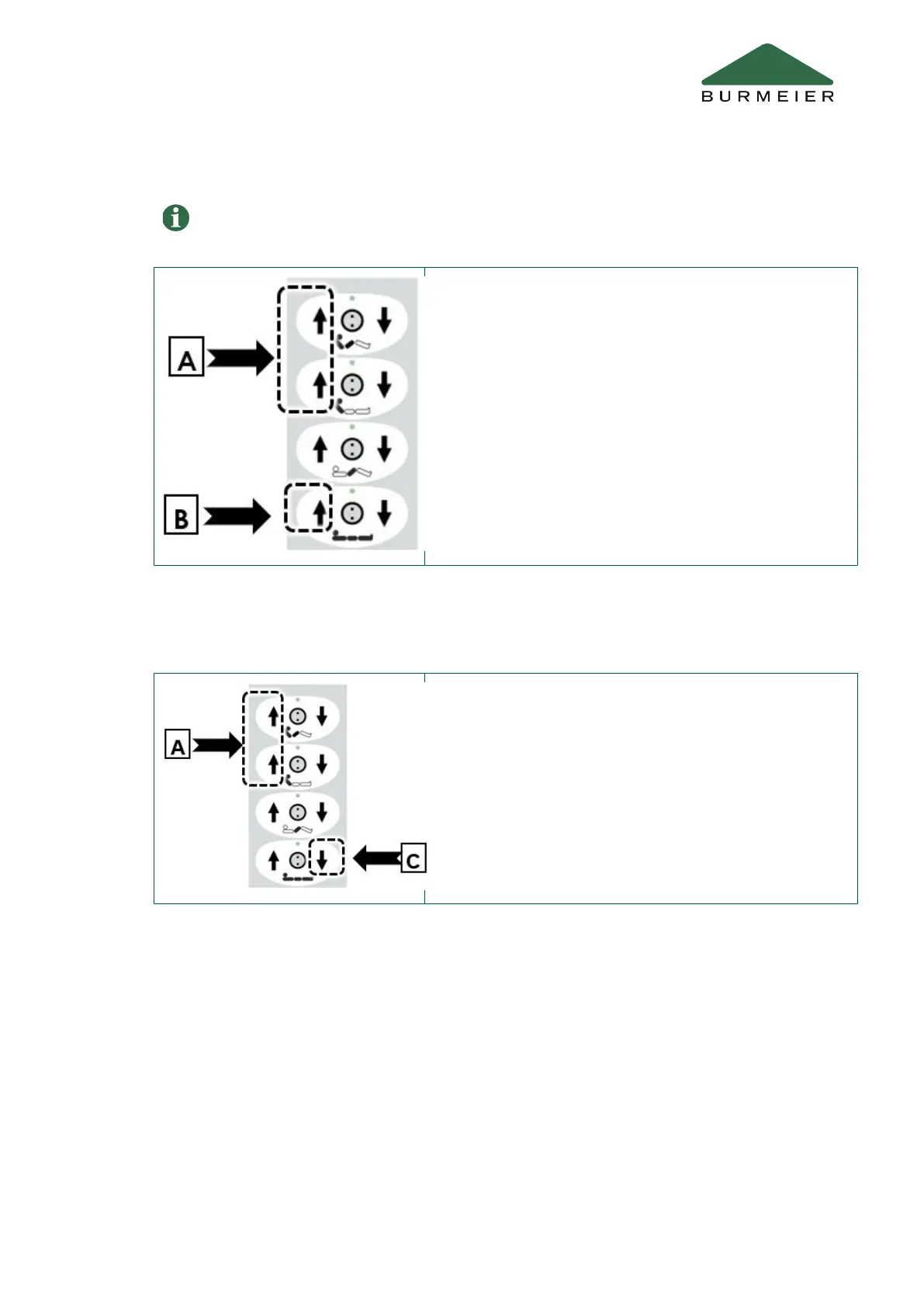
3.1.3 Saving a new “intermediate stop” position
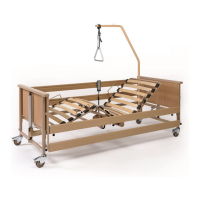
3.1.4 Resetting the “intermediate stop” position to the factory default setting
3.2 Trendelenburg handset (optional equipment)
This can only be saved if the mattress base is in a horizontal position.
• Adjust the mattress base to the desired minimum height.
• Press both [A] buttons at once on the handset briefly
three times.
• Then immediately press button [B].
As soon as the new position has been saved, a short signal
tone sounds to confirm the change.
• Press both [A] buttons at once on the handset briefly
three times.
• Then press button [C] immediately and hold for approxi-
mately 5 seconds until the pulsating signal tone stops.
Tilting the mattress base can help to bring the resident into a suitable position to allow the
user to provide care.
Operation
Part C: Care staff and residents 11


 To Next Page