7 | In Operation
32 / 68 0870211676_RA0760A_PLUS_-0004_IM_en
7.1.1 Local/Manual
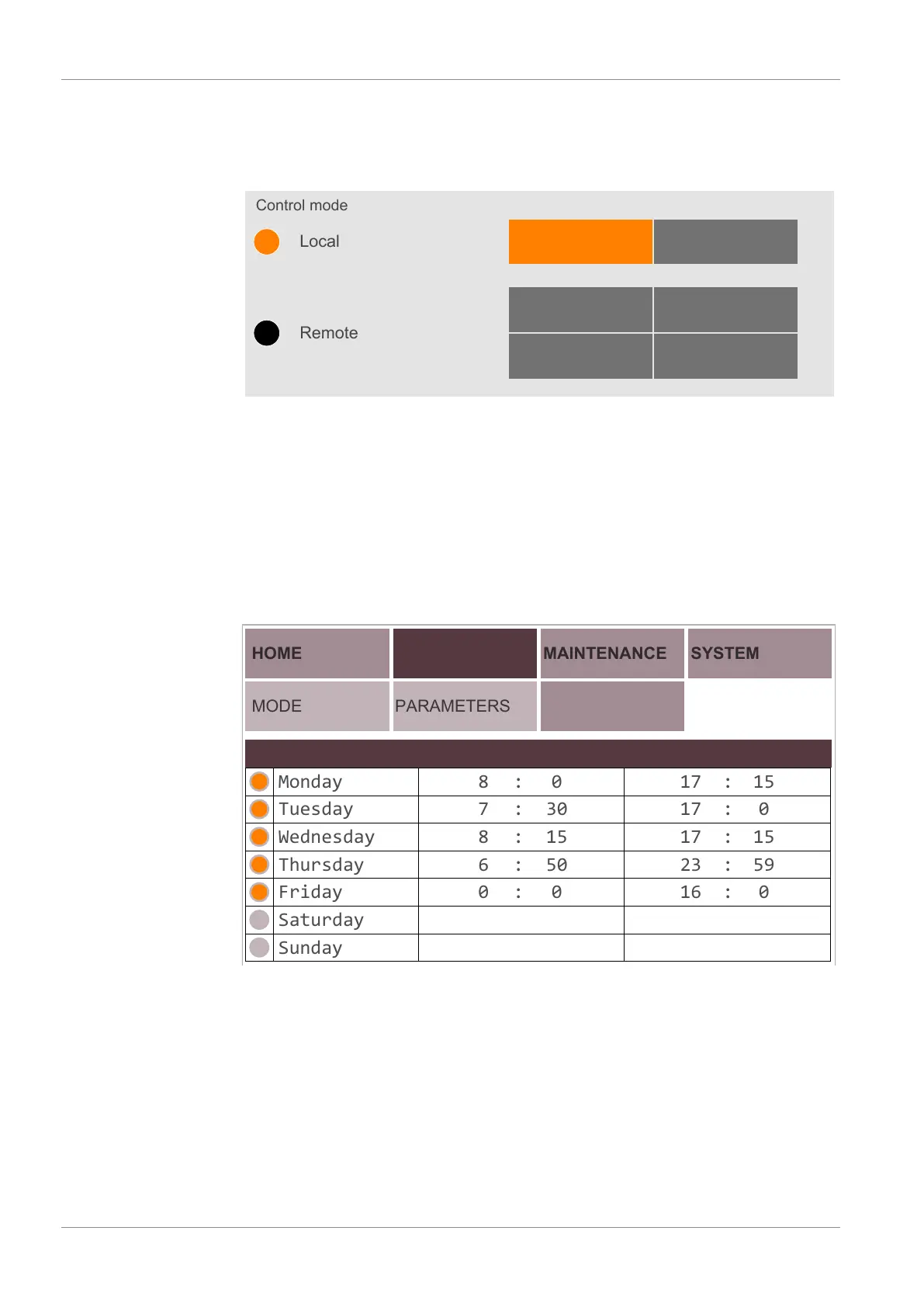
Configured by default, this mode allows to control manually the machine directly from
the user interface (HMI).
Control mode
Remote
Local
Manual Auto
Start / Stop Digital speed control
Modbus controlAnalog speed control
7.1.2 Local/Auto "Week Planner"
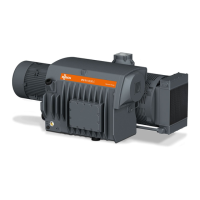
The "week planner" function allows definition of a weekly schedule for starting or stop-
ping the machine automatically using the current local settings. A single start and stop a
day is possible.
To configure the weekly schedule:
• Go to “OPERATIONS” > “WEEK PLANNER”.
• Press on the days when automatic start and stop are required.
• Set up the starting and stopping times.
HOME
MODE
OPERATIONS
PARAMETERS
MAINTENANCE
SYSTEM
WEEK PLANNER
Monday
Tuesday
Wednesday
Thursday
Friday
Saturday
Sunday
Day Start at Stop at
8 0
307
158
506
00
17
17
17
23
16 0
59
15
0
15
:
:
:
:
: :
:
:
:
:
↳
↴
As soon as the schedule is filled in, the control mode “Local/Auto” has to be activated
(by “Role 2” users only, see Role and User [►12]):
• Go to the control mode screen, see Control Mode [►31].
• Select the mode “AUTO” in the “LOCAL” field (password required).


 To Next Page