In Operation | 7
0870211676_RA0760A_PLUS_-0004_IM_en 33 / 68
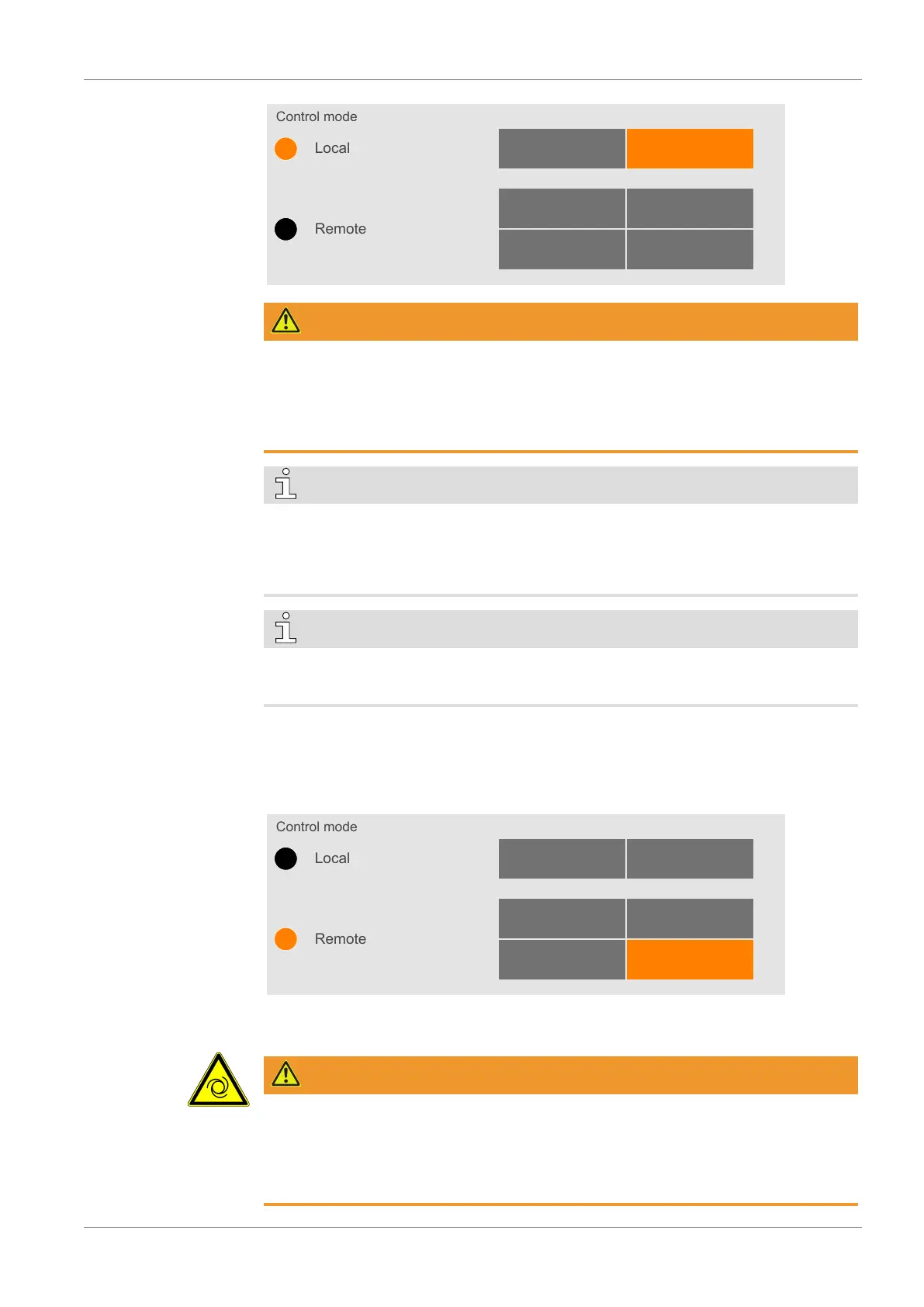
Control mode
Remote
Local
Manual Auto
Start / Stop Digital speed control
Modbus controlAnalog speed control
WARNING
The machine may start without notice.
Risk of severe injury!
As soon as the mode “Local/Auto” is activated:
• Make sure the machine is fully operational when the programmed schedule begins.
NOTE
To allow the machine to operate non-stop from one day to the next one, select 23:59 as
the stop time on the first day and 00:00 as the start time on the second day. Arrows ap-
pear in the weekly schedule table to show that the machine will continuously run
between the two days.
NOTE
Manual starts and stops.
The week planner still allows manual starts and stops.
7.1.3 Remote/Auto
The remote control mode is only available for “Role 2” users, this mode allows remote
control of the machine via an analog, digital or modbus input.
Control mode
Remote
Local
Manual Auto
Start / Stop Digital speed control
Modbus controlAnalog speed control
• Refer to the specific document “Pump Control Instructions, art. no.: 0870213261” for
more details or contact your Busch representative.
WARNING
The machine may start without notice.
Risk of severe injury!
As soon as the “Remote” mode is activated:
• Make sure the machine is fully operational.


 To Next Page