In Operation | 7
0870211676_RA0760A_PLUS_-0004_IM_en 49 / 68
7.8.4 Operating Curves
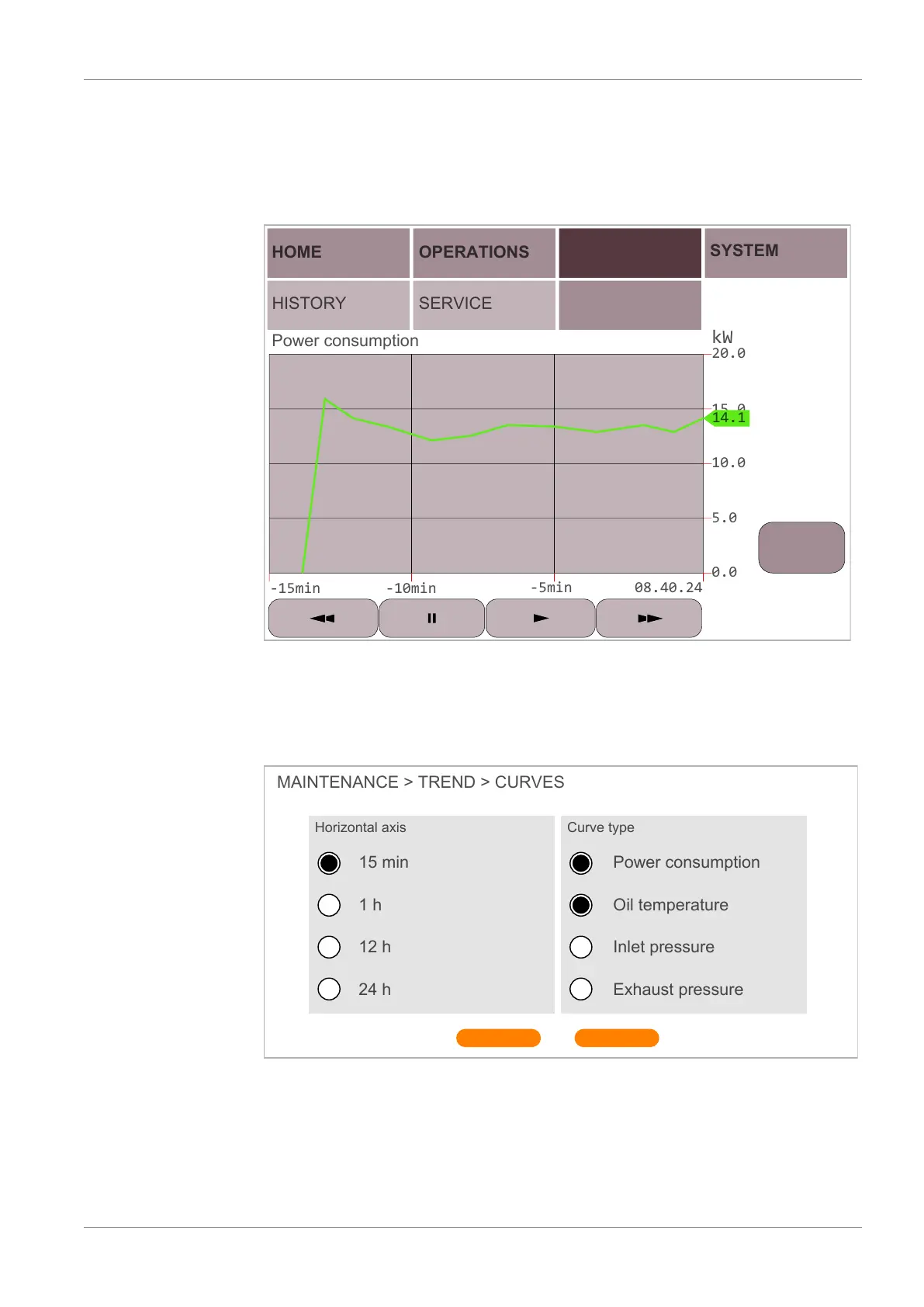
This display “MAINTENANCE” > “TREND” shows the trend curve of certain operating
values.
It offers the possibility to change the time lapse and the curve of four different operating
values.
HOME
HISTORY
OPERATIONS
SERVICE
MAINTENANCE SYSTEM
TREND
Power consumption
Select
curve
To change the curve type:
• Press on “Select curve”
• Select the desired time lapse (Horizontal axis) and the curve types of the operating
value, different curve types can be selected simultaneously.
• Once the choice is made, press on “SAVE” button.
MAINTENANCE > TREND > CURVES
Horizontal axis
15 min
1 h
12 h
24 h
Power consumption
Oil temperature
Inlet pressure
Exhaust pressure
SAVE
Curve type
CANCEL


 To Next Page