SOURCE:
Press this button to select a source. If no
cassette tape is
in
the tape player, CASS appears on the
display and then the radio station appears briefly. The
display then reverts back
to
showing the time of day.
Press this button again or
BAND
to
switch back to
the radio.
A
EJECT
Press the upward triangle button to
remove a tape. The radio will play. Eject may be
activated with
the
radio off. Cassette tapes may be
loaded with the radio off but they will not start playing
until the PWR button is pressed. Press
PWR
or turn the
ignition key
off
to stop the cassette tape player. The tape
will stay in the player and resume play at the point
where it stopped.
CLN:
If this message appears on
the
display, the
cassette tape player needs to be cleaned. It will still play
tapes, but you should clean it as soon as possible to
prevent damage
to
the tapes and player. See “Care
of
Your Cassette Tape Player” in the Index. After you clean
the player, press and hold
EJECT
for five seconds to
reset the CLN indicator. The radio will display
---
to
show the indicator was reset.
Dolby Noise Reduction is manufactured under a license
from Dolby Laboratories Licensing Corporation. Dolby
and the double-D symbol are trademarks of Dolby
Laboratories Licensing Corporation.
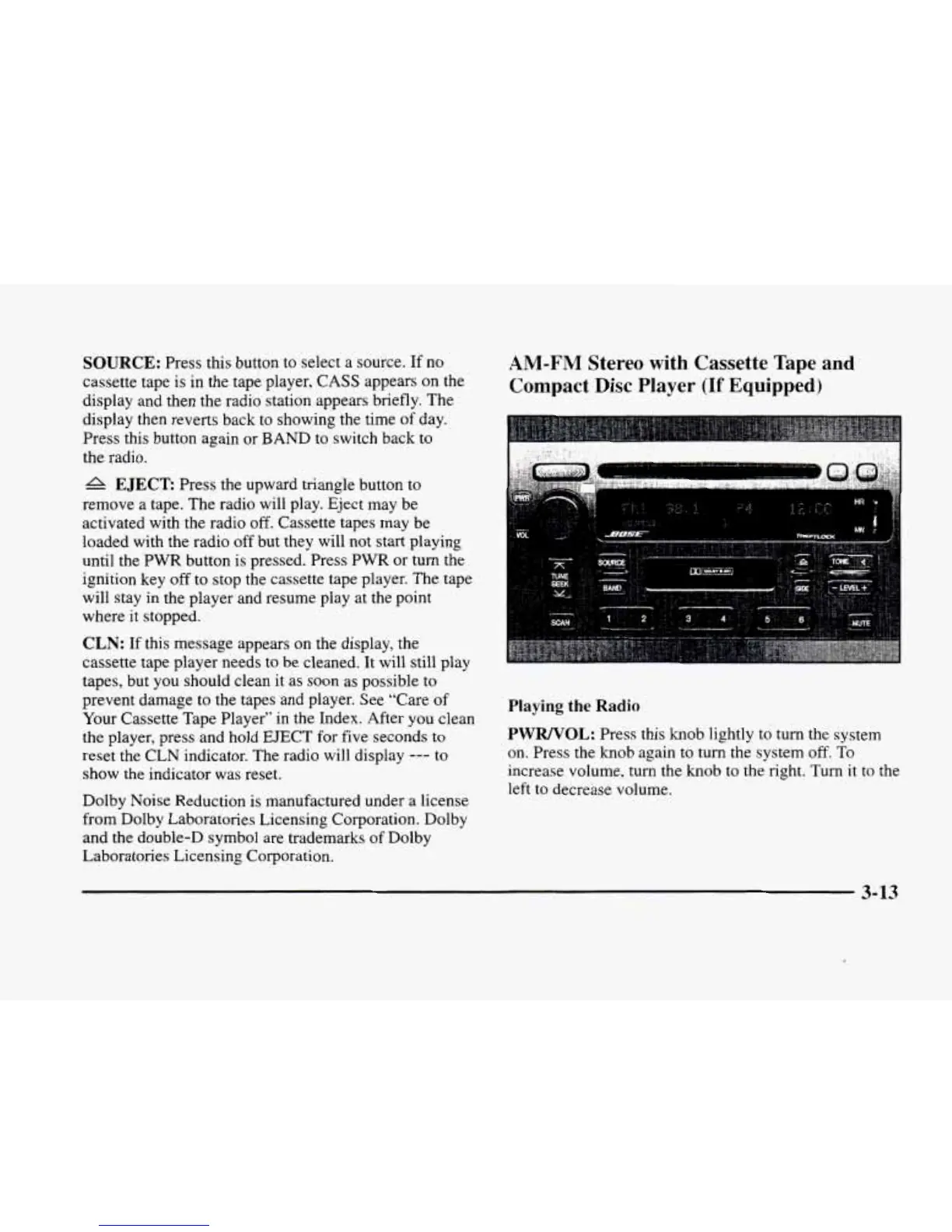
AM-FM
Stereo
with
Cassette Tape and
Compact
Disc
Player
(If
Equipped)
Playing
the
Radio
PWRNOL:
Press this
knob
lightly to
turn
the system
on. Press
the
knob again to turn
the
system
off.
To
increase volume,
turn
the
knob
to the right. Turn
it
to the
left to decrease volume.
3-13












 To Next Page