©2022 CAE 905K560252 v1.2 47
Using Luna
To defibrillate using SymDefib:
1. Connect the SymDefib cable to the defibrillator using the cables provided. The SymDefib
system supports Phillips defibrillators without a cable adapter. If using Zoll or Physio-
Control defibrillators, you must use the appropriate adapter (optional purchase) between
the cable on the SymDefib and the defibrillator.
2. If using a power supply (instead of the battery), plug the SymDefib power cord into the
back port of the SymDefib box and plug the other end into the power source.
3. Connect the electrode pad cable to the right port on the front side of the SymDefib box.
4. With the manikin started, turn on the SymDefib and verify the status light flashes green to
indicate it is on.
5. While the SymDefib is operating, attach the electrode pads to the magnetic connectors on
the manikin. When connected, the SymDefib begins to display an ECG signal on the
monitor and the status light turns a solid green.
Note: The SymDefib was paired to the simulator in the factory and should automatically connect
wirelessly. It will connect only to the simulator specified on the serial number label.
An AED can use the ECG signal to determine if a shock is necessary. You can deliver a shock to the
manikin. The electrical current from the shock is absorbed by the cable and SymDefib box. It does not
travel to the manikin or along the training pads. The SymDefib box measures and reports the energy
delivered via the Maestro software.
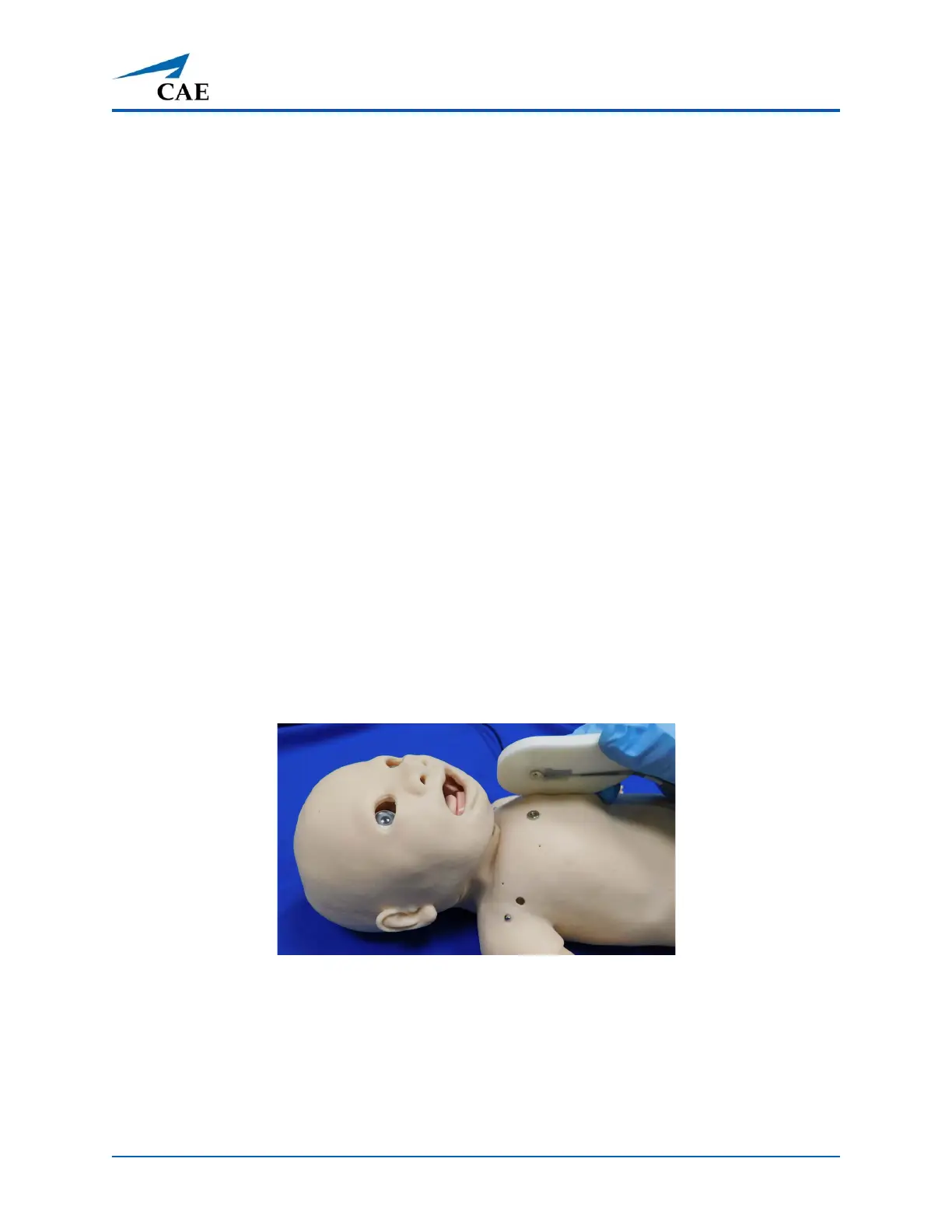
When demonstrating proper pad placement, learners should attach the SymDefib pads in the
appropriate locations on the manikin: one pad on dorsal connection and one on ventral connection.
Ventral Connection



 To Next Page