Setup
34 ©2021 CAE 905K720652 v1.0
CAESimEquip
9. Install the monitor(s) on the cart as follows:
a. Ventilator Configuration - One Monitor:
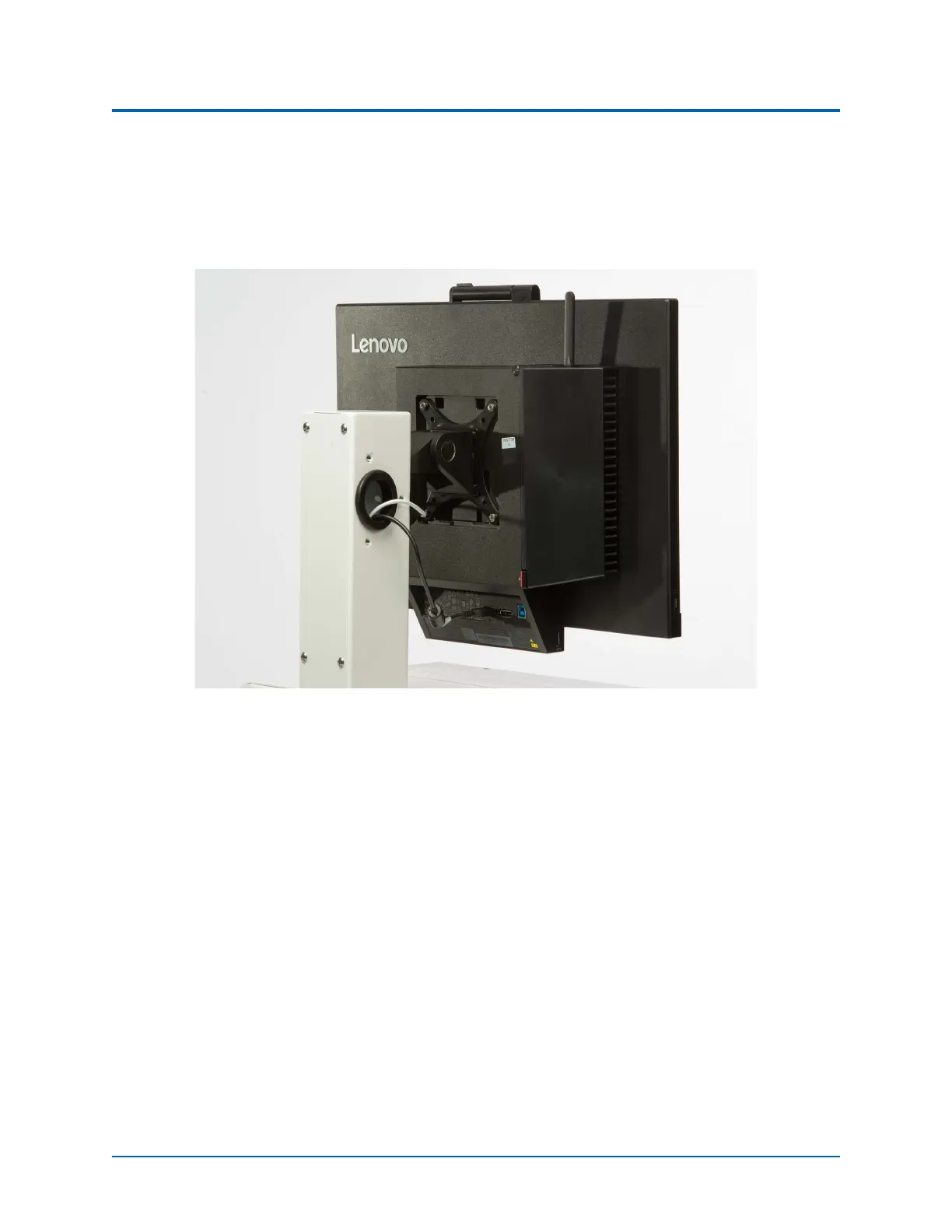
Install the monitor on the cart by inserting the VESA mount hardware into the bracket
attachment on the vertical support column.
Back of Monitor - Attached to Ventilator Machine
b. Anesthesia Machine Configuration - Two Monitors:
The Dual Monitor Mounting Bar is horizontal and will be labeled “Monitor A” and
“Monitor B”. When facing the Medical Cart, Monitor “A” will be installed on the left side
of the Dual Monitor Mounting Bar. Install each monitor at the appropriate locations
as per the labeling, by inserting the VESA mount hardware into the VESA bracket
attachment on the horizontal Dual Monitor Mounting Bar.
Note: It is important to place the monitors on the appropriate side of the medical
cart, to allow access to the computer ports on Monitor “A”.
10. Place the additional washer and screw under the VESA mount bracket and attach to the
support column (or bar).



 To Next Page