CS3000 User’s Guide
Calsense 31
Assigning Stations to 2-Wire Decoders
Once 2-Wire decoders have been discovered, you can assign a station numbers to each output on a
decoder. For a controller that has both 2-Wire and conventional wiring, the stations can be numbered
from 1-80 and will be preceded with a T, such as T24. For a controller no conventional station terminals,
stations can be numbered from 1-128 and do not have the T in front of them.
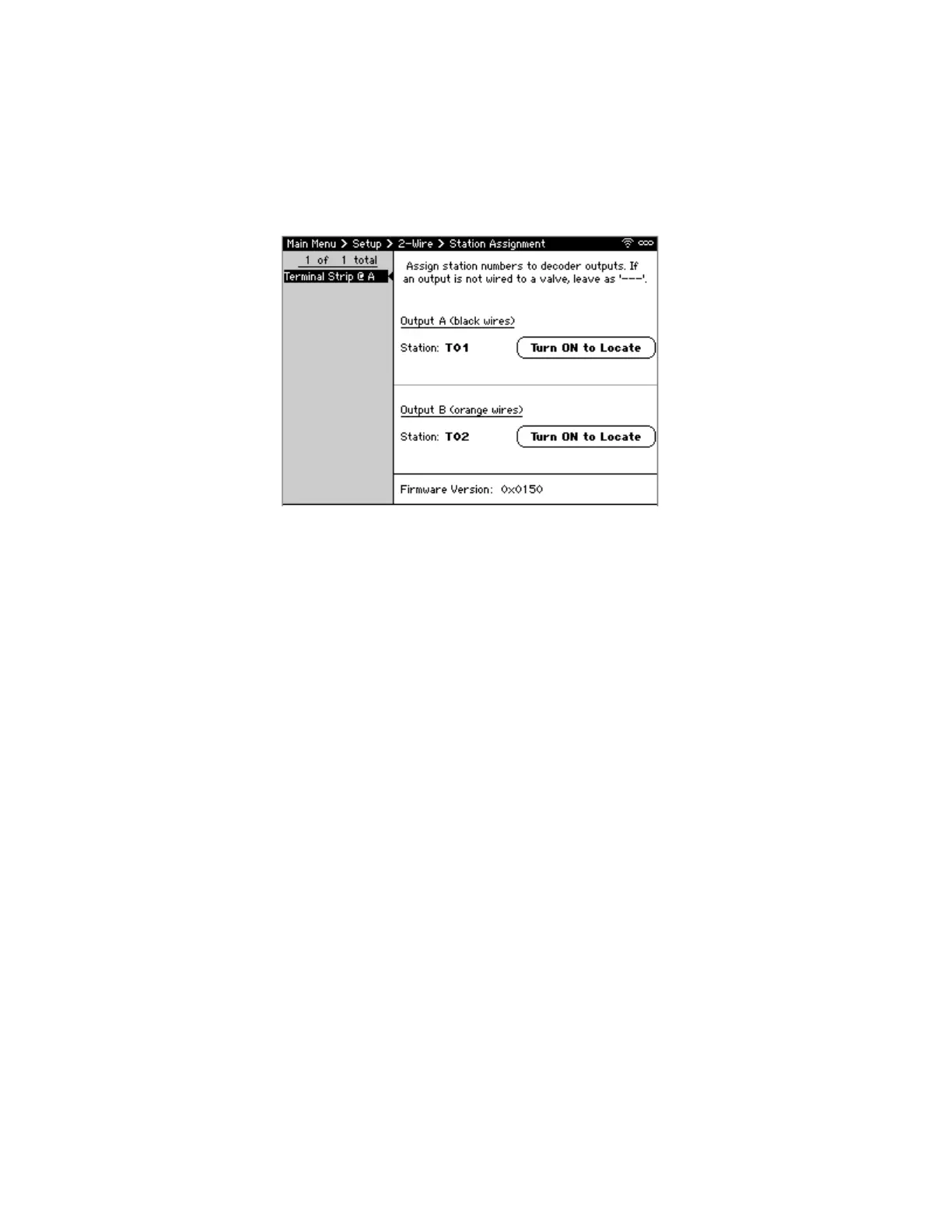
To edit the 2-wire Station Assignment screen (Figure 21):
1. From Main Menu, navigate to Setup and select 2-Wire. The 2-Wire dialog displays.
2. Navigate to Assign Stations to Discovered Decoders. The Station Assignment screen displays.
3. Navigate to desired Decoder by serial number (S/N) and press SELECT.
4. Navigate to Station under Output A (black wires) and use +/- to assign a station number to
selected decoder. Note: Soil Moisture Sensor decoders only have a single station output so will
only show Output A.
5. To activate the valve, select Turn ON to Locate energize the solenoid attached to the decoder
output. Note: This does not energize the pump or master valve so, the valve may not irrigate.
6. Repeat steps 4-5 for to assign a station to Output B (orange wires).
7. Press Next or Prev to move through the list of decoders and repeat steps 4-6 to assign stations
to each output with a valve attached.
8. When finished, press BACK to save changes, and return to Main Menu.
Figure 21: 2-Wire Station Assignment Screen



 To Next Page