CS3000 User’s Guide
Calsense 67
a. For Budget periods per calendar year, select either 12 (monthly) or 6 (semi-
monthly). This is based on how often you receive a bill from your water provider.
b. For Budget mode, select Alert only or Automatically Stay in Budget. When using
Alert only, an alert is generated when the actual usage exceeds or is expected to
exceed the budget. If using Automatically Stay in Budget, the controller will attempt
to stay within budget based on parameters specified in
Irrigation Reduction within
Budget.
c. To enter the budget amounts now, select Enter POC Budget Amounts and see
Defining a Budget for each Billing Period
for steps to do so.
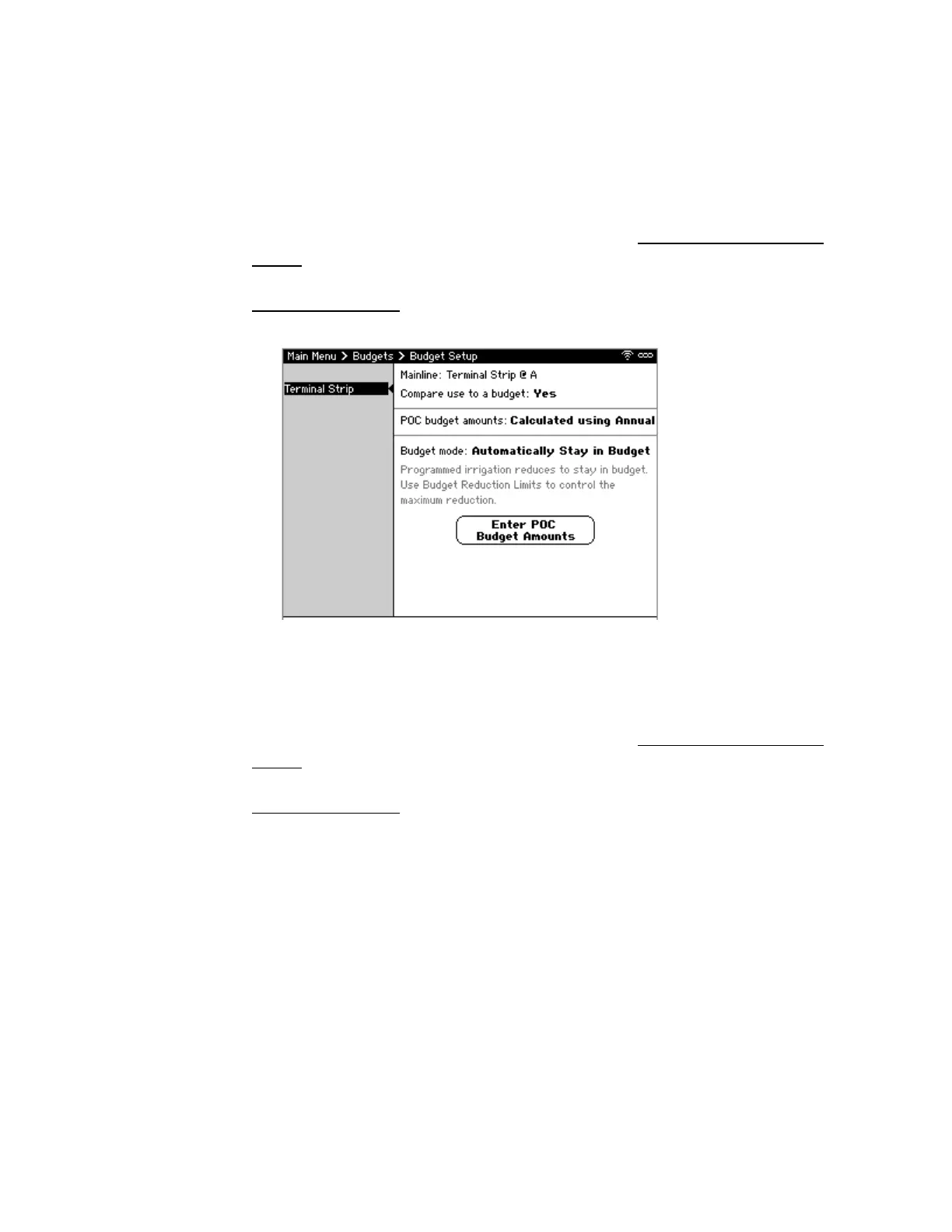
• If selecting Calculated using Annual (Figure 57):
a. For Budget mode, select Alert only or Automatically Stay in Budget. When using
Alert only, an alert is generated when the actual usage exceeds or is expected to
exceed the budget. If using Automatically Stay in Budget, the controller will attempt
to stay within budget based on parameters specified in
Irrigation Reduction within
Budget.
b. To enter the budget amounts now, select Enter POC Budget Amounts and see
Defining a Budget for each Billing Period
for steps to do so.
Figure 57: Calculated using Annual Budget Setup Screen



 To Next Page