EasyManua.ls Logo

C&T Solution CT-MCL01 Series - Uninstalling the CPU Heatsink and Fan

Default Icon
72 pages
Print Icon
To Next Page IconTo Next Page
To Previous Page IconTo Previous Page
Loading...
CT-MCL01 l User’s Manual
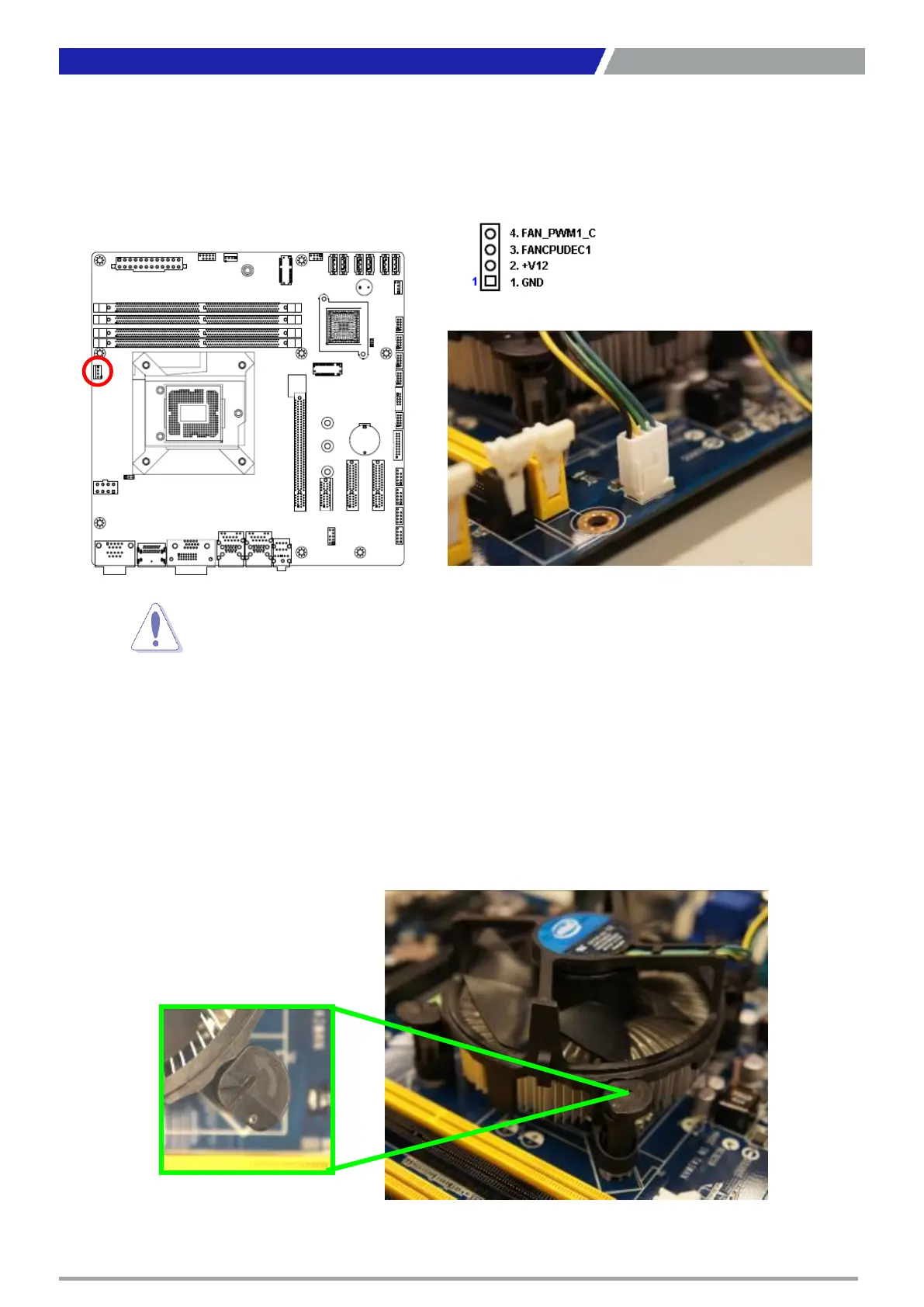
3. Connect the CPU fan cable to the connector on the motherboard labeled CPU_FAN1.
1.3.3 Unstalling the CPU Heatsink and Fan
To uninstall the CPU heatsink and fan:
1. Disconnect the CPU fan cable from the connector on the motherboard.
2. Rotate each fastener counterclockwise
19
Chapter 1: Product Introductions

Do
not forget to connect the fan cables to the fan connectors. Insufficient
air
flow
inside the system may damage the motherboard components.
These
are not jumpers! DO NOT place jumper caps on the fan connectors.
CPU FAN1

Table of Contents