CAV® 4.2 Operator's Manual, Rev. 2.0
18
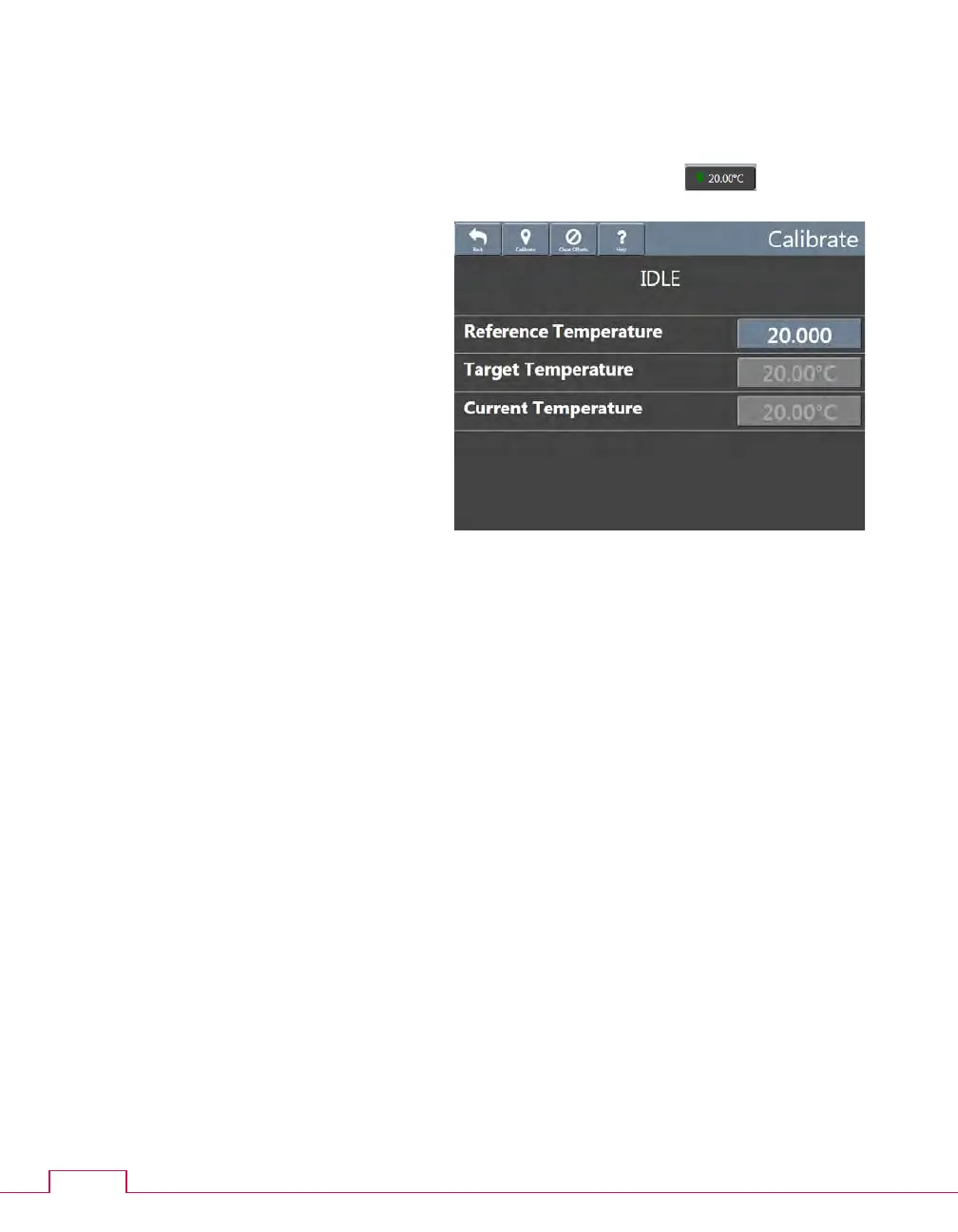
Figure 11 — Temperature calibration
3. Wait for the thermometer to adjust to the temperature of the bath fluid. Read the
reference temperature.
4. From the main screen, click the current bath temperature button ( ) for the
appropriate bath. The temperature
calibration screen opens.
5. Click the Reference Temperature field.
A field entry screen opens.
6. Enter the reference temperature
measured in step 3, then click the
green checkmark to submit it and
return to the temperature calibration
screen.
7. Click Calibrate, wait for the system to
save the adjustment, and then click
Back to return to the main screen.
8. Remove and clean the thermometer.
9. Repeat steps 2 through 8 for the second bath.



 To Next Page