35
CAV® 4.2 Operator's Manual, Rev. 2.0
Operation
The CAV 4.2 can be operated in either local or remote mode through a pair of software
programs. In Local Mode, the CAV 4.2 GUI software program controls the instrument, while in
Remote Mode a separate computer with the VISCPRO II software program installed controls it.
Each of these programs is independent of the other and maintains its own data set, where a
data set consists of a run of tests, test results and error logs. Common instrument settings,
method templates, and equipment status are shared between the programs.
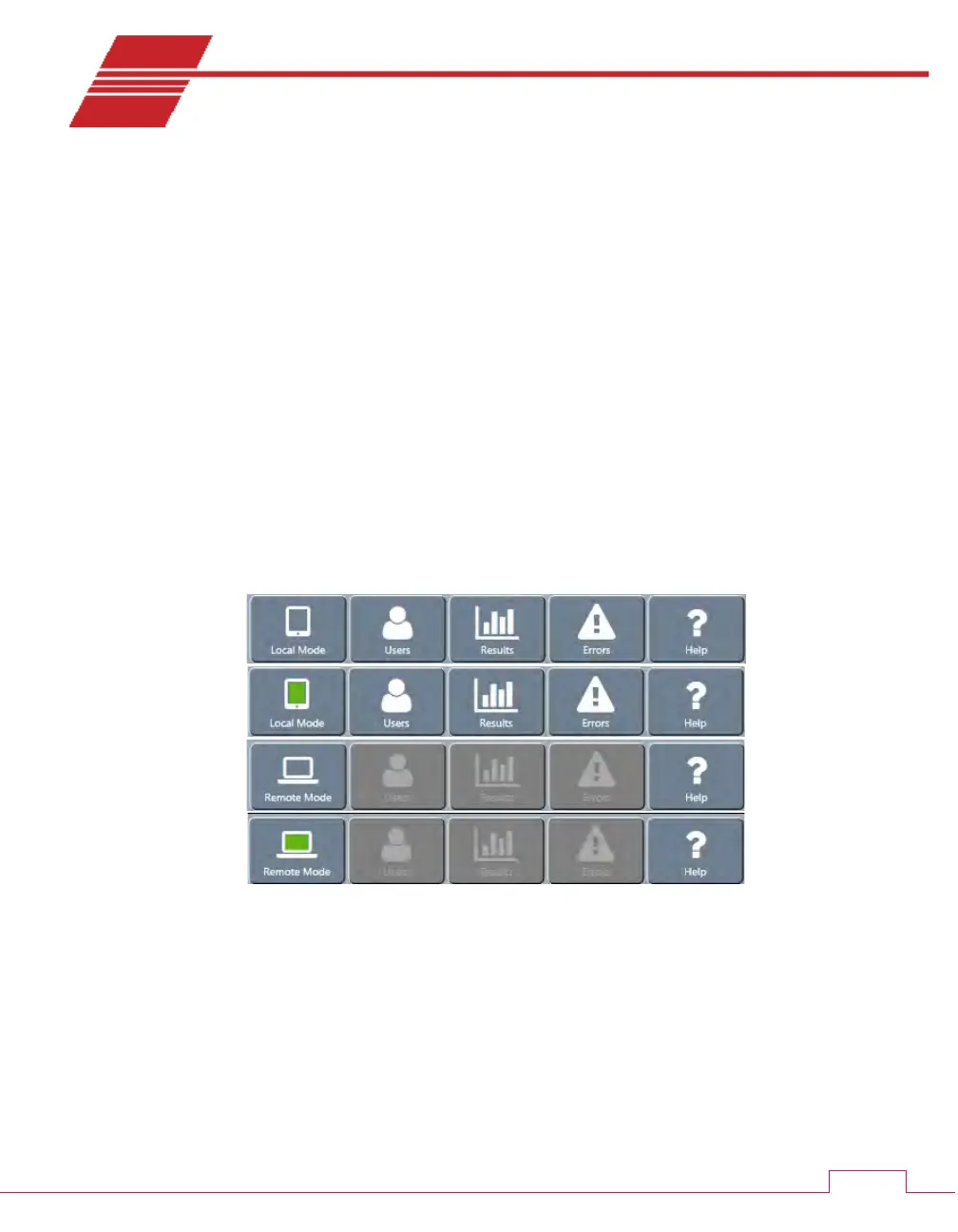
The operating status of the CAV 4.2 is shown on the left-most button of the main screen menu
of the CAV 4.2 GUI. This button toggles between Local Mode and Remote Mode. A green icon
indicates that the instrument is connected to VISCPRO II. In Remote Mode, the Users, Results,
and Errors action buttons are grayed to indicate that instrument operation cannot be
managed from the CAV 4.2 GUI.
Figure 26 — Main screen menu
CAV 4.2 GUI
The CAV 4.2 GUI is the software program shown on the touch-screen embedded in the display
hood of the CAV 4.2. The Getting Started chapter of this manual introduces the operator to
the basic usage of the CAV 4.2 GUI. This chapter provides more in-depth instructions.



 To Next Page