v
CAV® 4.2 Operator's Manual, Rev. 2.0
Warranty......................................................................................................................... 67
Products limited warranty .......................................................................................................... 67
Reagent and chemical warranty ................................................................................................. 67
Returning a product to CANNON® ............................................................................................. 68
Required information.............................................................................................................. 68
Hazardous materials ............................................................................................................... 68
Shipping notification .............................................................................................................. 68
Replacement Parts List..................................................................................................... 69
List of Figures
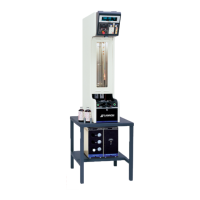
Figure 1 — Complete CAV® 4.2 System ............................................................................................ 8
Figure 2 — Tubing connections ....................................................................................................... 10
Figure 3 — Solvent inlets ................................................................................................................. 11
Figure 4 — Temperature baths ........................................................................................................ 13
Figure 5 — Temperature bath details .............................................................................................. 14
Figure 6 — Bath top (fill hole) .......................................................................................................... 15
Figure 7 — Main screen ................................................................................................................... 16
Figure 8 — Temperature settings screen ........................................................................................ 16
Figure 9 — Field entry screen .......................................................................................................... 16
Figure 10 — Thermometer access holes ........................................................................................... 17
Figure 11 — Temperature calibration screen ................................................................................... 18
Figure 12 — Bath screen .................................................................................................................. 19
Figure 13 — Services menu ............................................................................................................. 19
Figure 14 — Pressure/vacuum adjustment screen ........................................................................... 19
Figure 15 — Settings menu ............................................................................................................. 20
Figure 16 — Wash screen ................................................................................................................ 20
Figure 17 — Main screen (wash button)........................................................................................... 21
Figure 18 — Train screen ................................................................................................................. 22
Figure 19 — Methods screen ........................................................................................................... 23
Figure 20 — Field entry screen ........................................................................................................ 23
F
igure 21 — Closed network settings .............................................................................................. 25
Figure 22 — Network connections .................................................................................................. 28



 To Next Page