18
Images Are Shifted/Slanted / Irregularities Appear in Images/Images Are Faint
Printing Results Are Not Satisfactory
Irregularities Appear in
Images/Images Are Faint
Images Are Shifted/Slanted
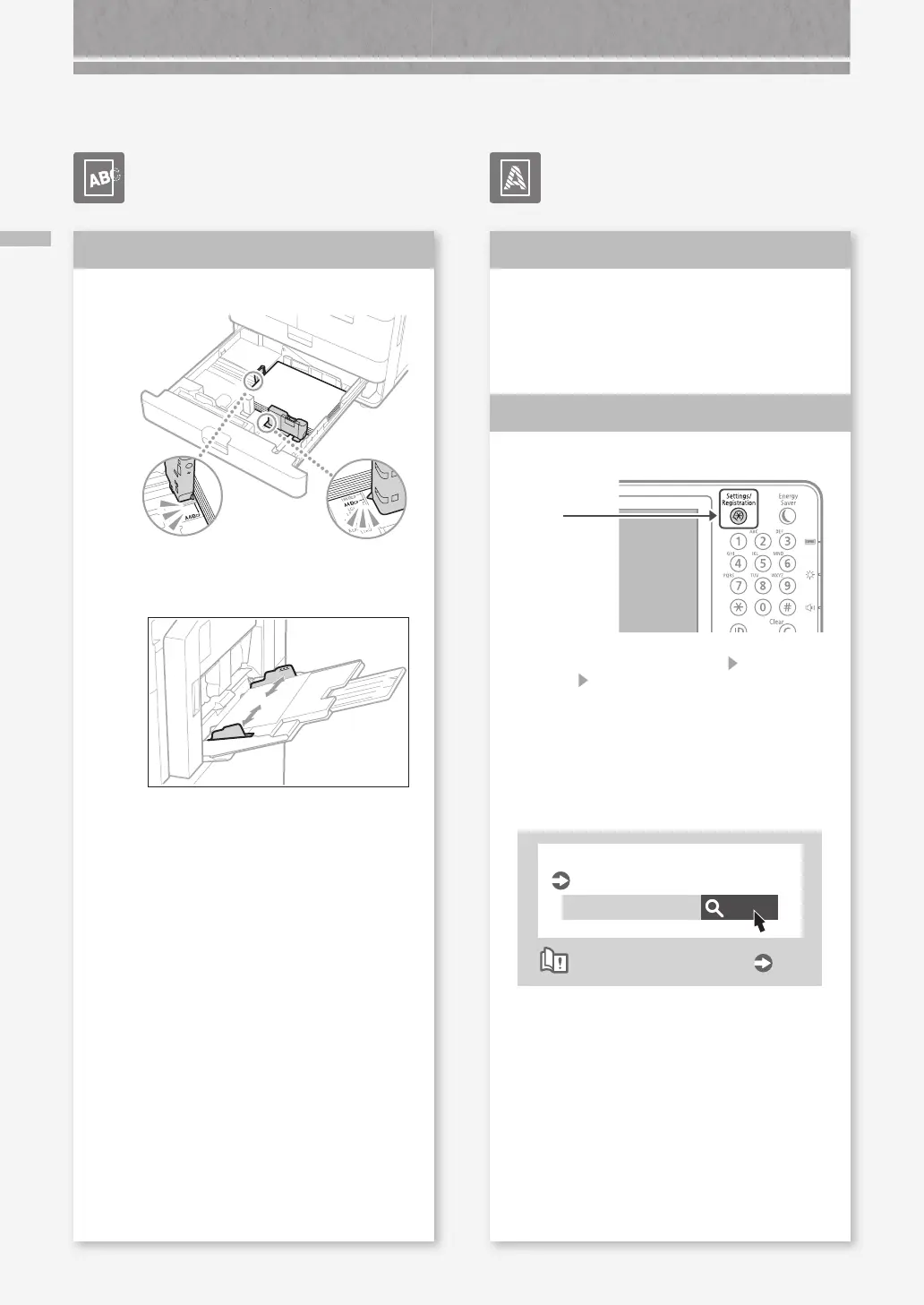
Adjust the paper guides.
Adjust the guide exactly.
Multi-purpose tray
Solution
The paper may have absorbed
moisture. Replace it with paper that
has not absorbed moisture.
Perform gradation adjustment.
1.
Press
2.
Press [Adjustment/Maintenance] [Adjust Image
Quality]
[Auto Adjust Gradation] on the touch
panel display.
Follow the instructions in the screen to
perform gradation adjustment.
For more information, see the User's Guide.
Search
10H3-0HR
Adjusting gradation
User's Guide
How to use the search number
P.51
Solution
1
Solution
2










 To Next Page