20
Bleed-through Occurs
Bleed-through Occurs
Set the type of original properly.
If bleed-through is observed with the copy result,
setting the type of original can improve the
problem, giving a neat copy.
1.
Press
2.
Press [Copy] [Options] [Original Type].
3.
Press [Text/Photo (BleedReduce)].
4.
Press [OK].
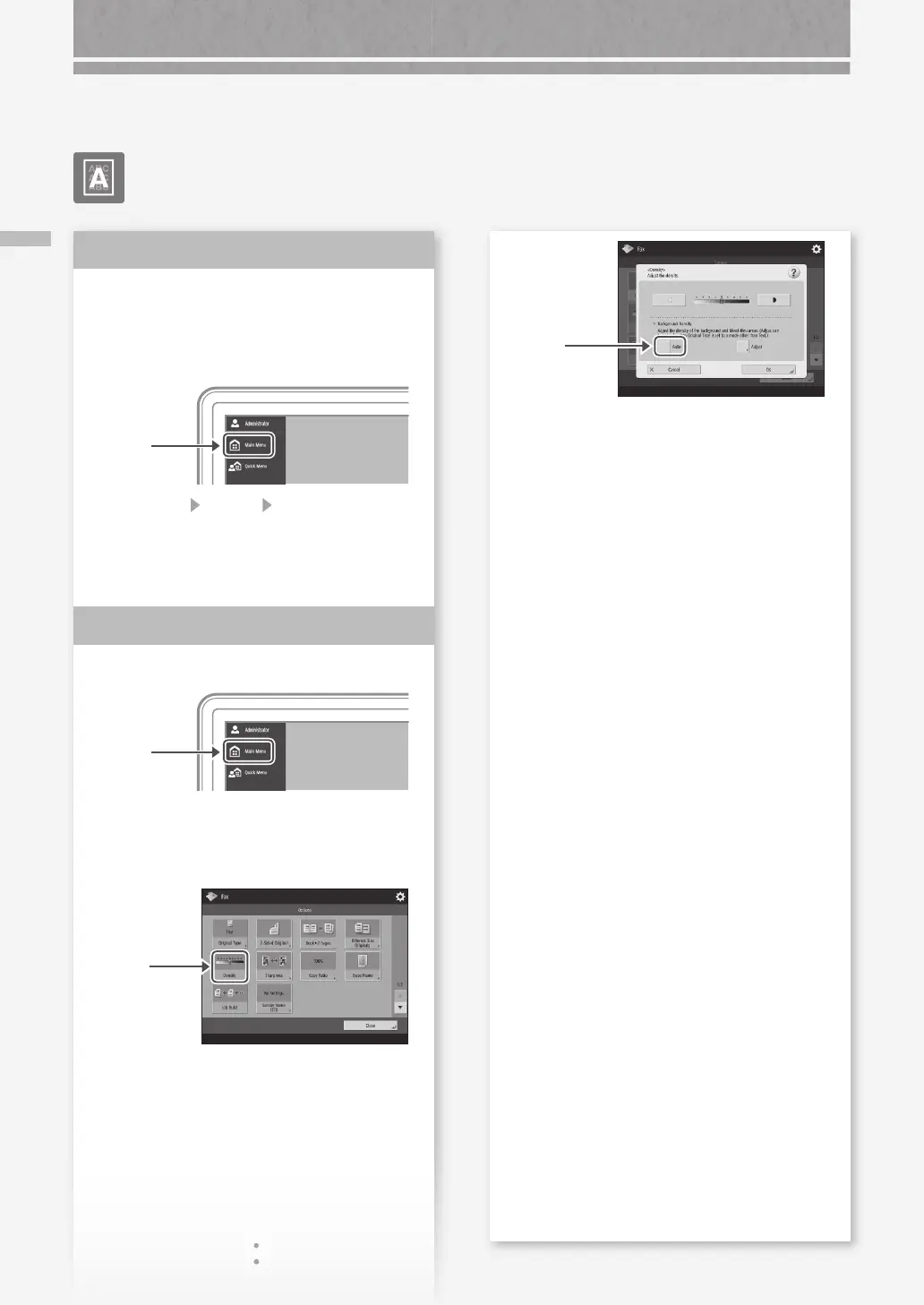
Set a lower background density.
1.
Press
2.
Select the function on the touch panel display.
3.
Press [Options].
4.
Press
Example: Fax
Solution
1
Solution
2
5.
Press
6.
Press [OK].
Printing Results Are Not Satisfactory










 To Next Page