25
If the "Load paper." Message Is Displayed
If the "Load paper." Message
Is Displayed
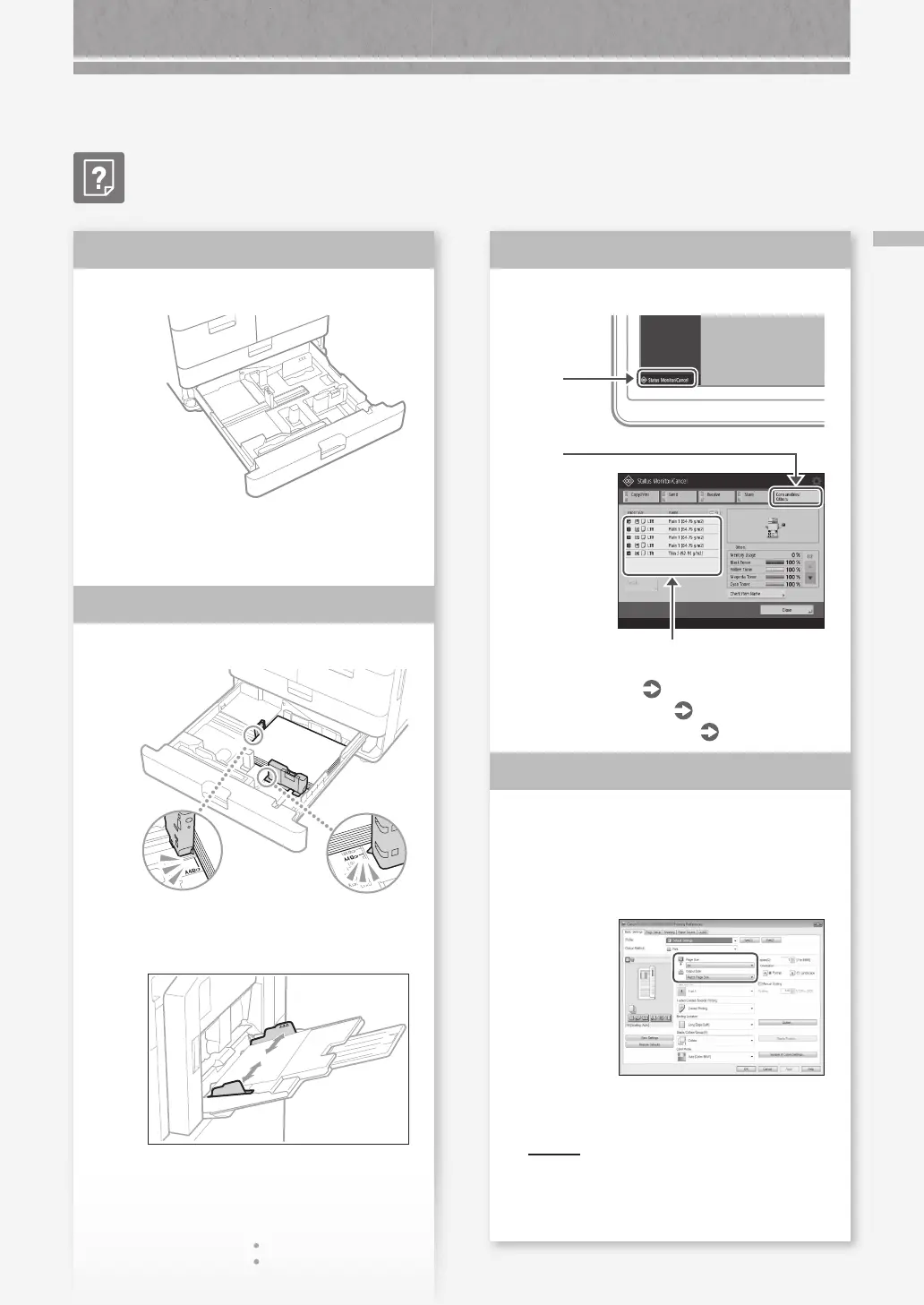
Replenish paper.
If the paper source is vacant, replenish
paper.
Adjust the paper guides.
Adjust the guide exactly.
Multi-purpose tray
Solution
1
Solution
2
Check the paper type setting.
1.
Press
2.
Press
3.
If the paper type setting does not match the
loaded paper, change the setting.
• For paper drawer
P.8
• For multi-purpose tray
P.11
• For optional paper sources
User's Guide
Make sure that the original size and
output paper size are correct.
1.
Check the original size and possible output
sizes on the [Printing Preferences] screen of the
printer driver.
2.
Load paper of the size matching the original size
setting.
POIN T
To print on paper of a size dierent from that
of the original, manually specify the paper size
to print on with [Output Size].
Solution
3
Solution
4










 To Next Page