22
Paper Jams Occur Frequently
Paper Jams Occur Frequently
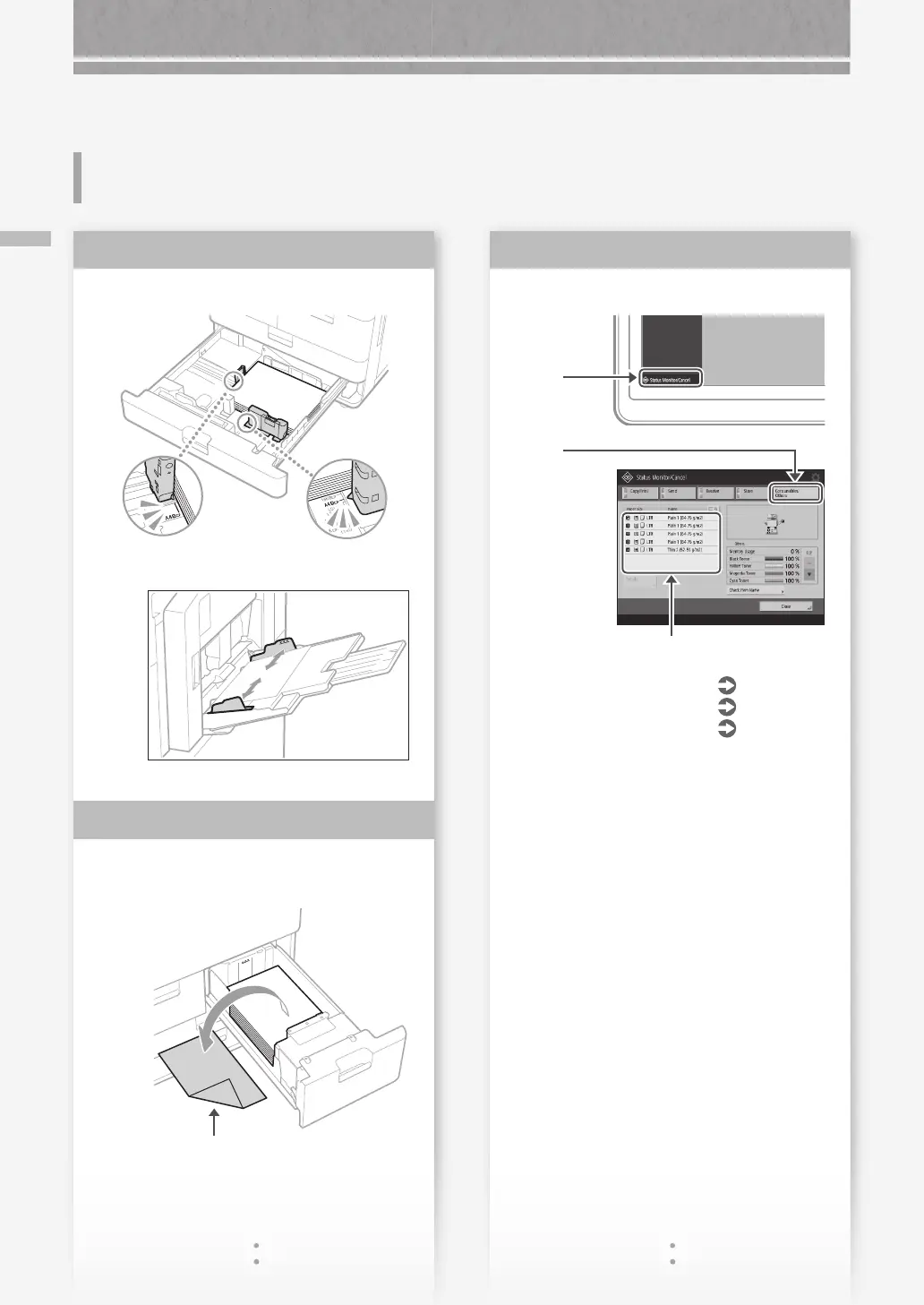
Check the paper type setting.
1.
Press
2.
Press
3.
If the paper type setting does not match the
loaded paper, change the setting.
• For paper deck/paper drawer
P.8
• For multi-purpose tray
P.11
• For optional paper sources
User's Guide
Solution
3
Adjust the slide guides.
Adjust the guide exactly.
Multi-purpose tray
Check if the paper is bent.
Example: Paper Deck
Unbend or remove
the bent paper.
Solution
1
Solution
2
If Paper Jams Occur










 To Next Page