6
Check the Following First
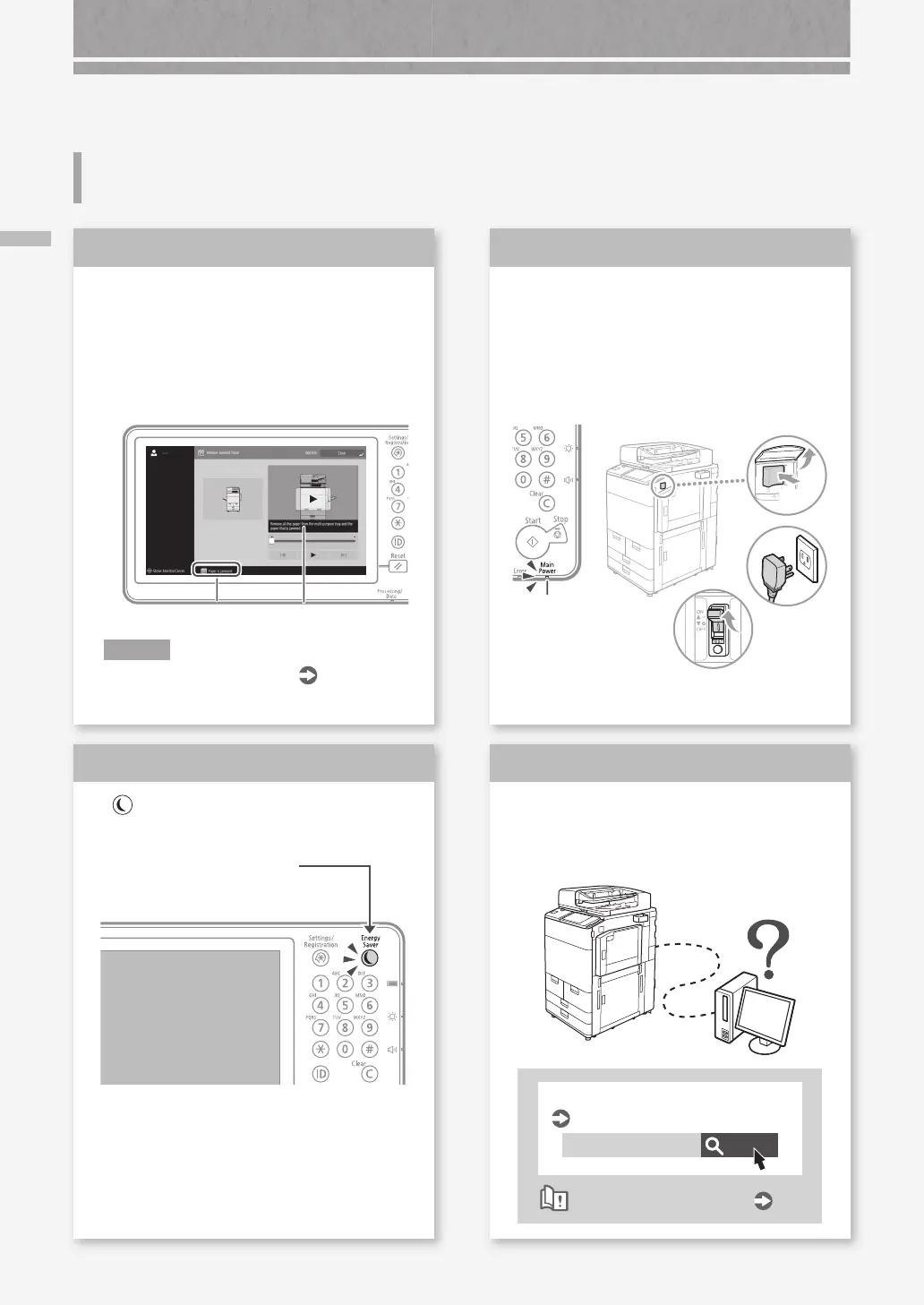
Is a message displayed on the touch
panel display?
Message
Simple Message
N O T E
If an error message is displayed
P.36
Check
1
Is the main power indicator O?
If the main power indicator does not light
when you turn the main power ON, check
the power plug and breaker.
Main power
indicator
Check
3
Is lit?
Press this to cancel the
Sleep mode.
Check
2
Is the machine correctly connected to
the computer?
Check the network connection.
Search
10H3-006
Setting the network environment
User's Guide
How to use the search number
P.51
Check
4
The Machine Does Not Operate
Check the Following First
I (ON)










 To Next Page