37
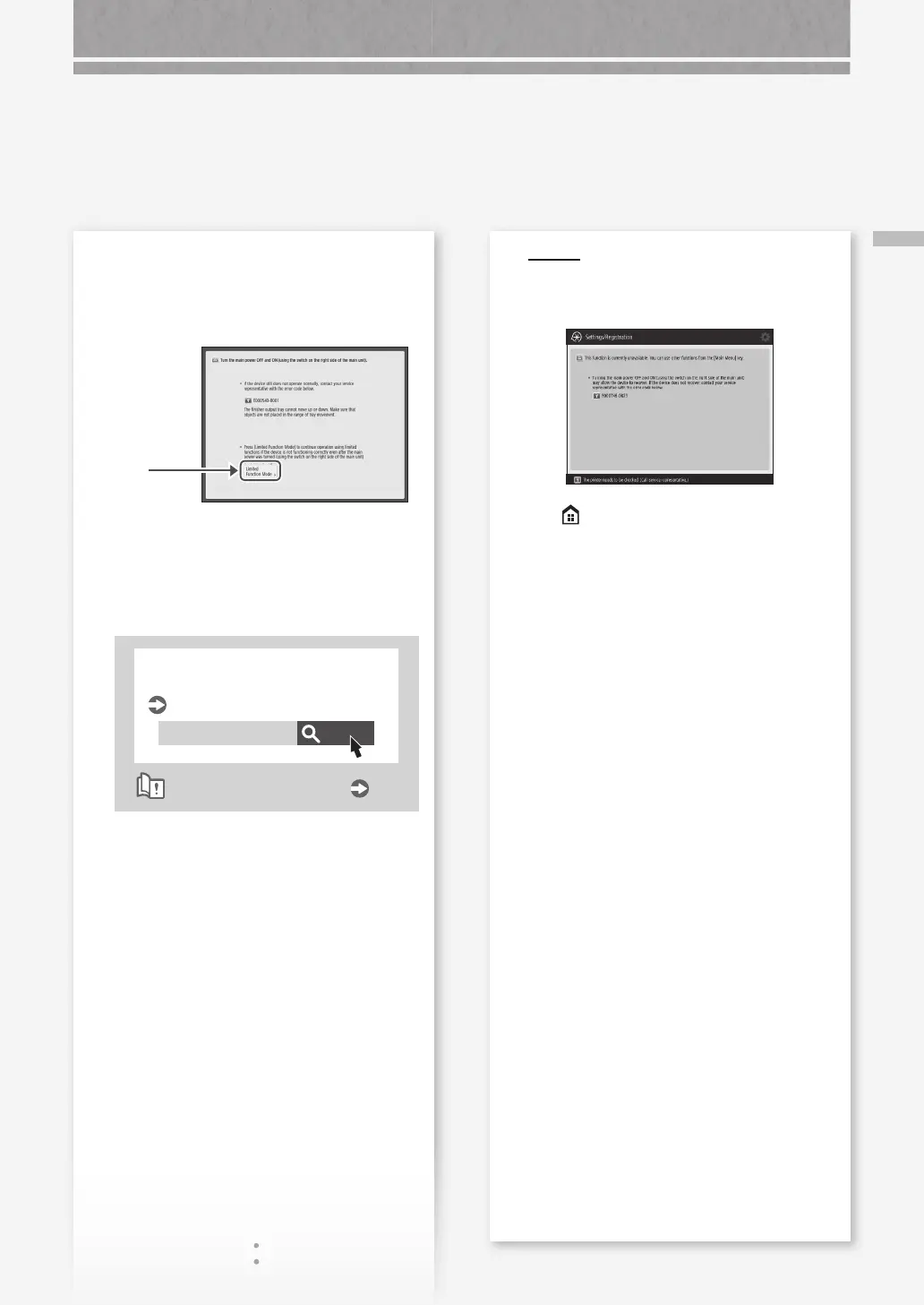
If the "Contact your service representative" Message Is Displayed
When the [Limited Functions Mode]
button is displayed
You can use the machine with part of functions
restricted even before the problem is resolved.
1.
Press
2.
Press [Yes] to restart the machine.
The machine enters the limited functions mode.
When the problem is resolved, the [Call service
representative.] message disappears in the
screen at the bottom left.
Search
10H3-0JU
Functions available in the limited
functions mode
User's Guide
How to use the search number
P.51
POIN T
When you select a restricted function in the
limited functions mode, the following screen
appears.
Press on the touch panel display to return
to the Main Menu, and then select a different
function.










 To Next Page