40
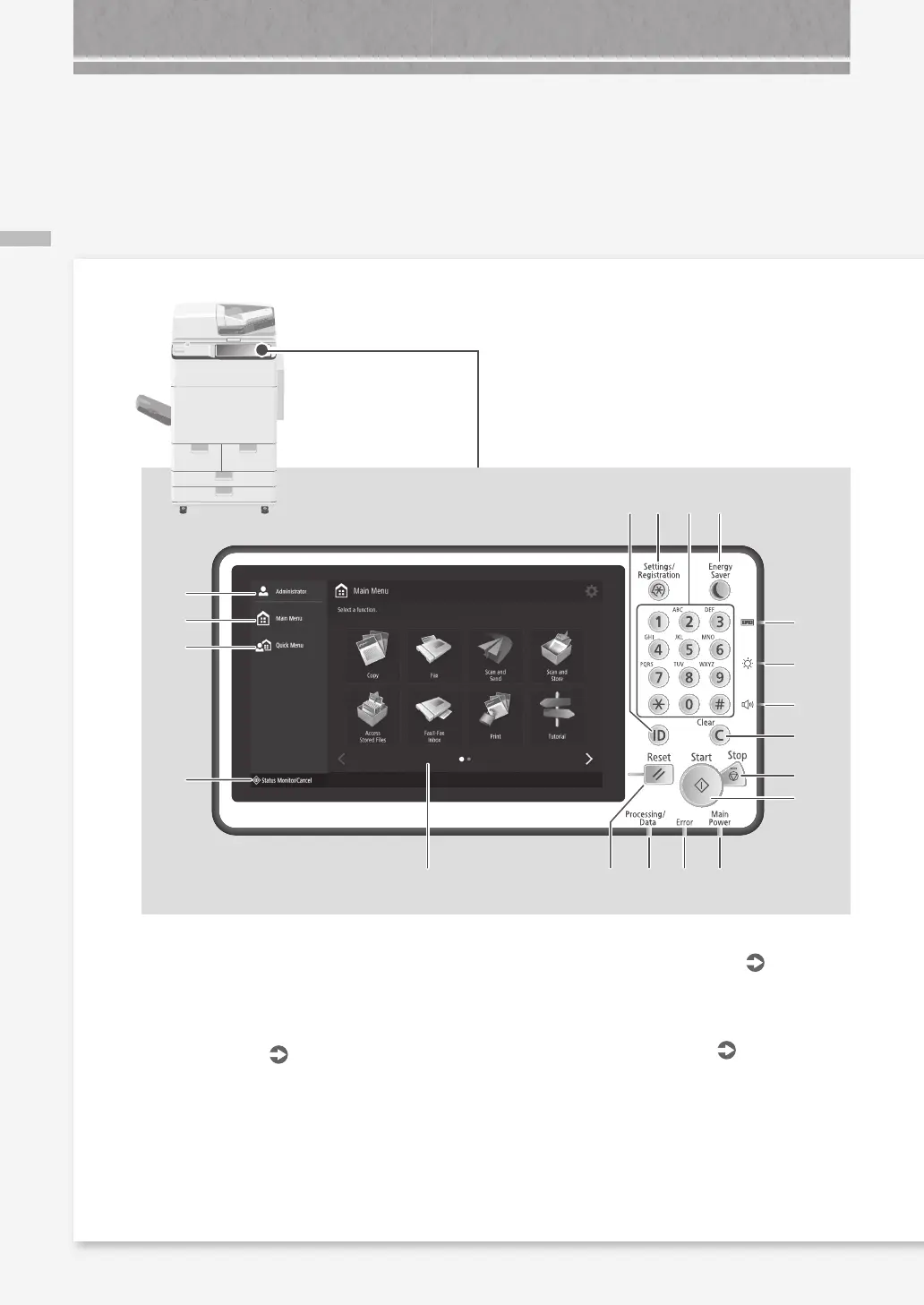
Control Panel
1
2
3
4
5 7 8 9
10
11
19
15
13
14
12
6
161718
Illustrated Index
1
Login user name
The user name that is currently logged in is
displayed.
2
[Main Menu]
P.20
Press to display the Main Menu screen.
3
[Quick Menu]
Press to display the registered functions in the
form of Quick Menu.
4
[Status Monitor/Cancel]
P.22
Press to check the status of a job or cancel a
job.
5
Touch panel display
P.6
Displays the settings screen and messages.
Touch the panel to perform setting and other
operations.
6
Reset key
Press to cancel the settings and restore the
previously specified settings.
Control Panel










 To Next Page