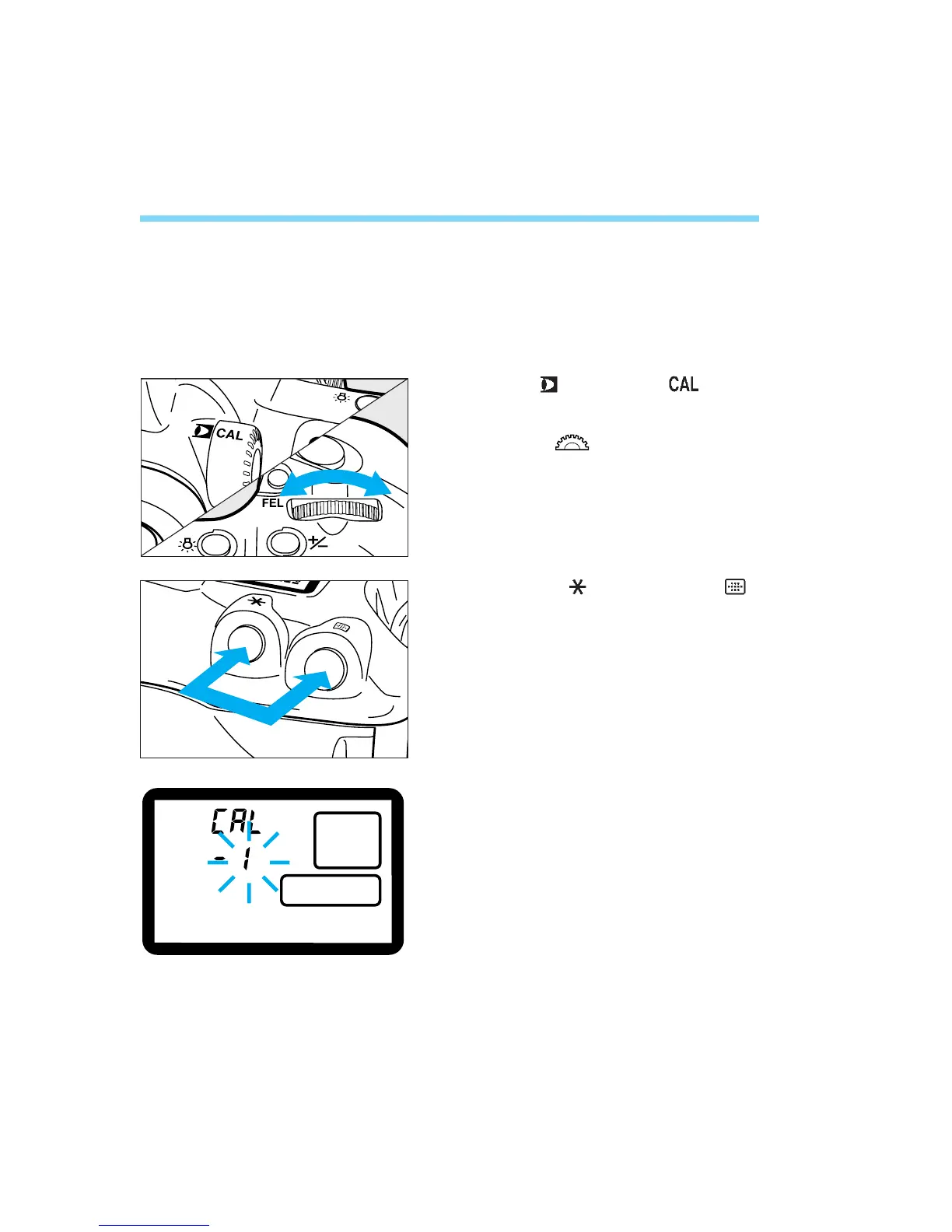
Deleting Eye-Control Calibration Data
If you need to replace the calibration data in a calibration channel (for a
different user, eyeglass/contact lens wear, etc.), you must first delete the
existing calibration data by following the procedure below. You can then
register new calibration data by following the calibration procedure.
Set the < > switch to < >.
Turn the < > dial until the CAL
No. whose calibration data is to be
deleted appears (not blinking).
Press the < > button and < >
button simultaneously.
• The CAL No. will start blinking. This
indicates that the calibration data has been
deleted.
Focusing Point Selection
46
1
2
3
04. C836-E (33~) 28-01-2003 11:11 Pagina 46



 To Next Page