Sending Documents
4-24
Editing One-Touch Keys/Coded Dial Codes
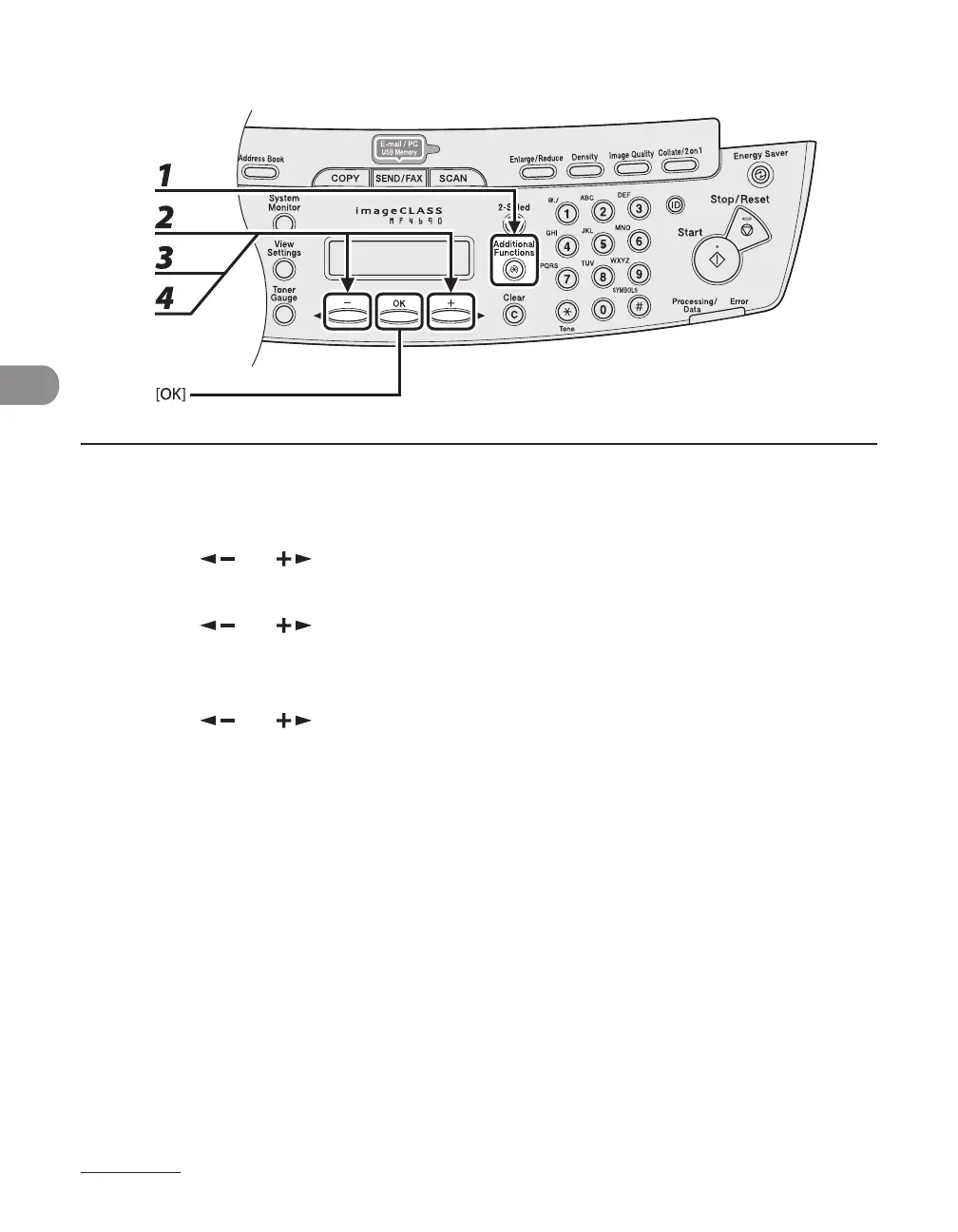
1 Press [Additional Functions].
2 Press [ ] or [ ] to select <ADDRESS BOOK SET.>, then press [OK].
3 Press [ ] or [ ] to select <1-TOUCH SPD DIAL> or <CODED SPD DIAL>, then
press [OK].
4 Press [ ] or [ ] to select the one-touch key (01 to 08) or coded dial code
(000 to 191) you want to edit, then press [OK].
You can also select a one-touch key or coded dial code by pressing the corresponding one-touch key, or
[Coded Dial] followed three-digit code.
●










 To Next Page