Loading a Roll
2
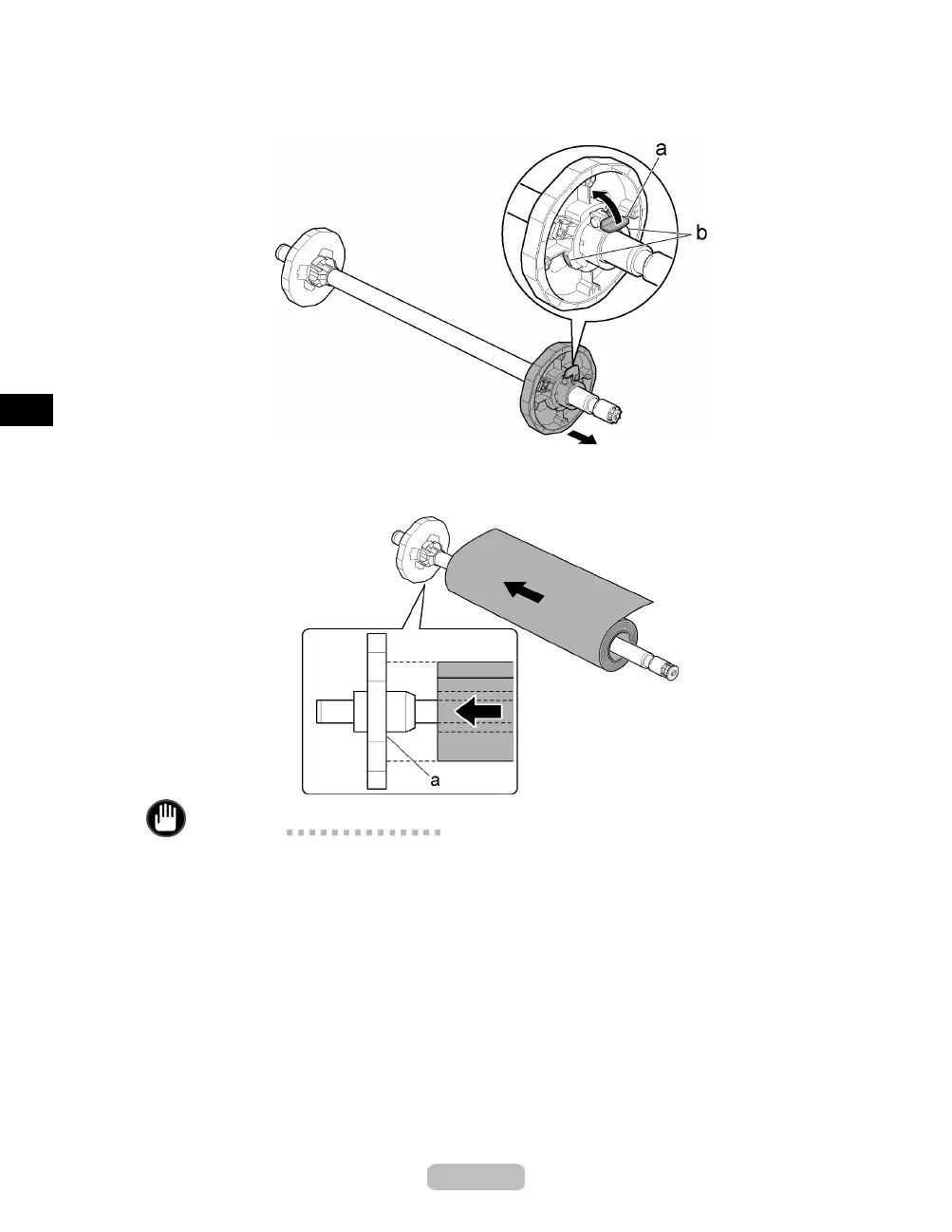
Lift the Holder Stopper lever (a) from the shaft side to unloc
k it. Holding the
Holder Stopper at the position indicated (b), remove it from the Roll Holder.
3
With the edge of the roll paper facing back as shown, set the roll with the Roll Holder
from the right. Insert the roll firmlyuntilittouchestheflange (a) of the Roll Holder.
Important
•
Insert the roll firmly so that there is n o gap between the roll and the flange of the
Roll Holder. If there is a gap, it may cause feeding problems.
•
Set the roll on a table or other flat surf ace so that it does not roll or fall. Rolls are
heavy, and dropping a roll may cause injury.
•
When loading a roll, be careful to avoid hi tti ng the printer hard with the roll. This
may damage the Roll Holder.
12















 To Next Page