Loading a Roll
4
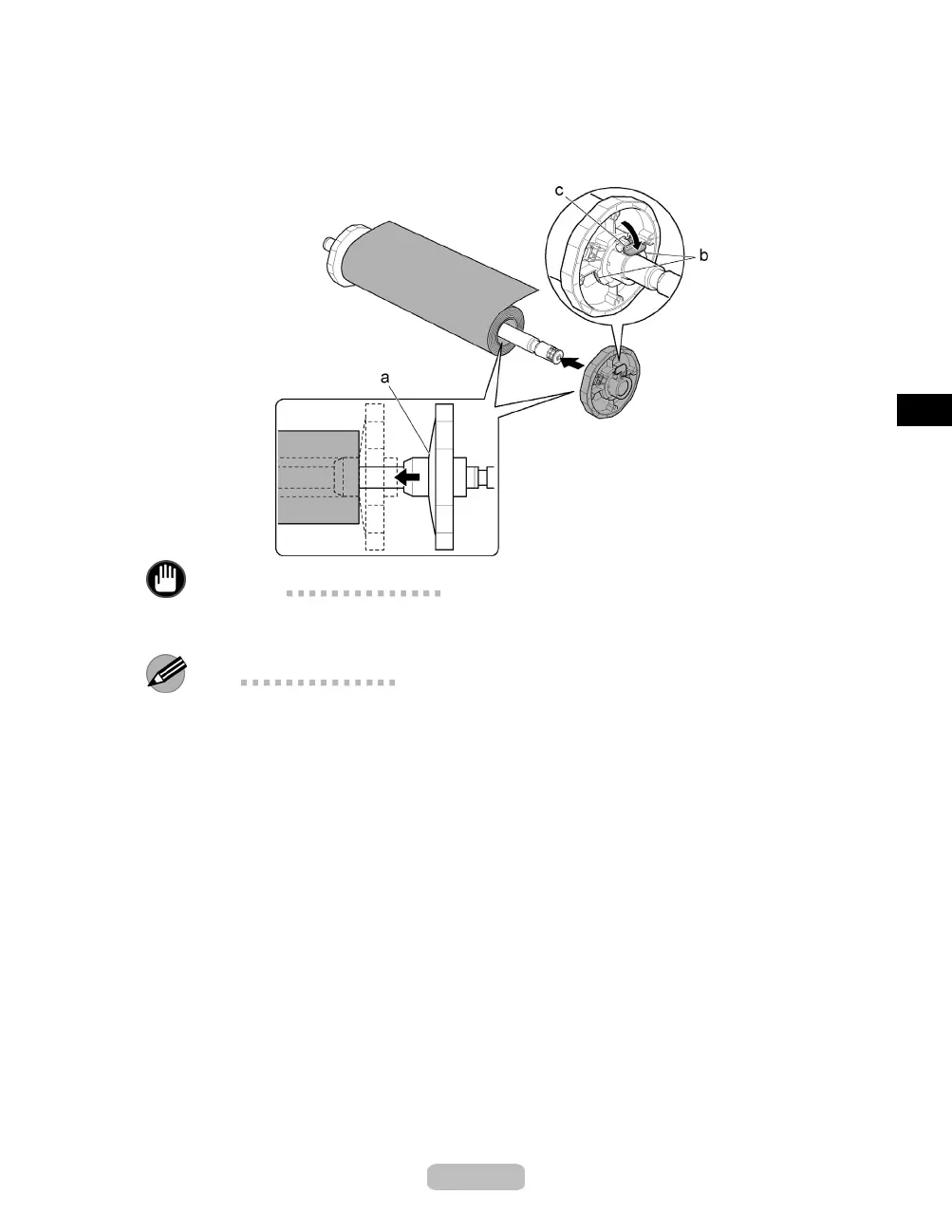
Insert the Holder Stopper from the right in the Roll Holder as
shown. Holding it
at the position indicated (b), push it firmly in until the flange(a)oftheHolder
Stopper touches the roll. Lock the Holder Stopper lever (c) by pushing it down
toward the shaft side.
Important
•
Insert the Holder Stopper firmly onto the ro l l. Failu re to d o this may cause feeding
problems.
Note
•
Remove any loaded p aper that will not be used.
•
If th e Platen is dirty, clean inside the To p C o v e r .(→ P.38)
13















 To Next Page