Loading a Roll
5
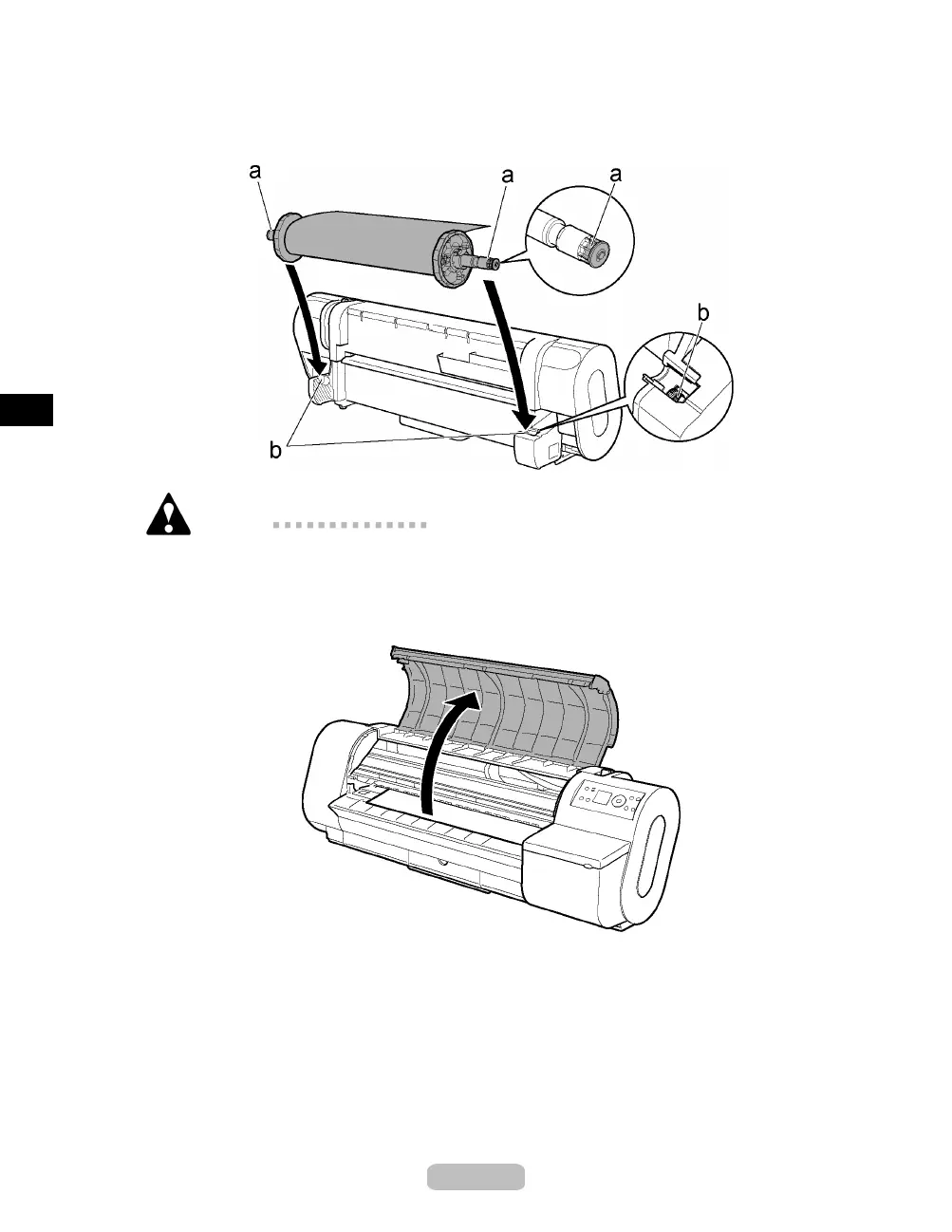
Holding the Roll Holder so that the side with the white gear faces the side o f the
Roll Holder Slot with a white gear, load the Roll Holder shaft (a) into the grooves
(b) on both ends of the Roll Holder Slot.
Caution
•
Be careful not to drop a roll and hurt yourself when loading it.
•
Be careful not to put your fi ngers between the guide grooves (b) and the Roll
Holder shaft (a) when loading roll, or may haurt yourself.
6
Open the To p Co ve r.
14















 To Next Page