Printing from Mac OS X
4
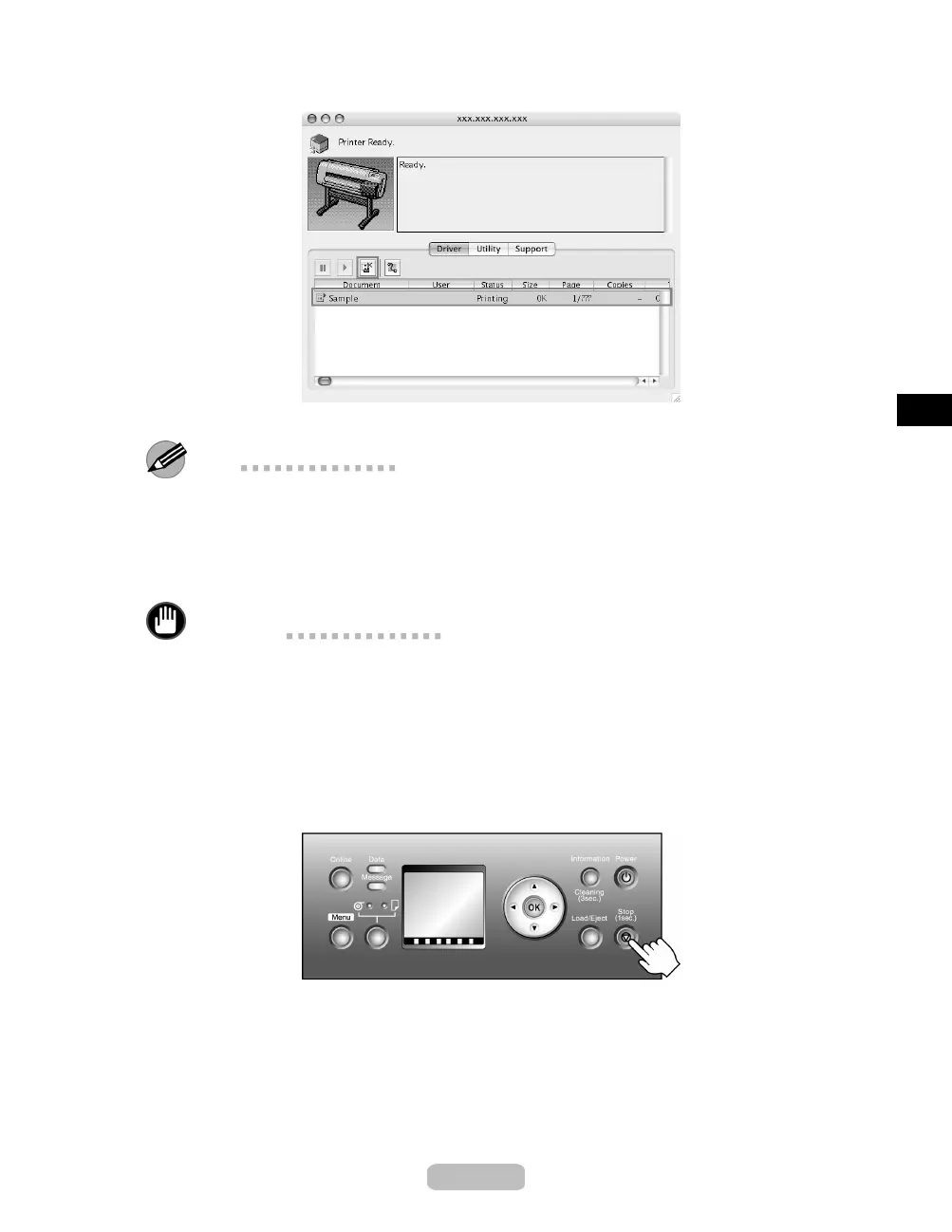
Select the print job to cancel and click the Cancel Job button
to remove the print job.
The job sent to the printer is canceled.
Note
•
The print job is displayed on the imagePROGRAF Printmonitor window while
the printer receives the print data from the computer. It i s not displayed before
transmission of prin t data to the prin ter, even if the computer h
as started the process
of the d ata.
5
Exit imagePROGRAF Printmonitor. In the printer window, click Start Jobs.
Important
•
Always follow these steps if you cancel print jobs. If you do not restart job
processing, the next job canno t b e printed.
To cancel print jobs from the Control Panel, follow these steps.
1
If the Display Screen of the Control Panel still indicates that the job is in progress
and the Data lamp continues flashing, hold down the Stop button for a second or
more to stop printing.
27















 To Next Page