WebCAM user manual -27-
Chapter 5: Web Manager
Please ensure that each of the following option is set correctly. Otherwise, WebCAM
may not work properly.
2.3.1 Camera Settings
2.3.2 Network
2.3.3 Account Settings
2.3.1 Camera Settings
Use this section to set up the USB camera.
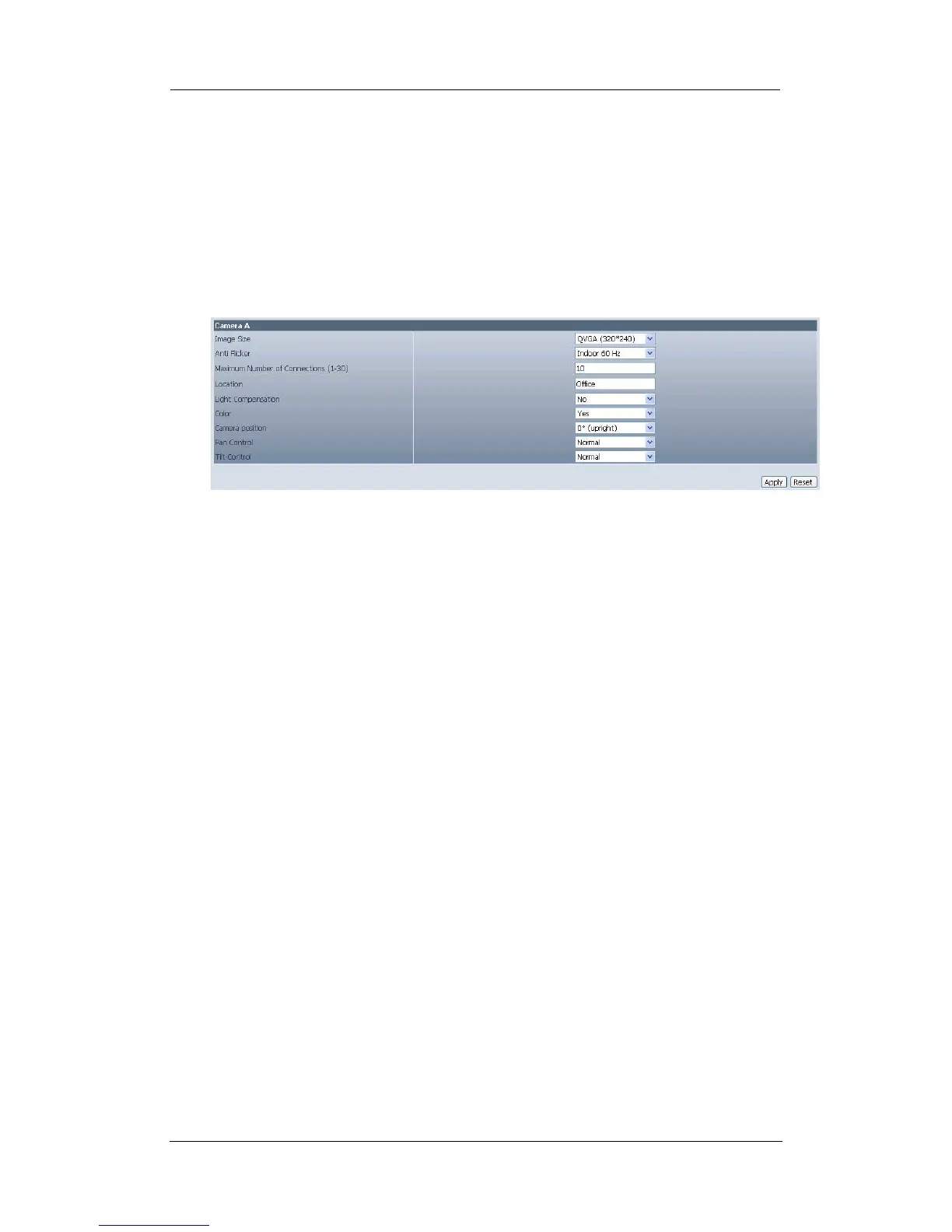
i. Setting up Camera A (Similar with Camera B)
Fig.18. Individual Camera Configuration
”Image Size”
User can select an image size between QQVGA (160*120), QCIF (176*144),
QVGA (320*240), CIF (352*288), VGA (640*480).
“Anti Flicker”
Choose between 50Hz, 60Hz or Outdoors. Note: If you do not choose the right
frequency, the image will flicker or lines will appear on the images.
“Maximum Number of Connections (1-30)”
Use this to limit the number of users that can connect to this camera.
“Location”
Enter a suitable location / name of your choice for the camera.
“Light Compensation”
Choose “Yes” and WebCAM will increase the lighting of the image. This is useful
when monitoring indoors.
Choose “No” if you do not want WebCAM to adjust the light and view the images
as is.
“Color”
Choose “Yes” for color and “No” for black and white display.
“Camera Position”
Choose from the automatic “0 degree (upright)”, to 90, 180 (upside down), and
270 degree position of the camera. This is to facilitate the ability to reposition the
camera in any way the user desires.















 To Next Page