WebCAM user manual -29-
Chapter 5: Web Manager
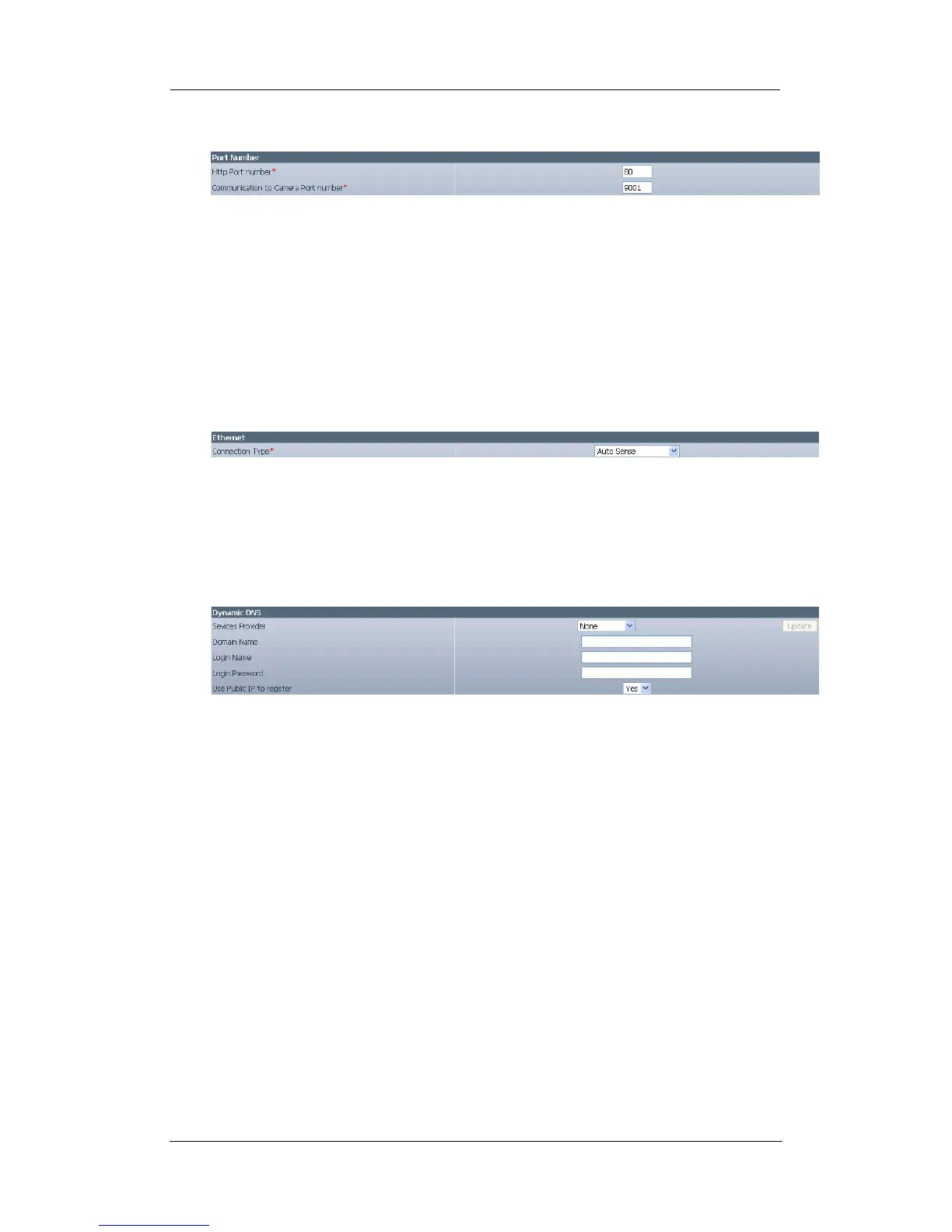
iii. Port Number
Fig.21. WebCAM Port Settings
“HTTP Port Number”
This determines the port from which the webpage is accessible thru your Router.
By default the port number is 80.
“Communication to Camera Port Number”
This determines the port from which the video images is streamed thru your
Router. By default the port number is 9001.
iv. Ethernet
Fig.22. WebCAM Ethernet Settings
“Connection Type”
This item sets the communication speed between WebCAM and the Network.
WebCAM will reboot after “Connection Type” is changed.
v. Dynamic DNS
Fig.23. WebCAM Dynamic DNS Settings
“Service Provider”
The WebCAM can be configured to register the current IP to a dynamic DNS
provider. This will enable you to locate WebCAM’s IP every time the IP changed
due to an ADSL connection redial. Before you use this function, you will have to
register with either one of these five service providers;
• None (Select this to disable the DDNS function)
• dhs.org
• dyndns.org
• myddns.com
• zive.org
Click on “Update” to get latest list of Service Providers.
“Domain Name”
Enter the Domain Name you have created from one of the five websites.
“Login Name”
Enter your login name for the above domain name. You only have to configure
once.















 To Next Page