WebCAM user manual -3-
Chapter 1: Introduction
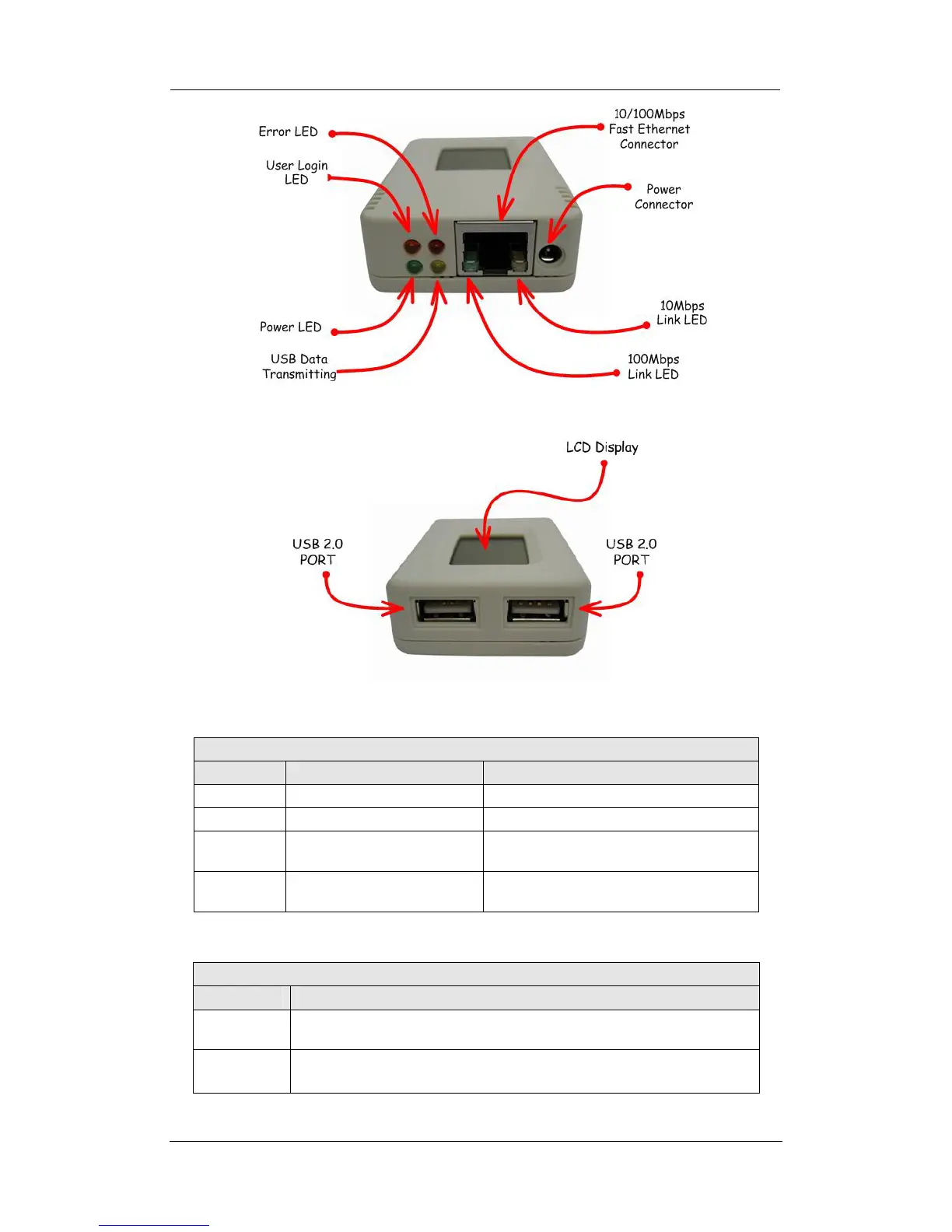
Fig.2. WebCAM Front View
Fig.3. WebCAM Back View
LED Status Indicators on WebCAM
Light color Signal definition Condition description
Green Power state On: Normal power
Red Error Condition On: Error condition occurred
Orange Logon state
On: When there is user logon and
receive the image.
Yellow
USB data activity
Flash when there is data
transmit/receive on the USB.
Fig.4. WebCAM Status LED Indicator
Light indicators on WebCAM LAN Port LED
Light color Condition description
Green
On: Internet correspond speed is 100M
Flash: Data transmitting/receiving
Yellow
On: Internet correspond speed is 10M
Flash: Data transmitting/receiving
Fig.5. WebCAM LAN LED Indicators















 To Next Page