COPYRIGHT
©
2001 CANON INC. 2000 2000 2000 2000 CANON iR2200/iR2800/iR3300 REV.0 MAR. 2001
CHAPTER 3 STANDARDS AND ADJUSTMENTS
3-3 T
1.3 Adjusting Left/Right lamge Margin
1.3.1 Adjusting the Registration for the Cassette Rear Front
Try the following service mode
first; if not corrected, perform
the adjustments that follow:
FUNCTION>CI-ADJ-Y/C2-
ADJ-Y/C3-ADJ-Y/C4-ADJ-Y
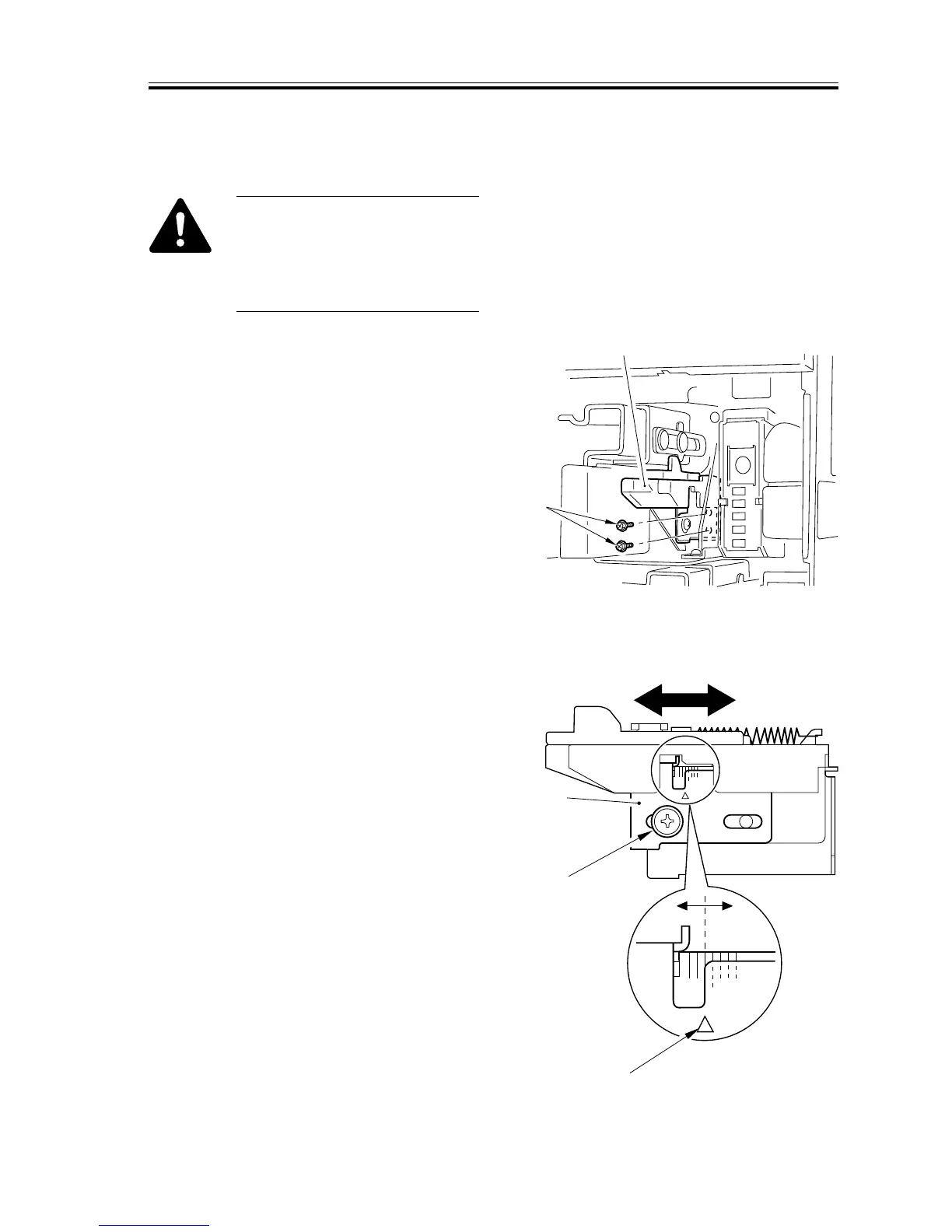
1) Remove the cassette.
2) Remove the two screws [1], and detach
the horizontal registration base assem-
bly [2].
F03-103-01
3) Loosen the screw [1], and adjust the
horizontal registration plate [2].
When making adjustments, try to match
the arrow [3] against the index (each
graduation being about 1 mm).
F03-103-02



 To Next Page