0258-05H
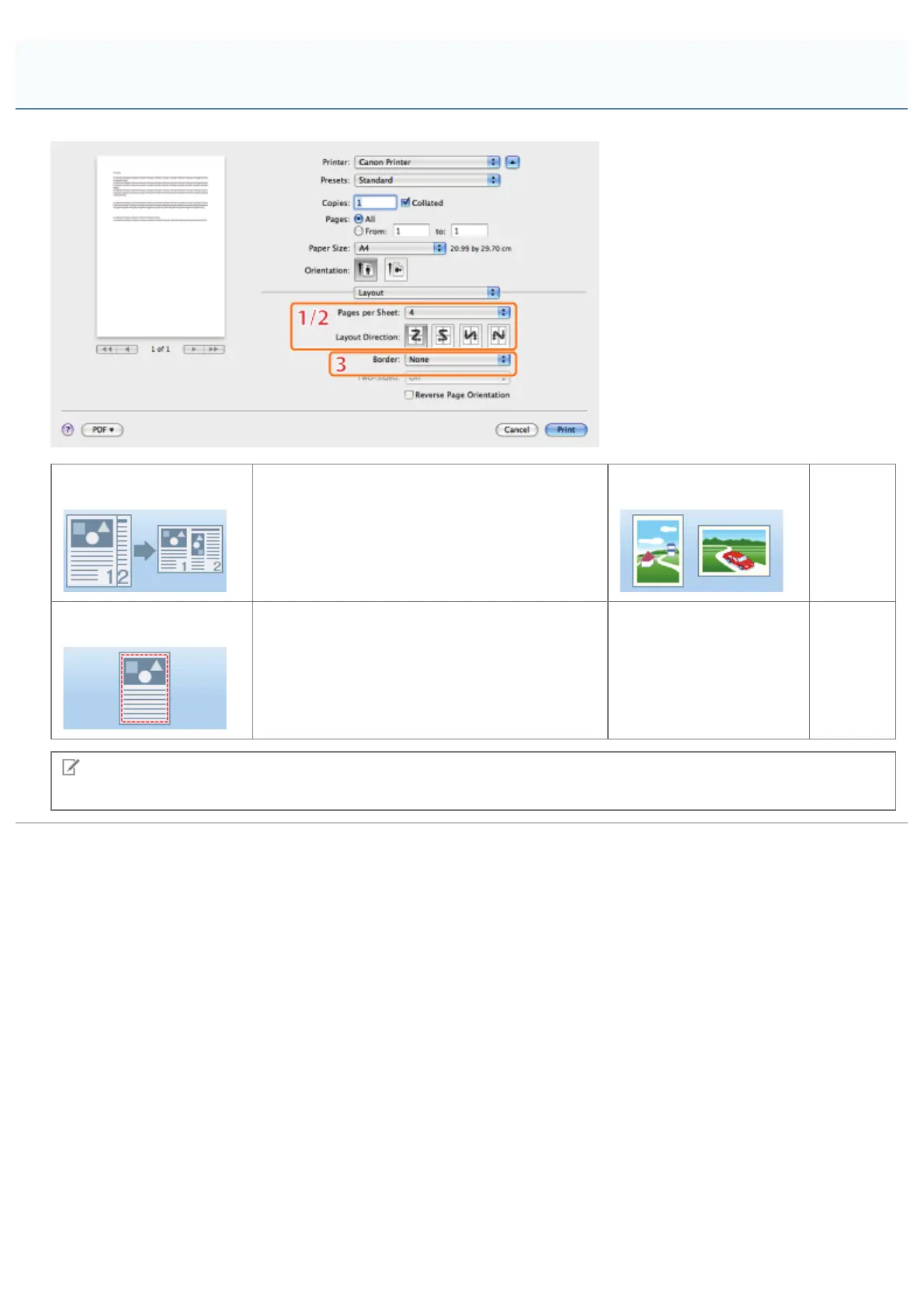
1.Page Layout
Prints multiple pages on one sheet of paper
(see "Printing Multiple Pages on One Sheet").
2.Layout Direction
Sets the
page
layout
direction.
3.Page Border
Prints each page with a border.
NOTE
The displays may differ between operating systems, printer driver types, and functions.
[Layout] Preferences Pane
㻞㻢㻟㻌㻛㻌㻥㻥㻤



 To Next Page