0258-0C7
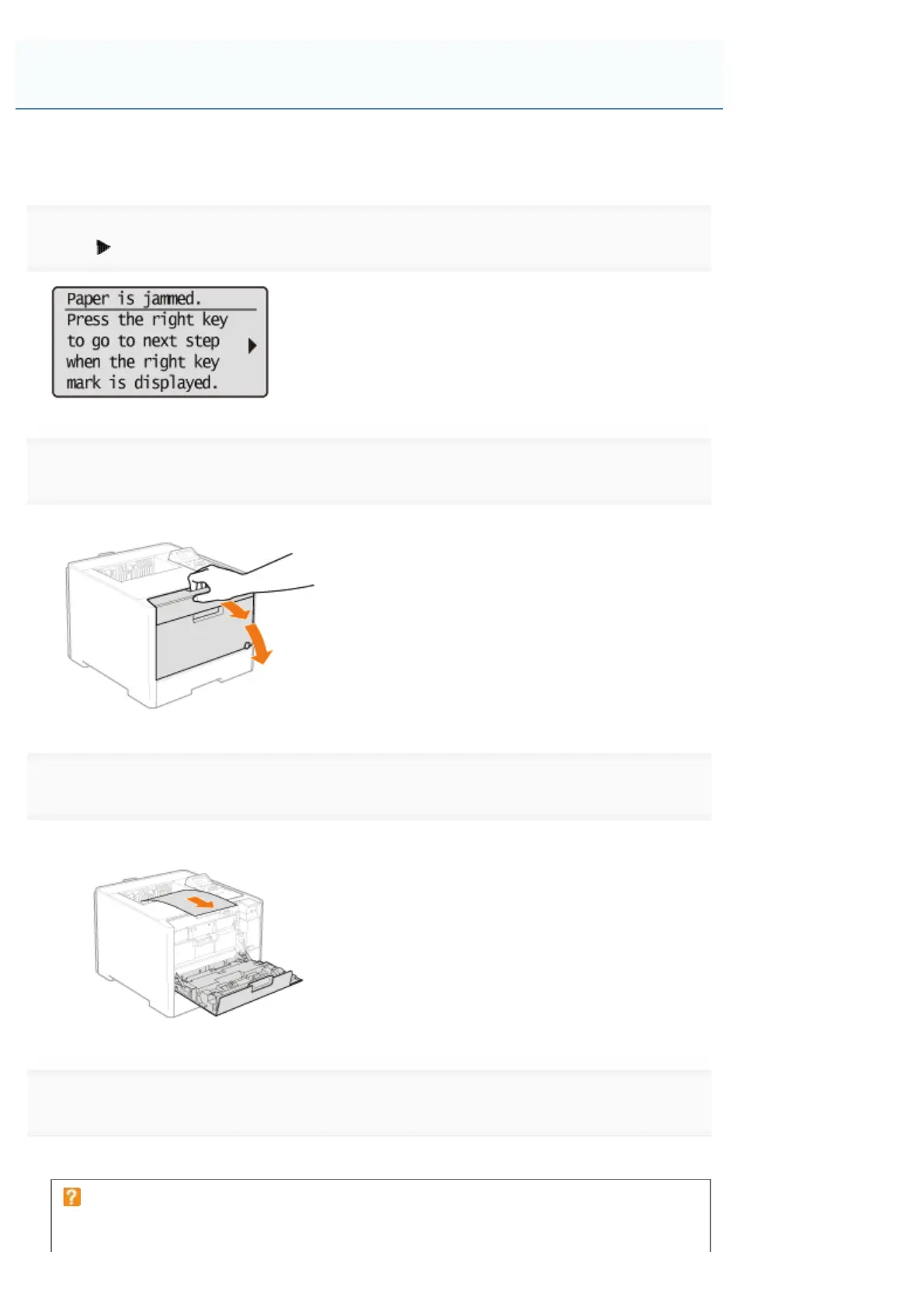
Referring to the procedure on the display, follow the steps below to remove jammed documents.
1
Press [ ].
2
Open the front cover.
3
Remove the paper by pulling it gently.
4
Close the front cover.
The machine is ready to print.
If a message does not disappear
Paper may be jammed in another area. Check another area also and remove the paper.
Clearing Paper Jams (Output Area)
㻥㻜㻞㻌㻛㻌㻥㻥㻤


 To Next Page