0258-01E
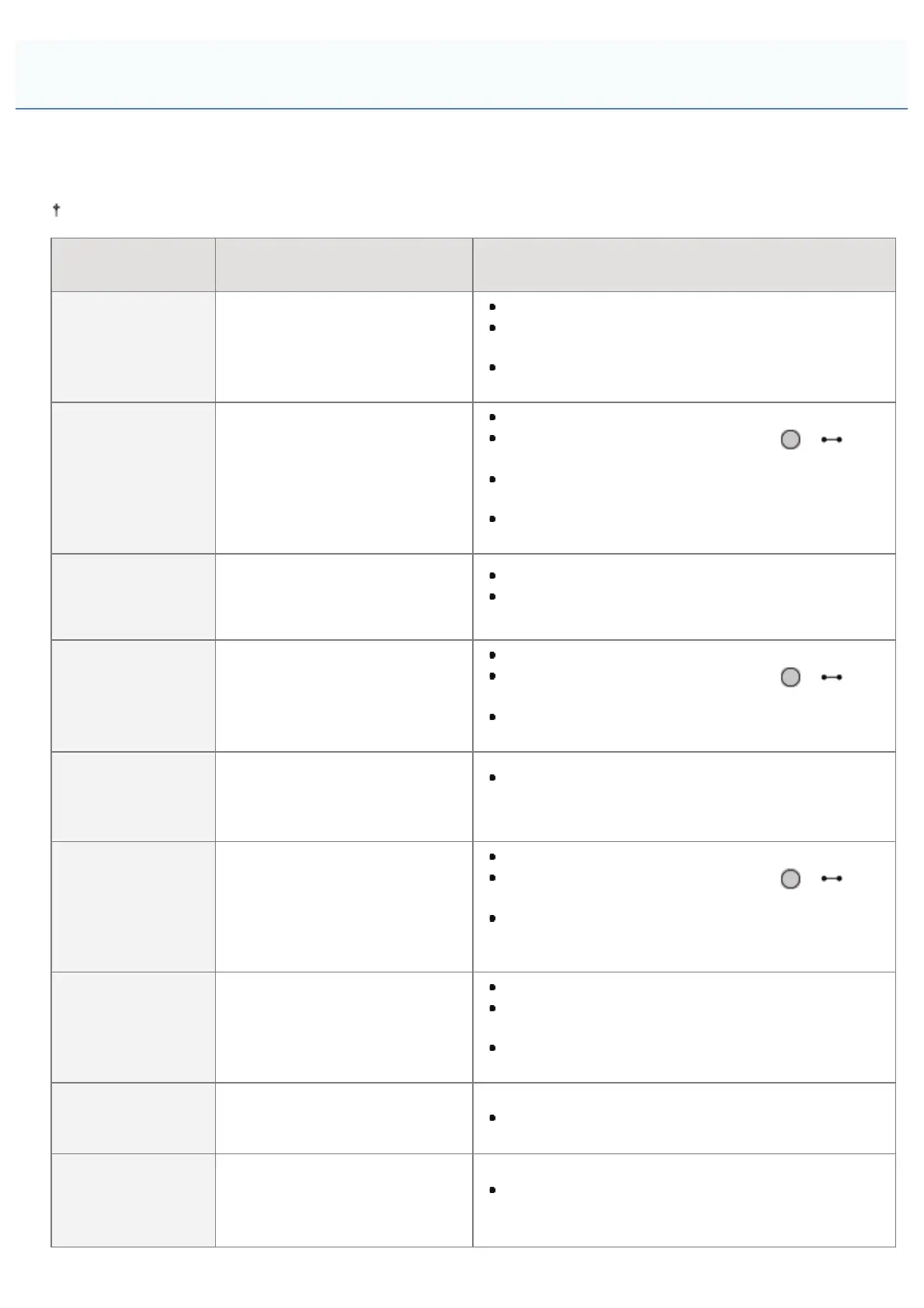
Toner cartridges are consumable products. When the toner cartridge is almost empty, a message is displayed on the
display. Take action according to the message.
For details on the toner cartridge yields and replacement toner cartridges, see "Consumables."
Message
When message is displayed
and cause
Description and Solutions
16 <Toner
Color>* toner cart.
will soon reach
lifetime.
The toner cartridge needs to be
replaced soon
You can continue printing.
Have ready a replacement toner cartridge of the
color that is displayed.
We recommend that you replace the toner cartridge
before printing a large amount of data.
<Toner Color>*
toner cartridge will
soon reach end of
lifetime.
The toner cartridge needs to be
replaced soon
The printer stops printing.
You can continue printing by pressing [
] ( :
Online).
Have ready a replacement toner cartridge of the
color that is displayed.
We recommend that you replace the toner cartridge
before printing a large amount of data.
1G Change
<Toner Color>*
toner cartridge
recommended.
The toner cartridge has reached
the end of its life
You can continue printing.
Replacing the toner cartridge for the displayed color
with a new one is recommended.
Toner cart. lifetime
<Toner Color>*
The toner cartridge has reached
the end of its life
The printer stops printing.
You can continue printing by pressing [
] ( :
Online).
Replacing the toner cartridge for the displayed color
with a new one is recommended.
9G <Toner
Color>* Cart. parts
life reached. Chg.
recmnd.
If there is a possibility that the
toner cartridge parts have
reached the end of their lives
You can continue to print, but this may cause the
printer to malfunction. Replacing these cartridges
with new cartridges is recommended.
<Toner Color>*
cartridge parts
lifetime reached.
Change
recommended
The toner cartridge parts have
reached the end of their lives
The printer stops printing.
You can continue printing by pressing [
] ( :
Online).
Continuing to use these cartridges may cause the
printer to malfunction, so replacing these cartridges
with new cartridges is recommended.
Re-insert or
change the <Toner
Color>*
toner cartridge.
If there is a possibility that the
toner cartridge is not installed
correctly
The printer stops and you cannot continue printing.
Remove the toner cartridge that is the color
displayed and set it correctly.
If after that the message is still displayed, replacing
this cartridge with a new one is recommended.
Insert <Toner
Color>* toner
cartridge.
A toner cartridge has not been
set
Set a toner cartridge of the color that is displayed.
Check the location
where the <Toner
Color>* toner
cartridge is set.
The toner cartridge is not set in
the correct position
Remove the toner cartridge that is the color
displayed and set it in the correct position.
Toner Cartridge Replacement
㻢㻟㻌㻛㻌㻥㻥㻤



 To Next Page