0258-0C3
See "Important Safety Instructions" also.
IMPORTANT
Leave the printer ON when removing the jammed paper.
If the power is turned OFF, the data being printed will be deleted.
Do not remove the jammed paper forcefully.
Removing jammed paper with excess force may cause the paper to tear or damage the inside of the printer. Remove the
paper by pulling it gently.
If the paper is torn
Remove all remaining pieces of paper.
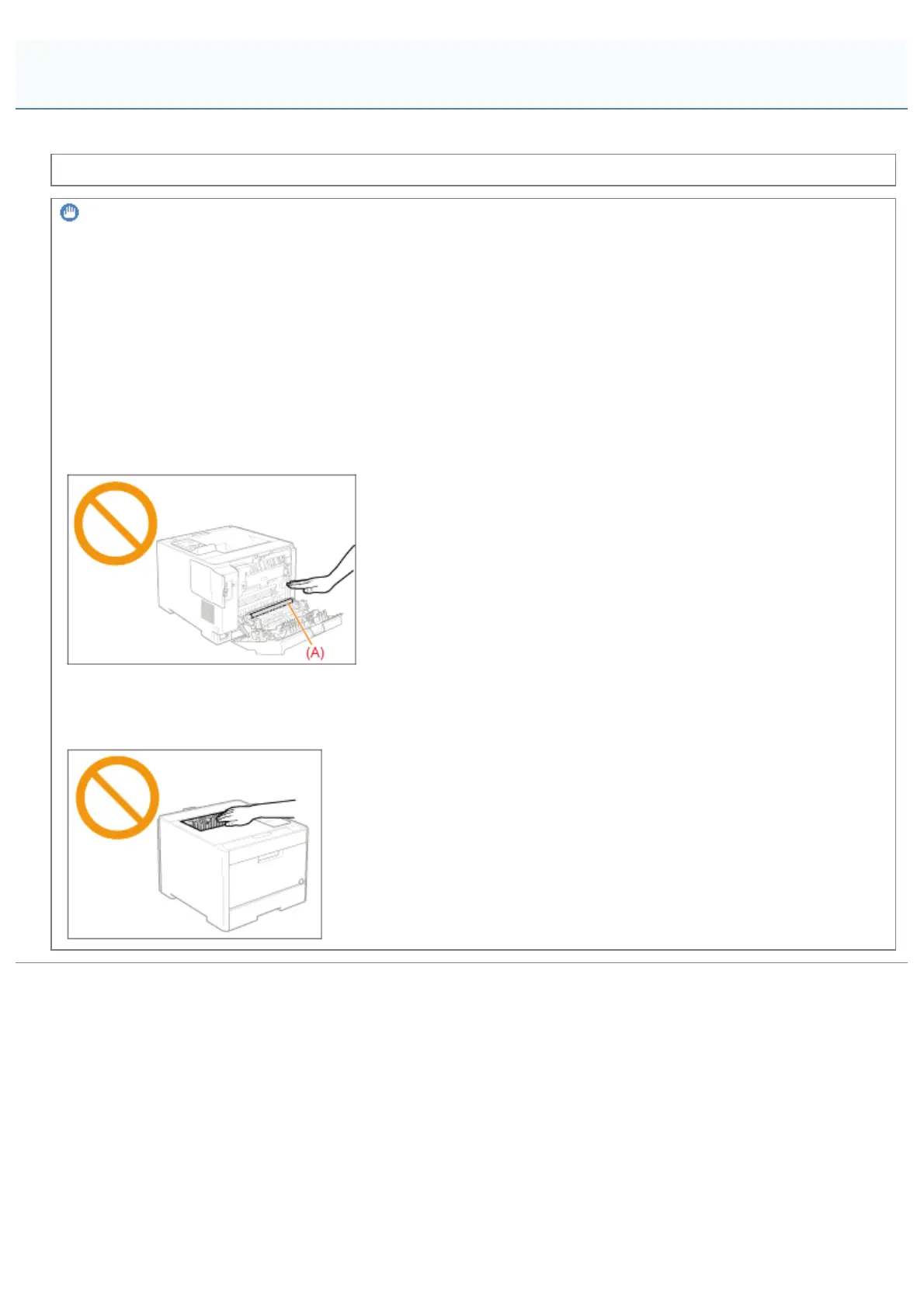
Do not touch the transfer roller (A).
Print quality may deteriorate.
Do not touch the output tray and its surroundings.
The area surrounding the output tray is hot during and immediately after printing. Do not touch the area surrounding the
output tray when removing paper or clearing a paper jam.
Attention (Paper Jams)
㻤㻥㻞㻌㻛㻌㻥㻥㻤



 To Next Page