0258-094
NOTE
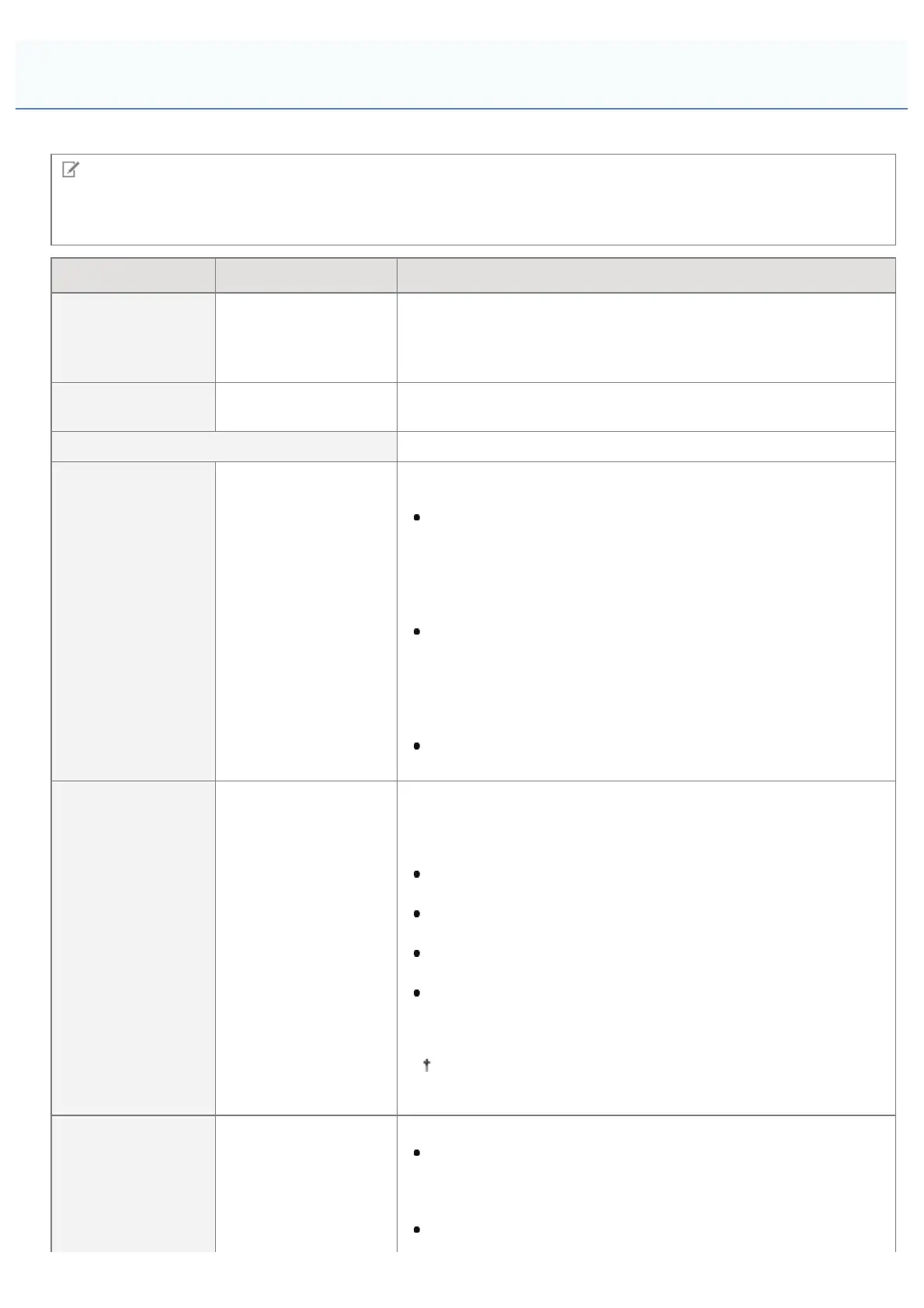
Table description
Bold values in the table indicate the default settings.
Setting Item Setting Value Setting
[Job Timeout] 0 to 3600 seconds
If the time specified in this item has elapsed since a job process was
started, the printer automatically finishes the job and receives the
next job.
If you do not want to specify the timeout, specify "0 seconds."
[Print PS Errors] [Off], [On]
Specifies whether an error page should be printed when a PostScript
error is occurring.
[ICC Profile Settings]
[RGB Source
Profile]
[sRGB v3.0
(Canon)], [Canon
HDTV gamma 1.5],
[Canon HDTV gamma
1.8], [Canon HDTV
gamma 2.4], [None]
Select a suitable profile for RGB data that matches the monitor that
you are using.
When it set to [sRGB v3.0 (Canon)], it is set to the industry
standard image quality for general Windows (PC) monitors.
When using monitors that support sRGB, it can match the
colors displayed on the monitor and the colors printed in the
printer and print colors close to the colors displayed on the
monitor.
When it is set to [Canon HDTV gamma X.X], it adjusts the
brightness of the printed result so that the brightest and darkest
parts of the data are not lost. Set it to adjust the brightness,
such as when the print result is brighter than the colors
displayed on the monitor. The larger the gamma value, the
darker it is printed.
When it is set to [None], it performs color separation from RGB
data to CMYK without applying an RGB profile.
[CMYK Sim.
Profile]
[Euro Standard v1.00],
[JapanColor (Canon)],
[U.S. Web Coated
v1.0], [None]
You can set a simulation target when printing CMYK data.The
machine converts CMYK data to a device-dependent CMYK color
model in accordance with the simulation target selected by the
CMYK simulation profile.
When it is set to [JapanColor (Canon)], it uses JapanColor
profile.
When it is set to [U.S. Web Coated v1.0], it uses U.S. Web
Coated profile.
When it is set to [Euro Standard v1.00], it uses Euro Standard
profile.
When it is set to [None], it prints CMYK data using a device-
dependent CMYK color model, without applying a CMYK
simulation profile.
If this item is set to [None], dark color gradation may
collapse, depending on the data.
[Grayscale Profile] [Off], [On]
Set what type of processing to use for device-dependent gray data.
When it is set to [On], it uses the printer's "Grayscale Profile" to
convert it to CMYK data.However, it may be reproduced using
black (Bk) toner only, by using the [Output Profile] or [Pure
Black Text] settings.
When it is set to [Off], it is reproduced using black (Bk) toner
[Setup] Menu ([PS] Options)
㻢㻝㻟㻌㻛㻌㻥㻥㻤



 To Next Page