0258-0LK
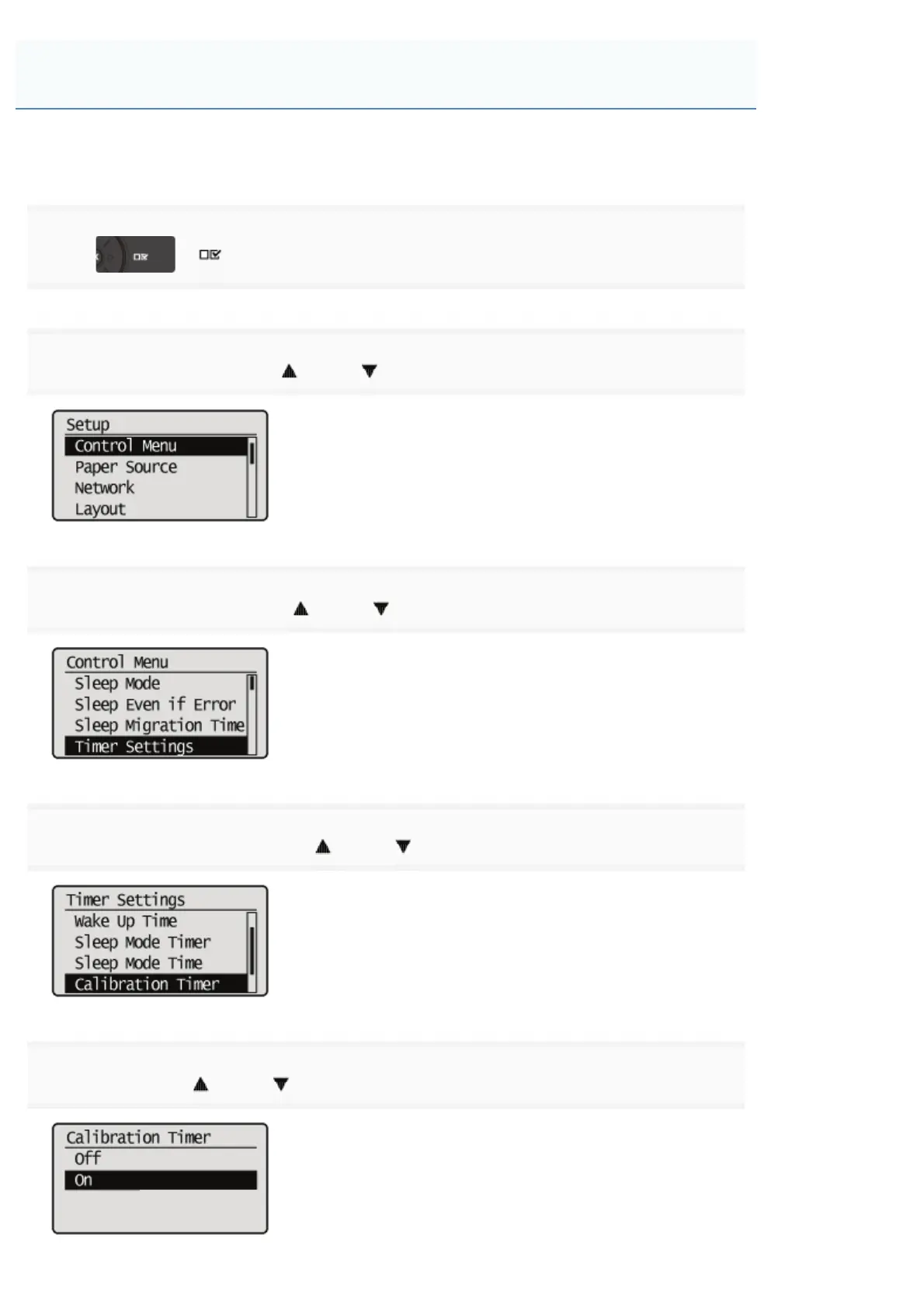
Full calibration can be performed automatically at a specified time every day.
1
Press [ ] ( : Settings).
2
Select [Control Menu] using [ ] and [ ], and then press [OK].
3
Select [Timer Settings] using [ ] and [ ], and then press [OK].
4
Select [Calibration Timer] using [ ] and [ ], and then press [OK].
5
Select [On] using [ ] and [ ], and then press [OK].
Specifying Times and Performing Automatic Calibration
㻤㻢㻌㻛㻌㻥㻥㻤


 To Next Page