0258-0S9
If the printer is connected to an outside network, you can install the system options and MEAP applications from the
Remote UI by linking with the delivery server.
NOTE
Preparing a license access number certificate
Make sure that the license access number that is included with the package is available.
1
Start the Remote UI, and then log in as Administrator.
"Starting the Remote UI"
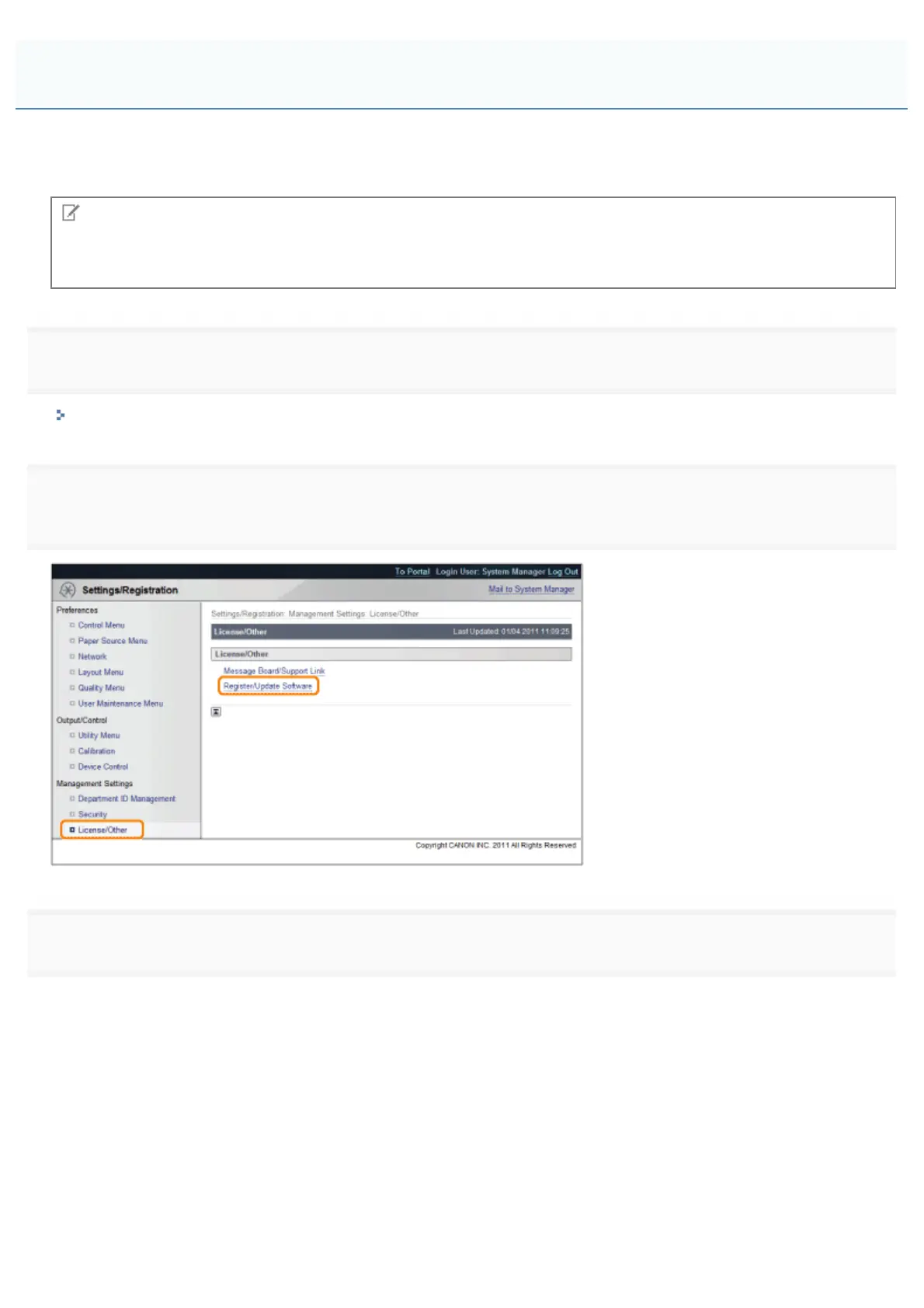
2
[Register/Update Software].
3
Click [Delivered Installation].
Installing by Connecting This Printer to an Outside Network (Delivery)
㻢㻡㻢㻌㻛㻌㻥㻥㻤



 To Next Page