GENERALDESCAIPTIONI
2. Using User Mode
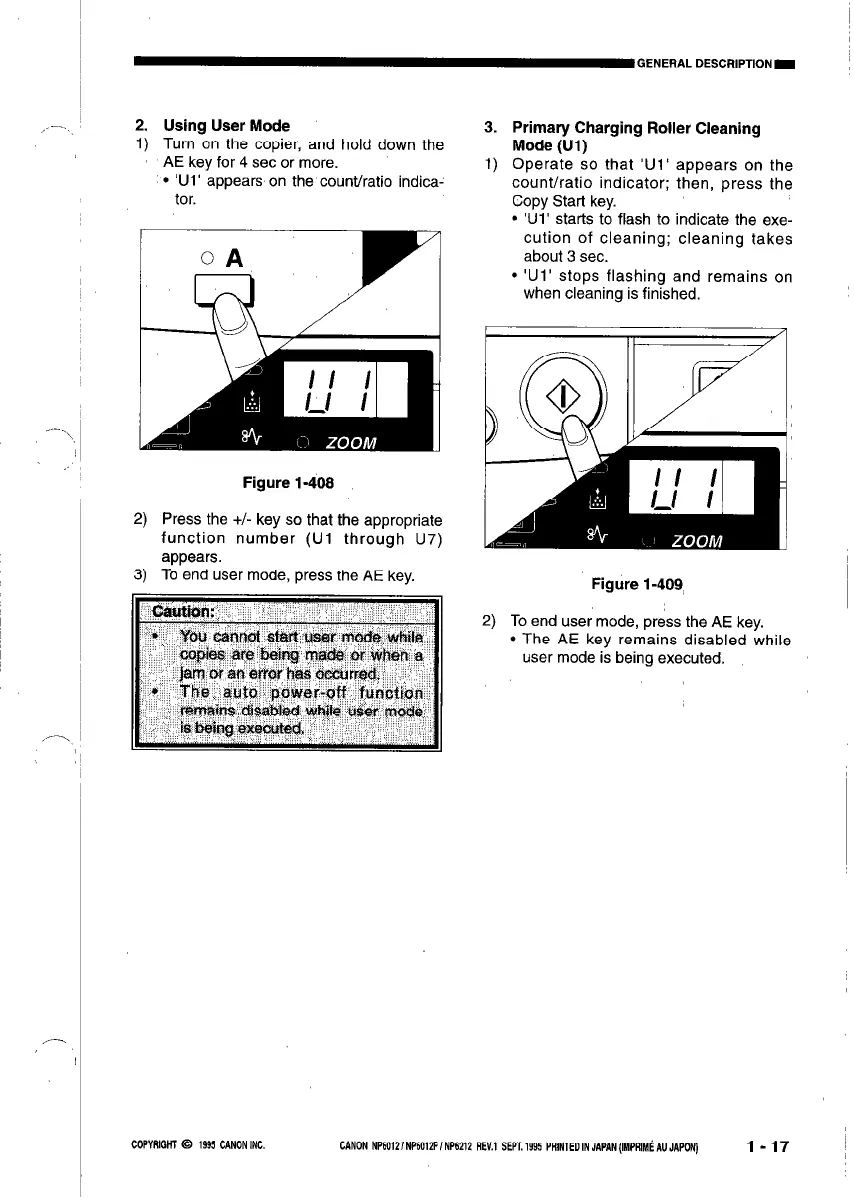
1) Turn on the copier, and hold down the
AE key for 4 set or more.
l ‘Ul’ appears on the count/ratio indica-
tor.
Figure l-408
2) Press the +/- key so that the appropriate
function number (Ul through U7)
appears.
3) To end user mode, press the AE key.
3.
1)
Primary Charging Roller Cleaning
Mode (Ul)
Operate so that ‘Ul’ appears on the
count/ratio indicator; then, press the
Copy Start key.
l ‘Ui’ starts to flash to indicate the exe-
cution of cleaning; cleaning takes
about 3 sec.
l ‘Ul’ stops flashing and remains on
when cleaning is finished.
Figure l-409
2)
To end user mode, press the AE key.
l The AE key remains disabled while
user mode is being executed.
COPYRIGHT 0 1995 CANONINC.
CANON NP6012/NP6012F/NP6212 REV.1 SEPT.1995 PAlNlEOINJAPAN(IMPRIMiAUJAPON)
l-17



 To Next Page