79
Chapter 4 Operating Procedures
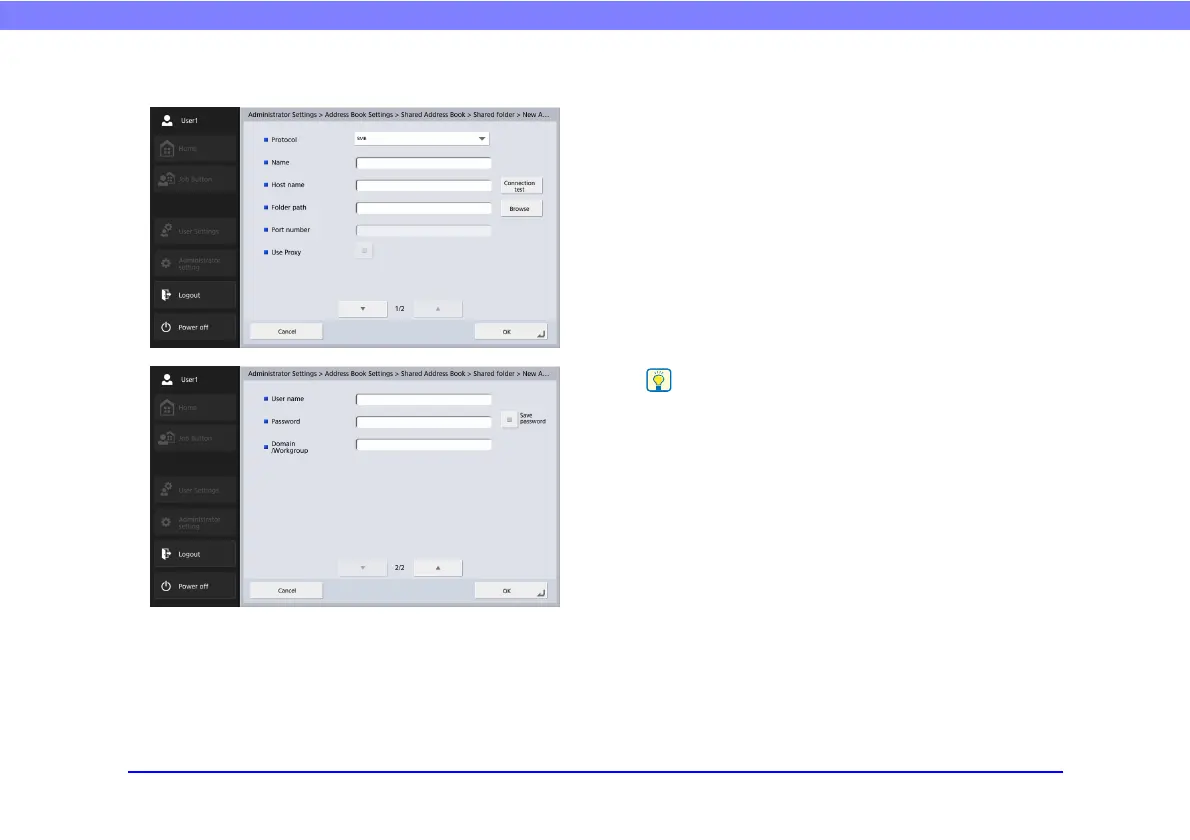
Shared Folder Registration Screen
• Protocol
Select the protocol to be used when sending files to
shared folders. You can select from [SMB], [WebDAV]
or [WebDAV over SSL].
• Use Proxy
Connect to an external network via an HTTP proxy
server.
This is enabled when [Protocol] is set to an option other
than [SMB].
•Name
Enter the name to appear in the address book.
• Host name
Enter the name of the computer containing the publicly
shared folder.
• Folder path
Enter the name of the shared folder and the path of the
sub-folder to register.
If the path of the sub-folder is unknown, use the procedure
below to specify the sub-folder.
1. Enter the host name, user name, password, and domain, and
then press [Browse] to access the computer that is making
the shared folder public.
2. Specify any sub-folder within the displayed folder.
3. Press [Downward] to move to a level lower than the selected
folder, or press [Edit] and [Create a new folder] to create a
new folder.
• Port number
Enter the port number when [WebDAV] or [WebDAV
over SSL] is selected as [Protocol].
• User name/Password
Enter the user name and password of an account with
write permission for the shared folder.








 To Next Page