EasyManua.ls Logo

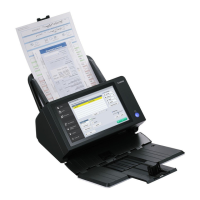
Canon ScanFront 400 - User Manual

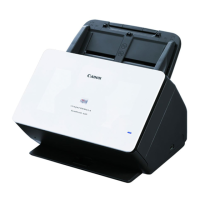
Canon ScanFront 400
206 pages
Print Icon
To Next Page IconTo Next Page
Loading...
Please read this manual before using the scanner.
After you finish reading this manual, keep it in a safe place
for future reference.
INSTRUCTIONS

Table of Contents

Questions and Answers

  • H
    hbellSep 12, 2025
    What to do if Canon ScanFront 400 Scanner cannot create a new folder (shared folder/FTP server)?
    • G
      Grant SanchezSep 12, 2025
      If the Canon Scanner cannot create a new folder (shared folder/FTP server), permission to write to the shared folder may not have been granted for the user name and password that were entered. Contact the administrator of the shared folder.
  • A
    Ann TorresSep 13, 2025
    What to do if Canon Scanner cannot delete a folder?
    • T
      Tiffany DunnSep 13, 2025
      If the Canon Scanner cannot delete a folder: * Data may have been saved to the folder. Contact the administrator of the shared folder. * Permission to change the shared folder may not have been granted for the user name and password that were entered. Contact the administrator of the shared folder.
  • D
    Dave HenrySep 15, 2025
    What to do if specifying a mail address as the address and then starting scanning results in an error with my Canon ScanFront 400 Scanner?
    • S
      Steven MontgomerySep 15, 2025
      If specifying a mail address as the address and then starting scanning results in an error with the Canon Scanner, the mail server settings may not have been registered, or may have been deleted. Contact the administrator of the ScanFront.

Summary

Chapter 1 Before Use

Important Safety Instructions

Covers essential precautions for safe scanner operation, including installation and handling guidelines.

Chapter 2 ScanFront Setup

Chapter 3 Handling

Clearing a Paper Jam or Double Feed Error

Offers step-by-step solutions for resolving paper jams and double-feed errors.

Chapter 4 Operating Procedures

Scanning Procedures

Details the steps for performing scans from various screens and selecting destinations.

Scan Send Settings

Covers configuration of scan conditions, file formats, and sending options.

Chapter 5 Administrator Settings

User Administration

Covers registering, editing, and restricting functions for users of the scanner.

Chapter 7 ScanFront Administration Tool for SF400

Installing ScanFront Administration Tool for SF400

Provides system requirements and step-by-step instructions for installing the management software.

Chapter 8 Maintenance

Replacing the Rollers

Guides on replacing consumable rollers (feed and retard) to ensure proper document feeding.

Chapter 9 Troubleshooting

Troubleshooting

Lists common problems related to network, settings, and server connectivity with their causes and solutions.

Error Messages

Details specific error messages and their corresponding solutions for resolving scanner issues.

Canon ScanFront 400 Specifications

General IconGeneral
Scanner TypeDocument Scanner
Scan SpeedUp to 45 ppm / 90 ipm
Optical Resolution600 dpi
ADF Capacity60 sheets
Scanning MethodContact Image Sensor (CIS)
ConnectivityEthernet
Supported ProtocolsSMB, FTP, SMTP
Output FormatsPDF, JPEG, TIFF
Daily Duty CycleUp to 6, 000 scans/day
InterfaceUSB 2.0

Related product manuals