Installing the Printer Driver and Software
66
Printing from a PC
5 Following the instructions on the
screen, then restart your computer.
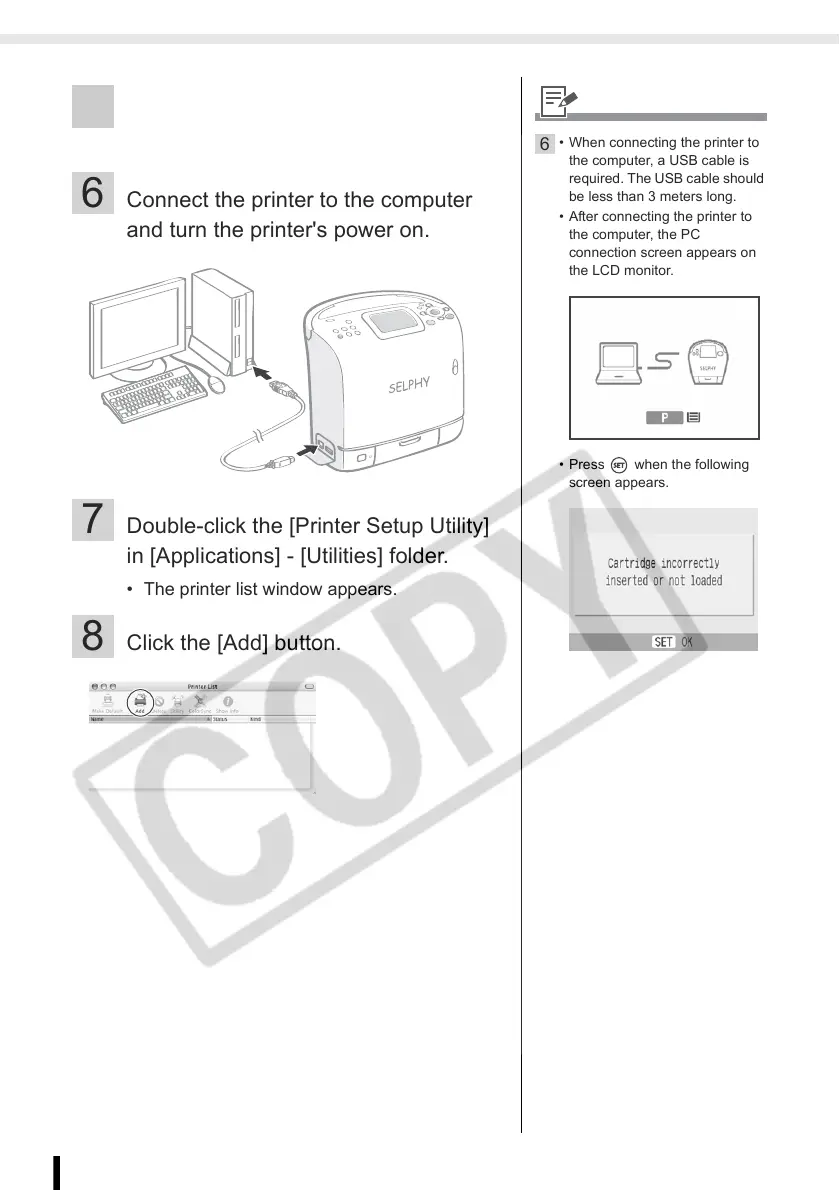
6 Connect the printer to the computer
and turn the printer's power on.
7 Double-click the [Printer Setup Utility]
in [Applications] - [Utilities] folder.
• The printer list window appears.
8 Click the [Add] button.
6
• When connecting the printer to
the computer, a USB cable is
required. The USB cable should
be less than 3 meters long.
• After connecting the printer to
the computer, the PC
connection screen appears on
the LCD monitor.
• Press when the following
screen appears.














 To Next Page